
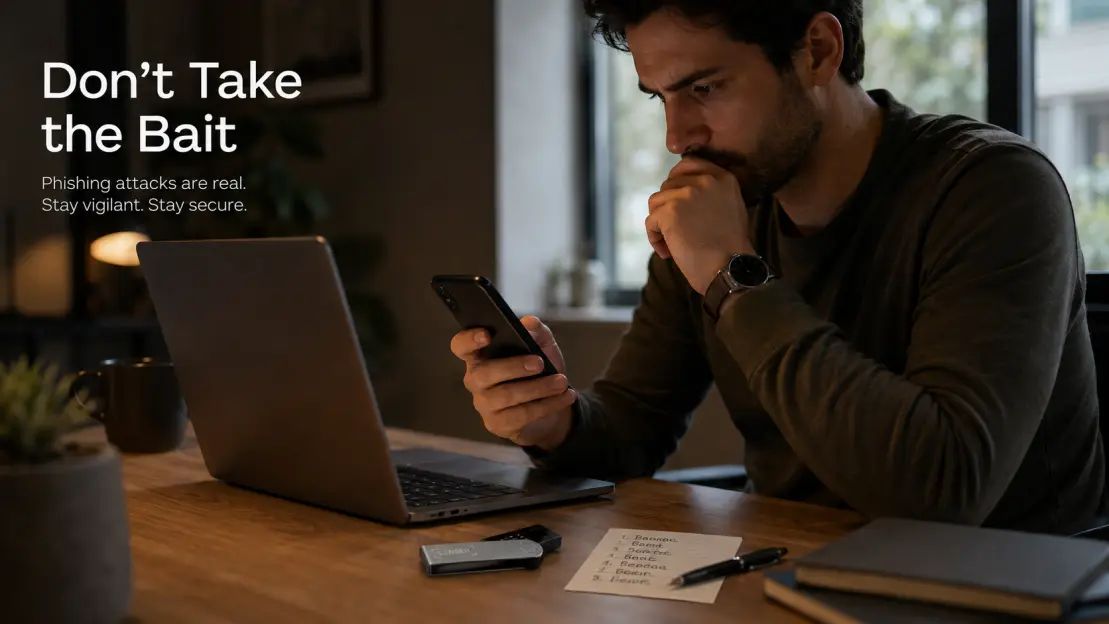
A fake crypto executive, a real Google Doc, and malware waiting behind a “decrypt” button. If professionals are being targeted this way, “I’m too smart for phishing” is not a security strategy.
Most crypto scams have a reputation problem.
They look like scams.
Bad grammar.
Strange domains.
Random Telegram accounts.
Obvious urgency.
That makes us comfortable.
We start believing:
“I would never fall for something like that.”
Then you read what happened after Black Hat and DEF CON this month.
A threat actor reportedly impersonated a CoinDesk executive and contacted cybersecurity professionals through X.
The pitch was ordinary.
They were supposedly planning an upcoming conference.
They wanted help.
They shared a Google Doc.
Not a strange .exe.
Not a random crypto website.
A Google Doc.
And that is where the attack became interesting.
The Document Created a Problem Before Offering the “Solution”
According to Huntress, the Google Doc contained a custom sidebar built with Google Apps Script.
The target was given an “encryption key.”
They entered it.
It appeared to fail.
Then the interface offered ways to fix the problem.
One route used ClickFix-style instructions—essentially convincing the user to execute commands themselves.
Another offered a download.
That small detail matters.
The scam did not immediately say:
“Run this malware.”
It first created a believable technical problem.
Then it offered the malicious action as the solution.
That is much closer to how modern phishing works.
The Fake Conference Wasn’t Really the Product
The real product was trust.
Think about the sequence.
A recognizable industry person contacts you.
The conversation happens on a platform you already use.
The topic makes sense after a major security conference.
The file is hosted on Google.
The document looks normal.
Only later does the dangerous step appear.
That is why:
“The website looked legitimate.”
is becoming weaker and weaker as a security test.
Attackers increasingly use legitimate infrastructure around the malicious part.
Mac and Windows Users Got Different Payloads
Huntress found different attack paths depending on the operating system.
On macOS, the campaign delivered Atomic macOS Stealer (AMOS), malware associated with credential and sensitive-data theft.
On Windows, researchers observed NetSupport RAT, a traffic-intercepting proxy, and a Ledger-related wallet implant among the delivered components.
When the first Google Doc attempt did not work, the attacker reportedly followed up again using a fake Dropbox DocSend workflow.
That persistence is probably the part I find most interesting.
The first lure fails?
Try another trusted platform.
The target hesitates?
Make the next step look even more familiar.
This is not random spam.
It is a conversation.
“I Know What Phishing Looks Like” Is Becoming Dangerous
We used to teach people to look for:
- spelling mistakes,
- weird URLs,
- obvious fake logos,
- suspicious attachments,
- badly written support messages.
Those checks still help.
But they are not enough anymore.
Professional-looking content is cheap.
Good English is cheap.
Realistic interfaces are cheap.
AI-assisted writing makes personalization easier.
And legitimate cloud platforms can carry part of the attack chain.
The useful question is no longer:
“Does this look professional?”
It is:
“Can I independently verify why this person is asking me to do this?”
Crypto Users Have an Extra Problem
Most malware victims worry about:
passwords,
browser cookies,
email accounts,
documents.
Crypto users may have something else connected to the same computer:
wallet software.
That creates a dangerous misunderstanding around hardware wallets.
A Ledger or other hardware wallet can keep private keys isolated from a general-purpose computer.
That is valuable.
But it does not make the computer harmless.
Malware may still target:
- wallet interfaces,
- clipboard contents,
- browser sessions,
- account credentials,
- transaction workflows,
- or the human sitting in front of the screen.
The device protects one security boundary.
It does not turn a compromised laptop into a trusted environment.
The Recovery Phrase Is Still the Line I Would Never Cross
Imagine the attacker eventually says:
“There is an issue with your wallet configuration.”
Then:
“Restore the wallet to continue.”
Then:
“Enter your 24 words.”
At that point, the rest of the story no longer matters.
The person's job title does not matter.
The Google Doc does not matter.
The conference does not matter.
The logo does not matter.
The reason does not matter.
Stop.
A recovery phrase capable of recreating a wallet should not become troubleshooting information for an unsolicited stranger.
This Is Why I Think Crypto Security Needs More Than One Layer
I write about this constantly at CryptoSafeKit because hardware wallets are often marketed as though buying the device completes the security job.
It doesn't.
A more realistic model is:
Hardware wallet
→ isolates signing keys.
Offline recovery backup
→ preserves recovery capability.
Transaction verification
→ reduces signing mistakes.
Operational habits
→ help prevent phishing and malware-driven errors.
Wallet separation
→ limits how much one bad interaction can expose.
You can have excellent hardware and terrible operational security.
Or excellent operational habits and a recovery backup that disappears five years later.
Self-custody works when the layers support each other.
For readers who want the deeper guides, I keep the longer-form security material at CryptoSafeKit.
That is the only site mention I would put in this post.
My New Rule for “Trusted” Documents
If someone I was not already expecting sends me a document and that document eventually tells me to:
run Terminal,
open PowerShell,
paste a command,
install an “update,”
disable security,
or restore a wallet,
I no longer care how legitimate the document looks.
I stop.
Then I verify the request independently.
Not through their link.
Not through their phone number.
Not through their reply chain.
That little break destroys one of the attacker's biggest advantages:
momentum.
The Security Researcher Didn’t Fall for It
That is important.
The Huntress researcher recognized the lure and continued the conversation deliberately so the team could study the attack.
So this is not a story about:
“Security experts are stupid too.”
The lesson is more useful than that.
Attackers are willing to build sophisticated, personalized workflows even for people who professionally study attacks.
If that is the level of effort being used against security professionals, ordinary crypto users should stop assuming that future phishing attempts will always look amateur.
One Question for the Comments
Here is what I am genuinely curious about:
What would make you trust an unexpected document enough to run a command from it?
If it came from:
a colleague?
a known crypto company?
a conference organizer?
Google Docs?
Dropbox?
Someone whose identity looked completely real?
And where would you draw the line?
I suspect the answers are much more complicated than “I never click suspicious links.”
Please don't post wallet addresses, recovery phrases, private keys, email addresses, or personal information in the comments.
Security disclaimer: This article is for educational purposes. Huntress reported that its researcher identified the campaign rather than becoming a victim. Never enter a recovery phrase, private key, PIN, or passphrase into an unsolicited document, website, support workflow, or software installer.






