

The Shop is one of the most important elements of the CryptoPick ecosystem: it is the place where you can buy our NFT skins. You can use these NFT's to customize your avatar, but they are much more than that. They are also a new way to monetize your Pickies as you could potentially sell them to other players/collectors outside of CryptoPick. Most importantly, they will also have specific utilities inside CryptoPick, like earning you more Pickies while playing games.
There are several ways to access the "Shop" from:
- Navigation: "Shop" menu
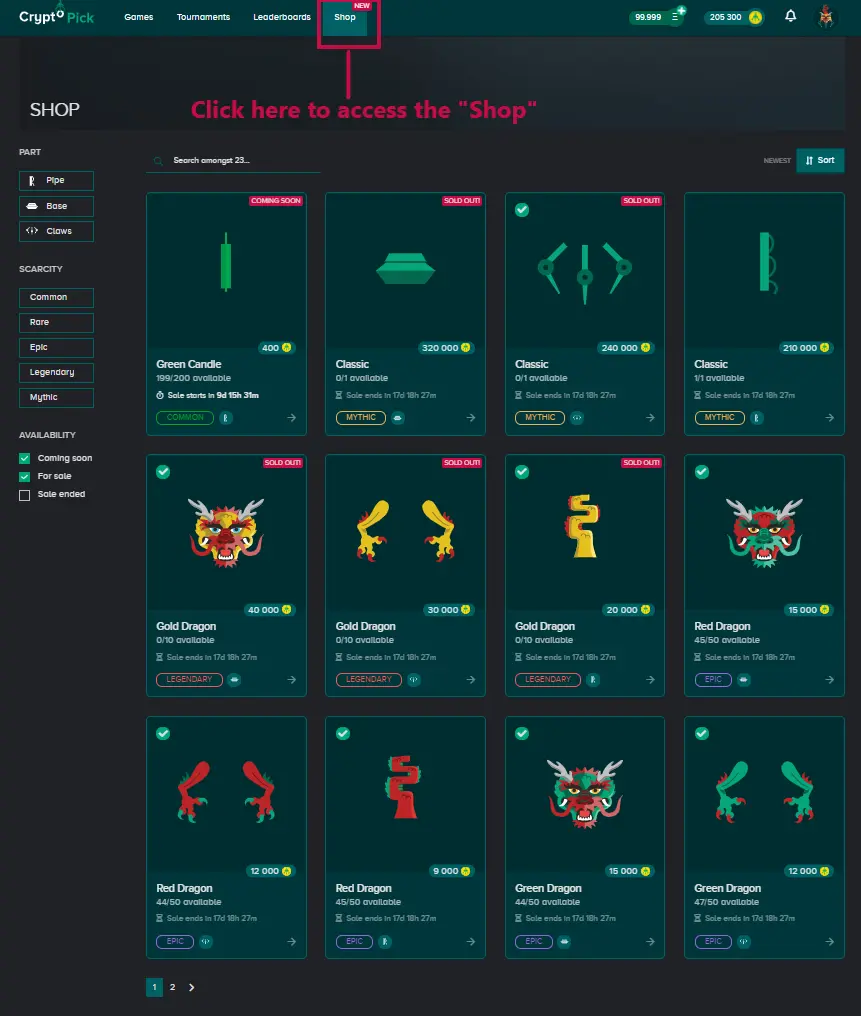
- Profile: "Inventory" tab

The main screen of the Shop is composed of several sections in addition to the display of the skins visuals:
- PART: Pipe / Base / Claws
- SCARCITY: Common / Rare / Epic / Legendary / Mythic
- AVAILABILITY: Coming soon / For sale / Sale ended
- OTHER OPTIONS: search field / page number / sort option
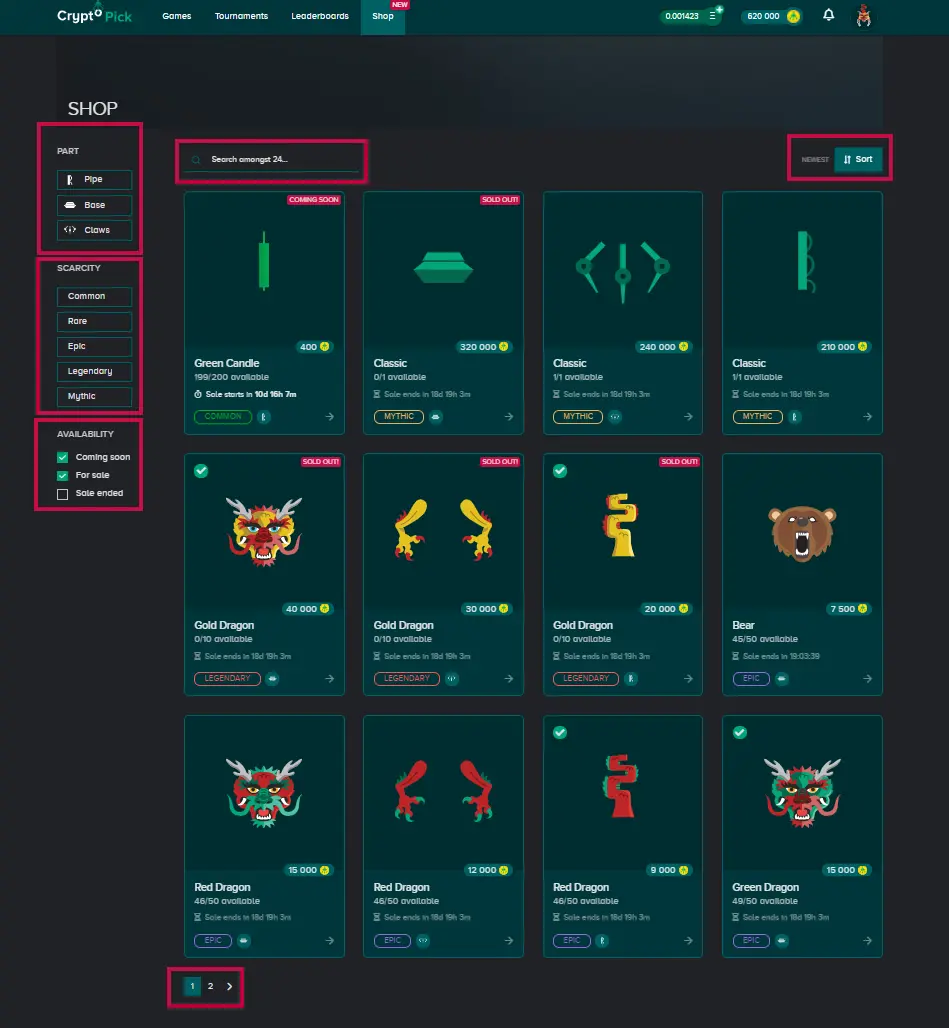
The display of the different skins is fully configurable. Just click or choose the desired categories and sort them.
In the example below, the skins displayed are "Bases" (Part), "Epic", "Legendary" and "Mythic" (Scarcity) available "For sale" (Availability) and sorted from the rarest to the least rare (Sort).
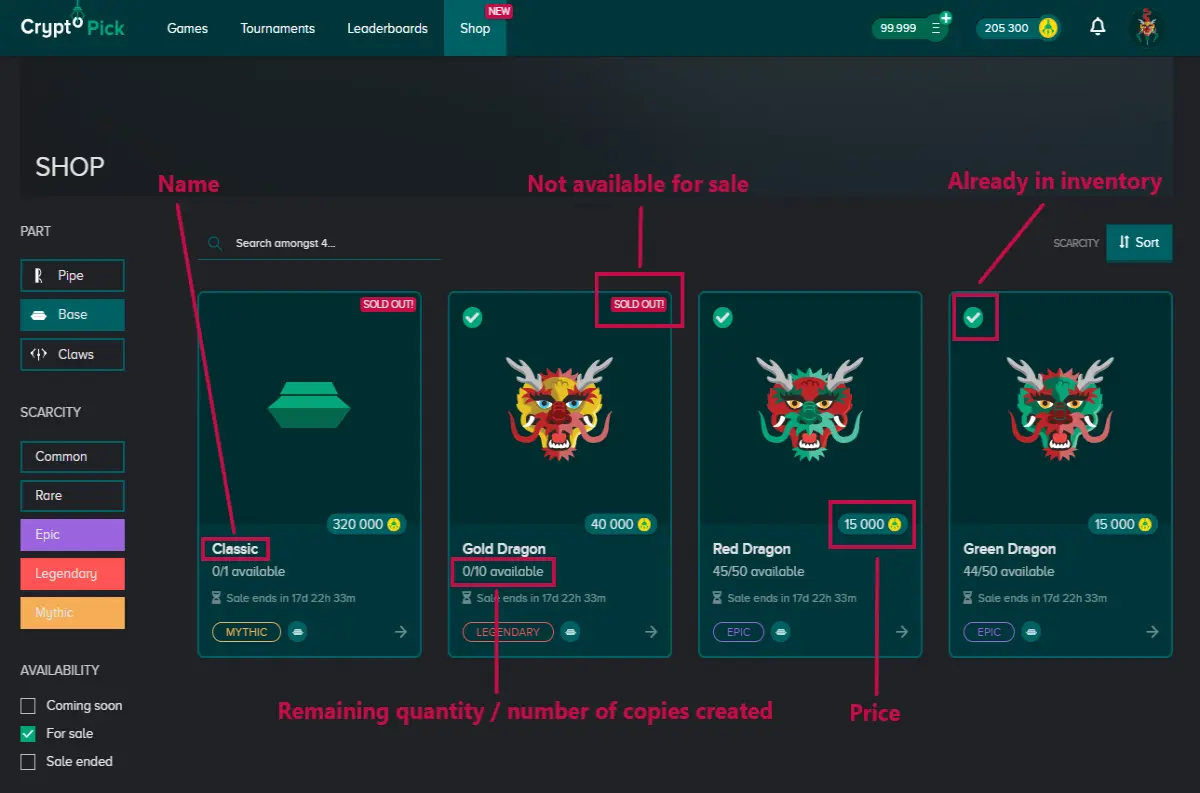
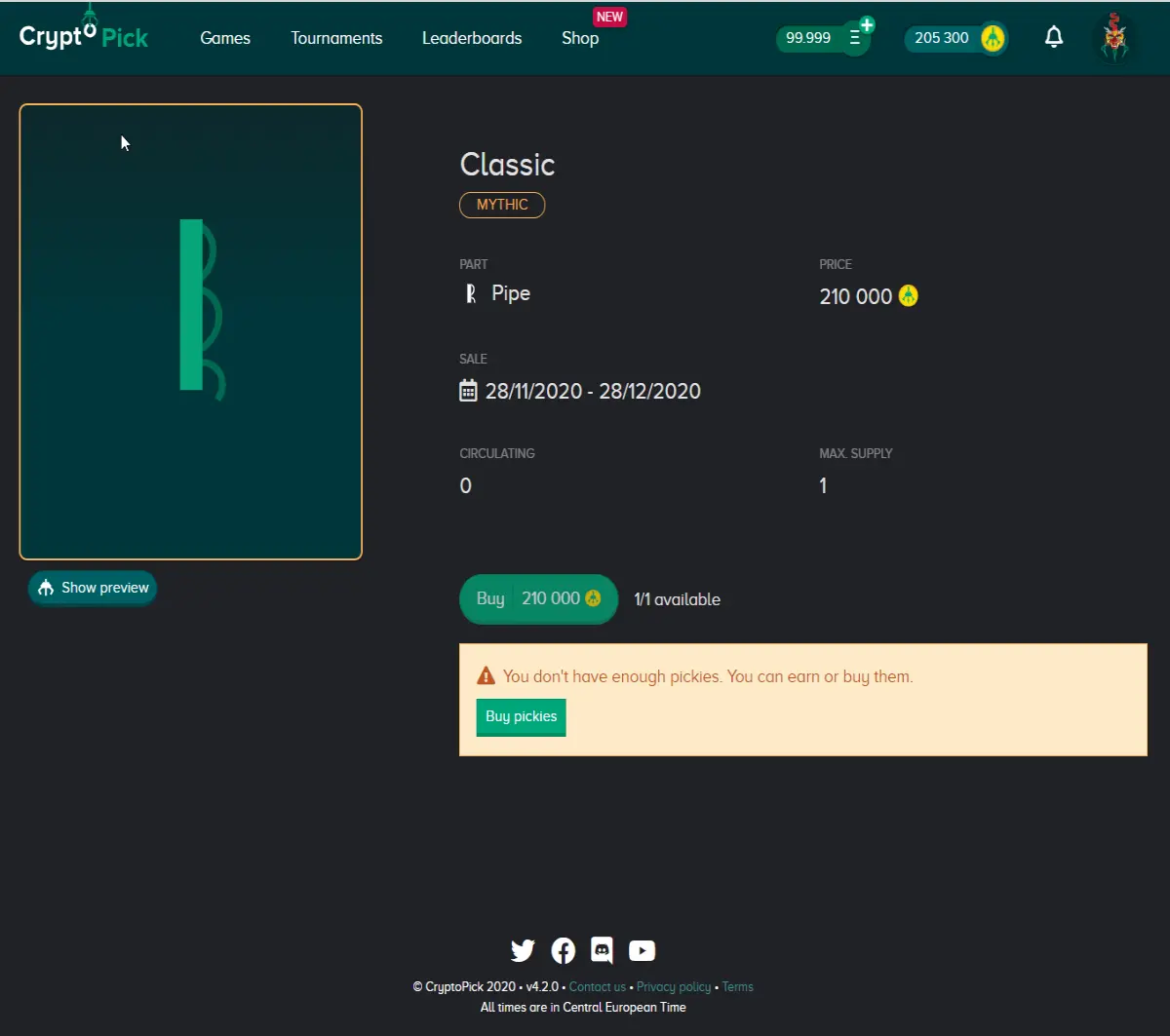
For each skin, the other information communicated is as follows: name of the skin, availability status, price, number of copies available for sale, total number of copies created, sale period, as well as whether the skin is already available in the inventory.
All of this information is also available when you click on the skin to proceed to the "Buy" step.
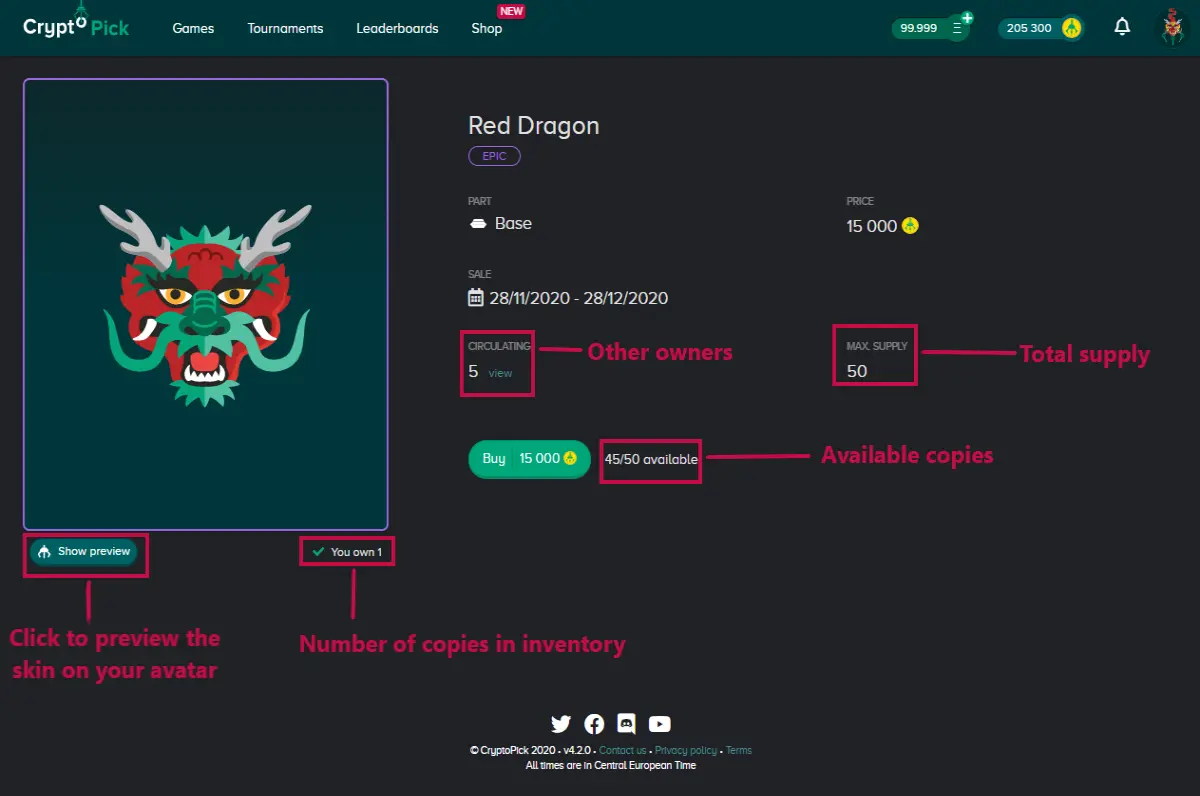
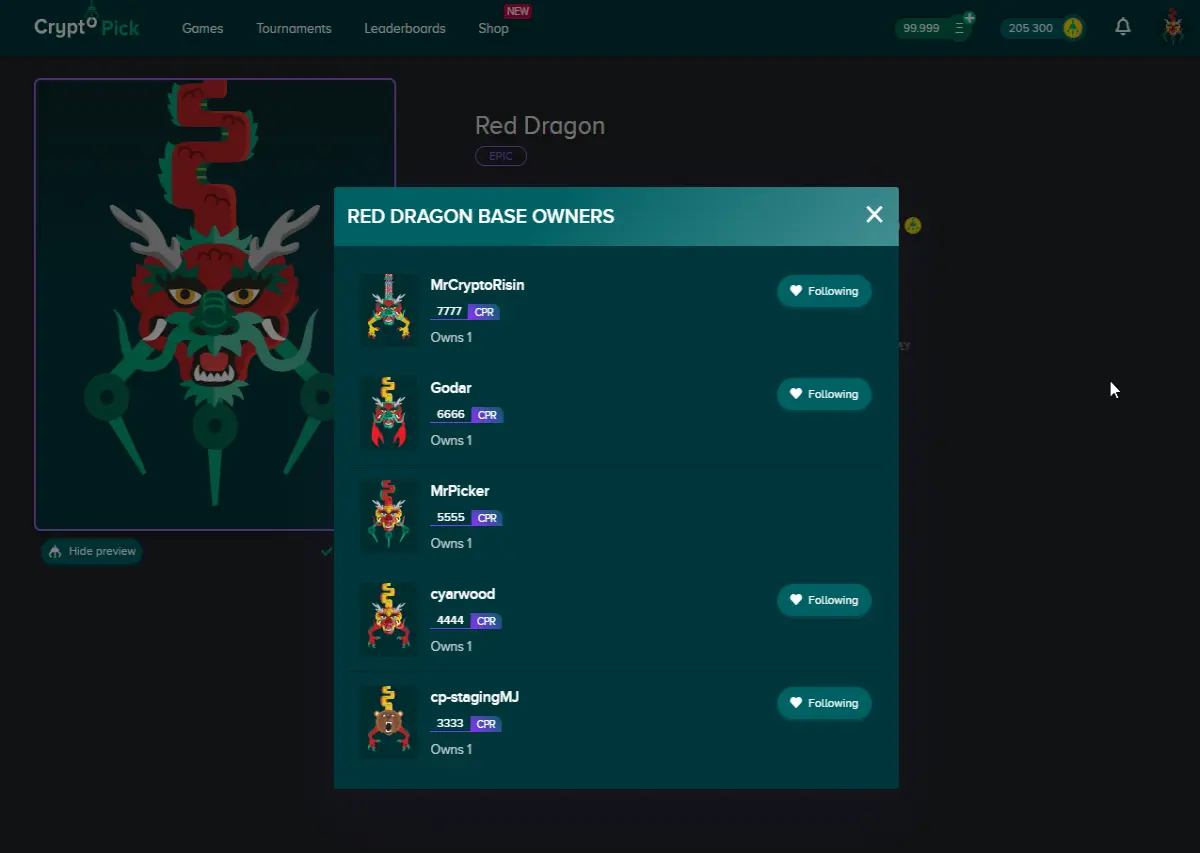
Before proceeding with "Buy", other information is available, including a preview of the skin and a list of the skin's owners.
- PREVIEW
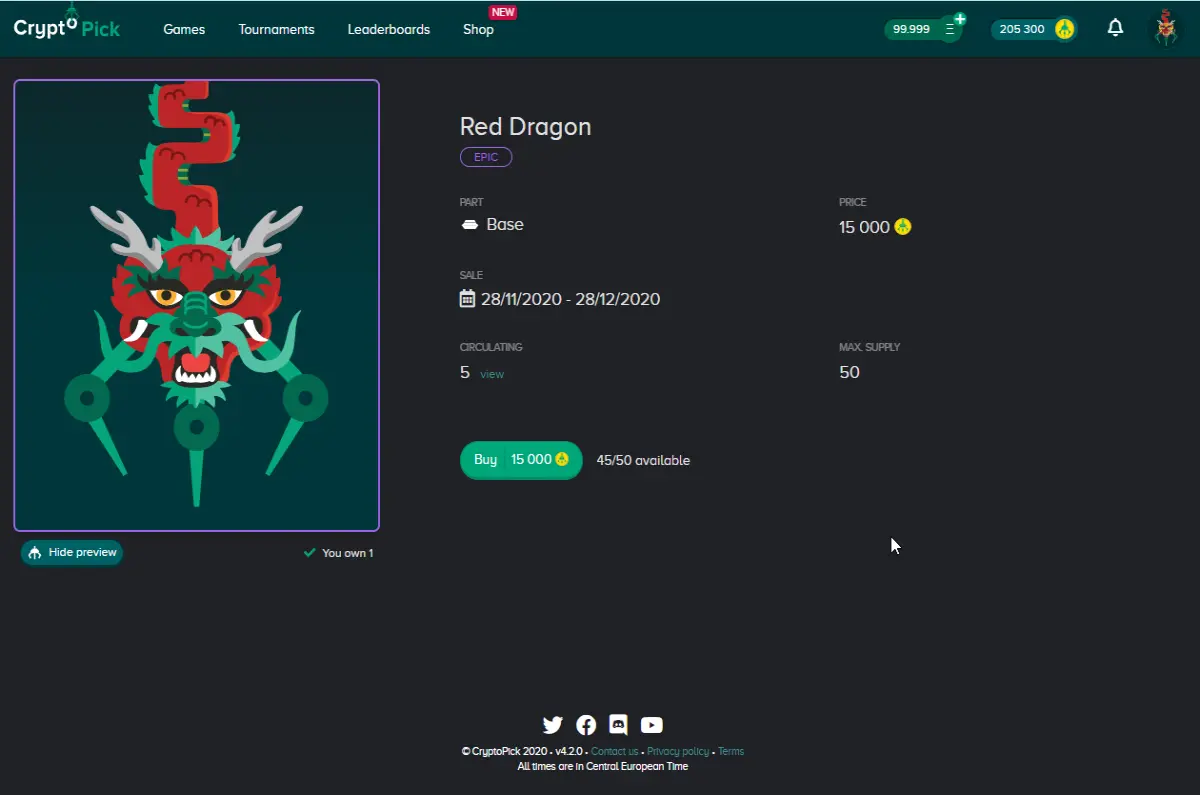
- OWNERS LIST
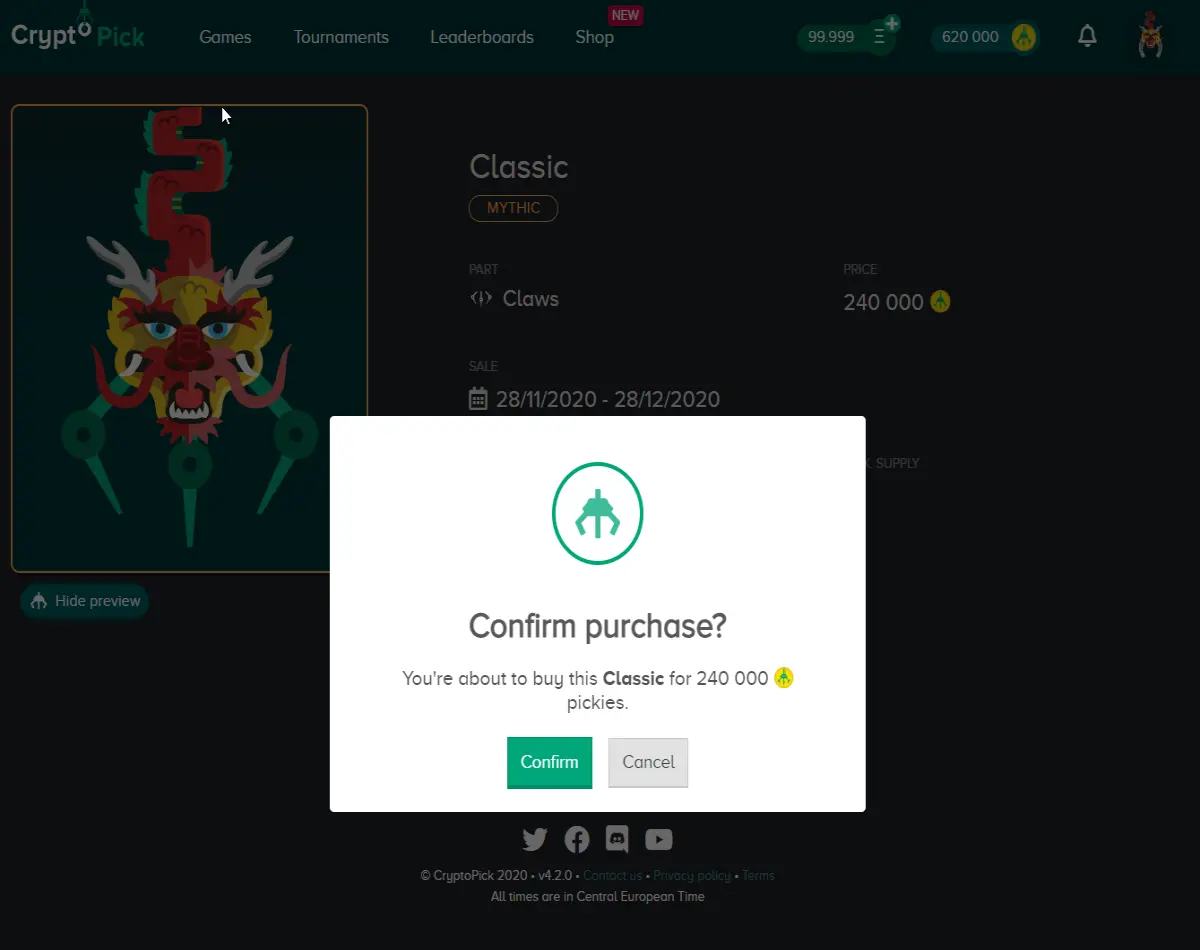
When ready to buy the skin, click "Buy" and "Confirm" purchase.
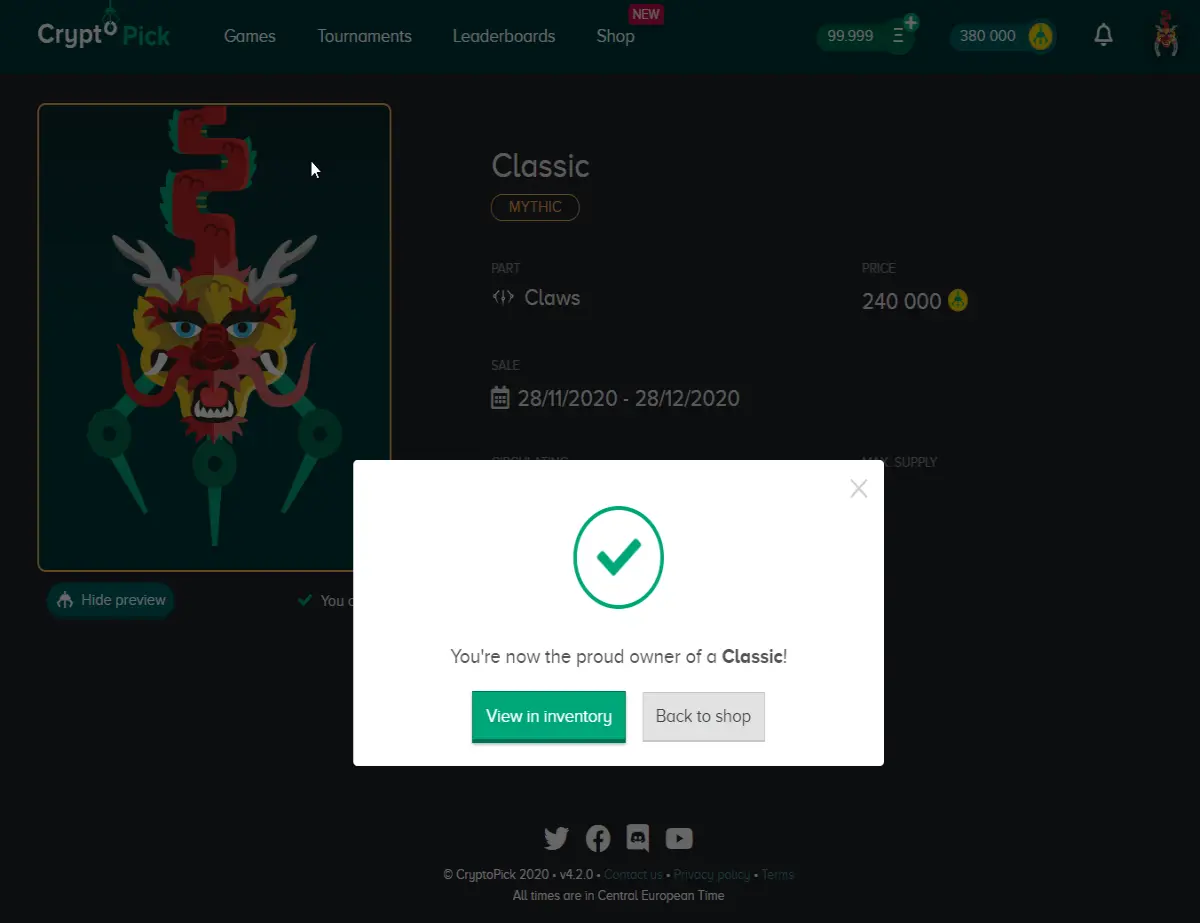
When done, you can "view inventory" to use the skin or you can go "Back to Shop" to make another purchase.
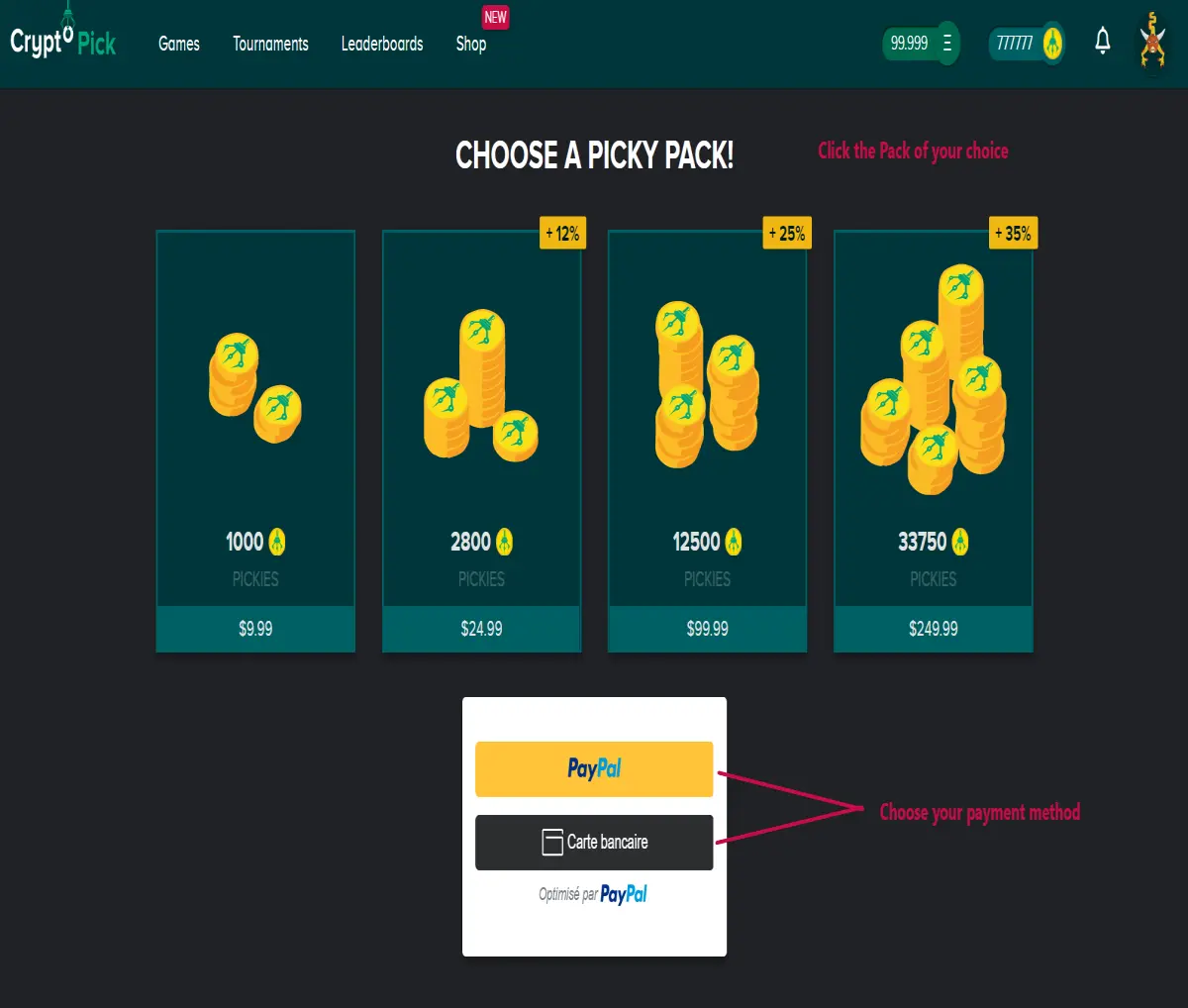
In case you don't have enough enough Pickies to buy a skin, you can always earn more in games or buy some by clicking on "Buy Pickies" to go to the Picky Shop and buy one of our packs. All our offers HERE.
- INVENTORY
The Inventory is where you will find all the skins you currently own, their quantities and an option to use them on your avatar. Remember, skins can either be obtained by completing achievements, or by buying them in the Shop.
Once you have made your choices, your avatar will be directly equipped and your Inventory will be visible to all players in the different rankings and games. You can also check out the skins of other players.
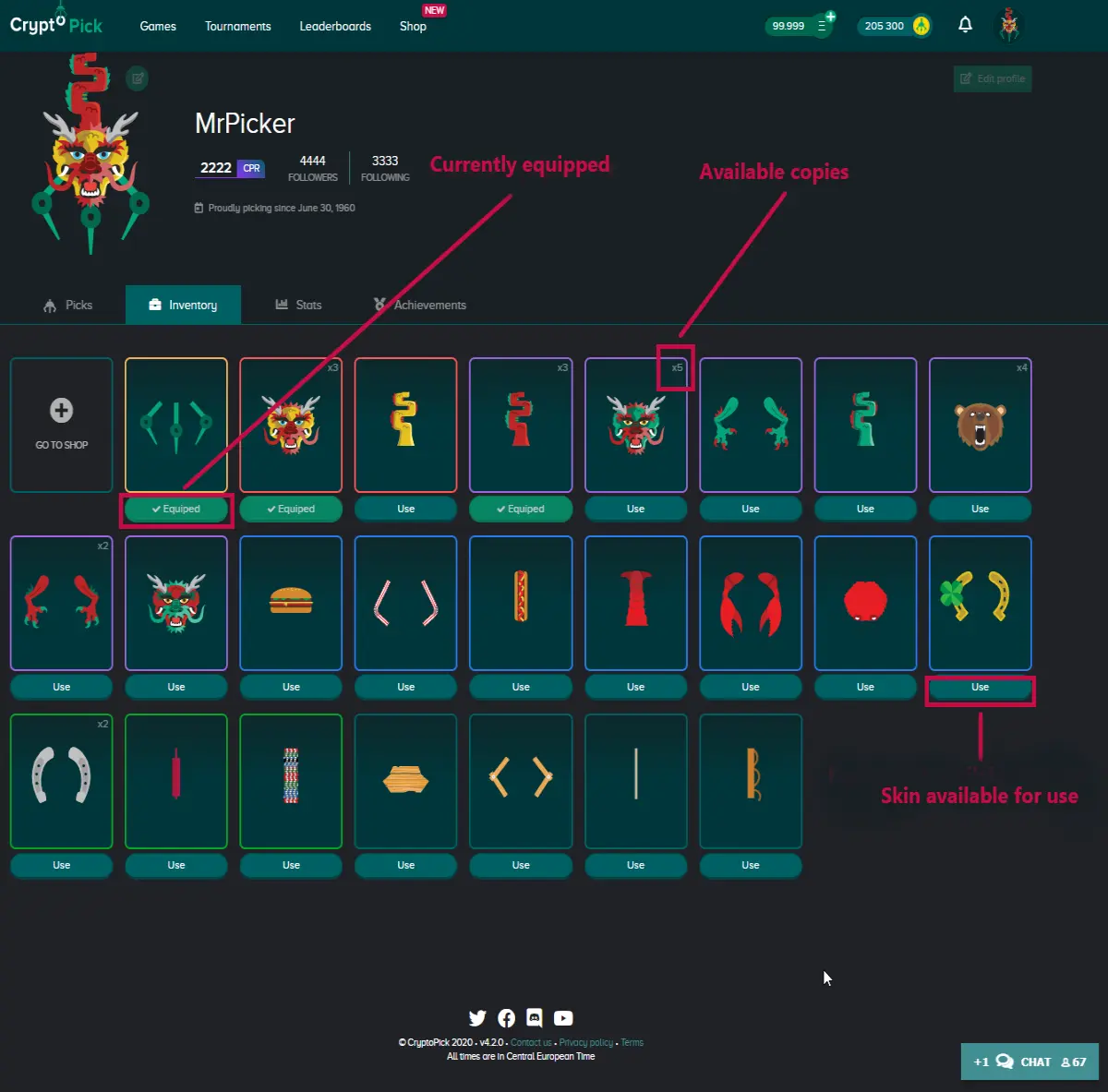
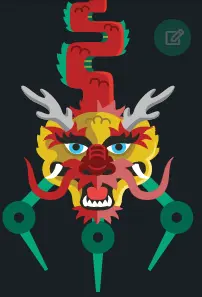
And voilà, admire the result :)
For more information about CryptoPick and Pickies©, you can read our articles "CryptoPick - Official guide" and "What are Pickies?"
Become a Crypto Picker!
CryptoPick is free, fun and breaks the news. Don't be a pickle and join the pickers.
Official Website: https://cryptopick.net/
Join our social channels for news and announcements:





