
So do you have:
- a laptop or desktop running Windows, Linux or MacOS?
- a decent internet connection (unlimited data plan)?
- a bunch of unused HDDs or SSDs or some which you can repurpose?
- some time and patience?
If the answer is yes, how about considering Chia farming.
What is CHIA?
Rather than Proof of Work (PoW), think BTC or Proof of Stake (PoS), think BNB, Chia uses Proof of Time and Space. Basically you set up a node and leverage used storage space.
How to proceed
First read up on what you'll need and some best practices.
I found these parts encouraging "All of that said, for my personal plotting I use a 2017 iMac and a 12TB Western Digital external drive on USB 3.0 for both temporary and final directory and I get a k32 about every 10 hours." and "It is also a very common plotting strategy to plot on say your gaming machine and then move your plots to a Raspberry Pi 4 with a lot of USB ports. All you need is your same 24 word mnemonic on both machines. Alternatively you can just run a remote harvester on your Pi and have it connect to your gaming machine where you are running node and farmer and only have your private keys on one machine."
Some terminology and quick TL;DR
Chia Network is blockchain and smart transaction platform created by the inventor of BitTorrent, Bram Cohen. Proofs of Space and Time replace energy intensive “proofs of work”; this means anyone who wants to validate transactions should be able to farm without single-use hardware or a big electricity bill.
"Plots" - With Proof of Space, participants must prove that they are keeping unused storage on their hard disk drives (internal or external). Special software is installed, along with a collection of cryptographic numbers organized into "plots" on the system. This process takes a along time (from 6 hours to a day) and utilizes the temporary space to create a plot of around 109 GB.
Chia plotting basics is a great intro, the key information here is that you'll need 356.5 GB of temporary space and the final plot file will take 108.8 GB. So if you have an empty 500 GB HDD or SSD that'll do fine for your first plot. If you have two drives you can use one for the temporary space and one for the plots. You CAN use your computer's internal drive BUT there is some risk of degradation due to the multiple read/writes (see SSD Endurance). This is particularly important to note when your computer cannot have its internal drive replaced easily.
In progress
This is what you'll see when you run the app.
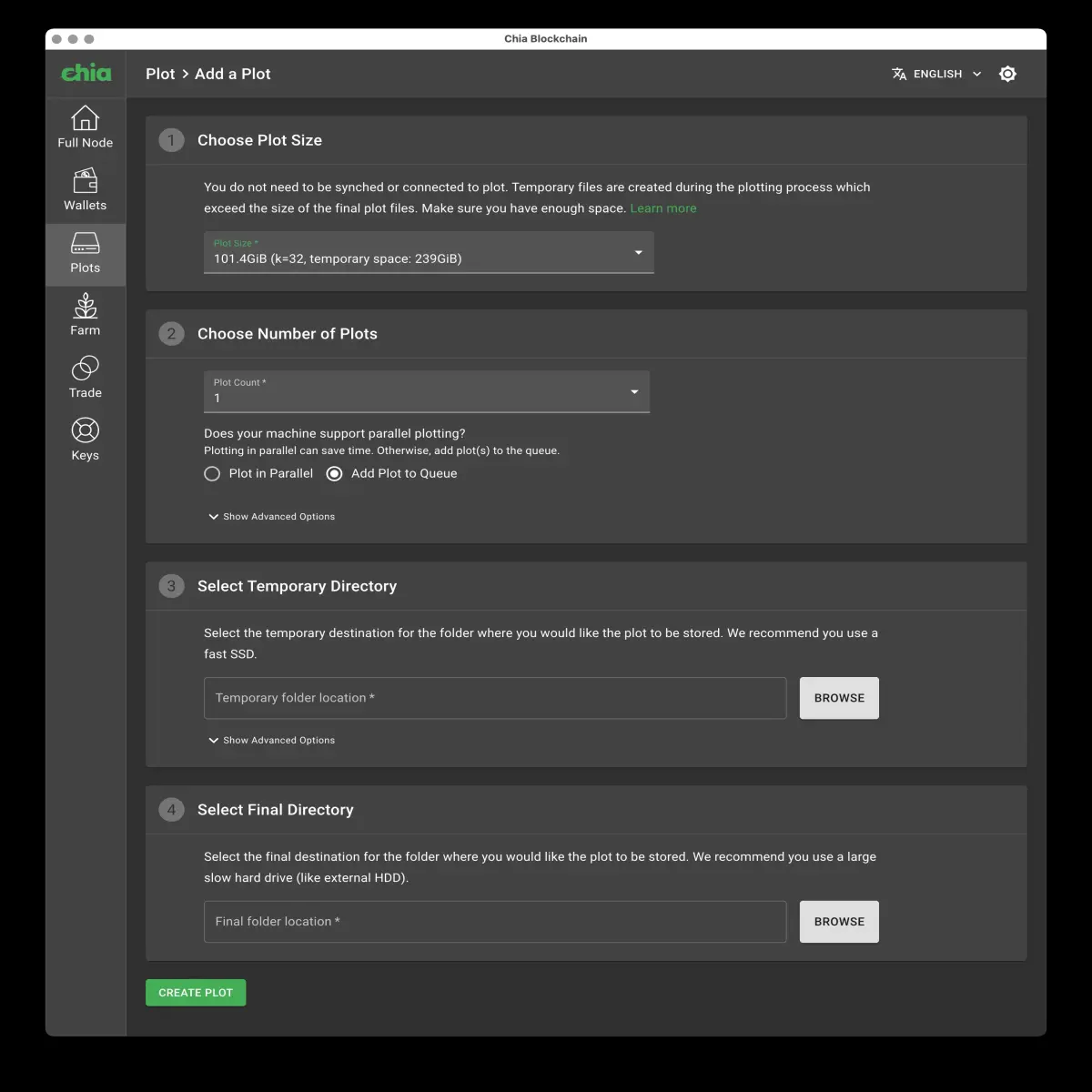
Starting a plot
 Creating a plot
 Token XCH information from Messari
IMineBlocks (YouTube):
How To Farm Chia - Hard Drive Mining Guide
*** This is the eleventh post in my Experiment to see how much I can accumulate in tips over one week, posting twice a day ***
Thumbnail photo by Francesco Gallarotti on Unsplash






