
Good day everyone,
I hope you are all well and had an excellent week, welcome to CryptoGod-1’s blog on all things crypto. With the recent change on Publish0x to the Optimism Network, I thought it may be beneficial to create a post regarding withdrawing your "billions of $$$ in" crypto straight to an exchange. The cryptocurrency exchange I will be using is Binance, and below I will demonstrate all the required steps to ensure your funds arrive as expected.
Withdrawal from Publish0x
The very first step in the process of withdrawing funds from Publish0x is to ensure you have the correct recipient wallet addresses set up. This is simple enough to do but is also the must important, and dangerous, step in the process.
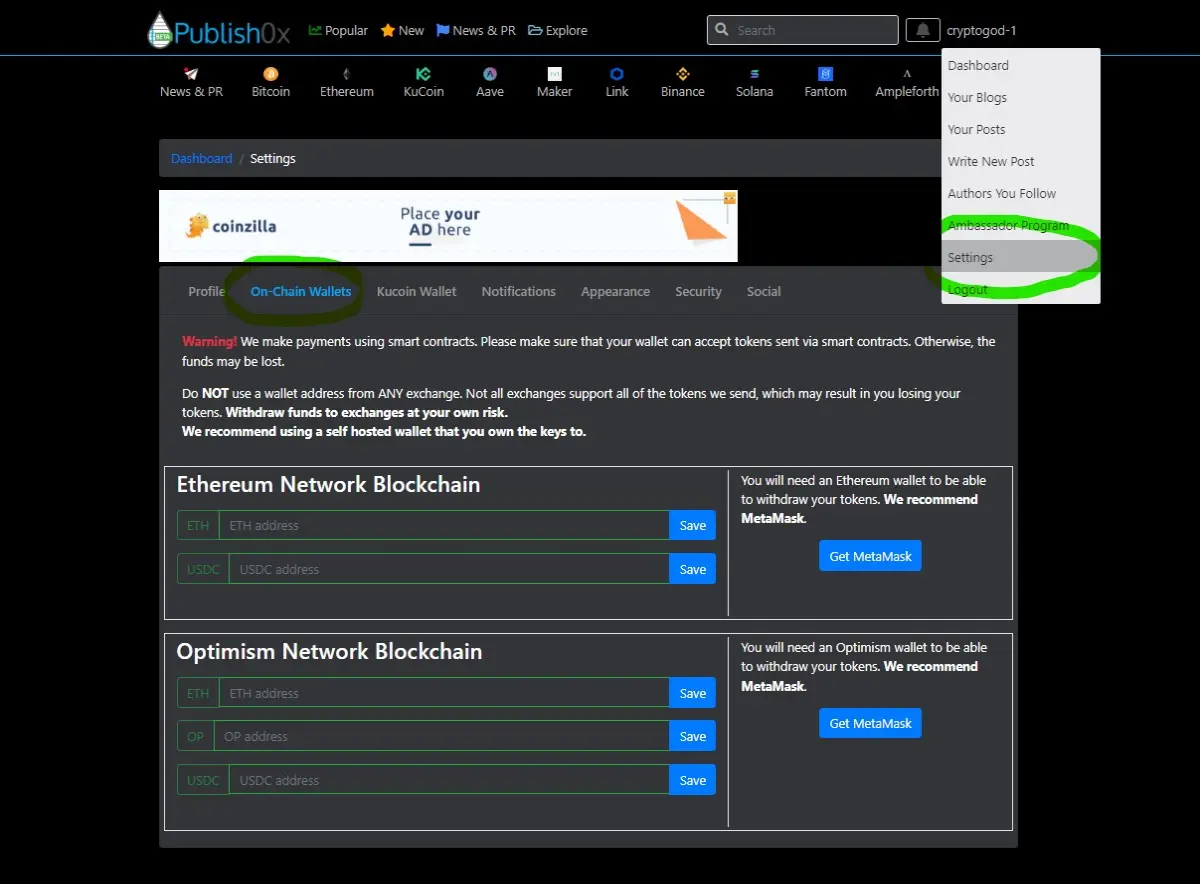
- Hover over your username and click on the setting button.
- You will be taken to your profile description page, and from here you can click the 'on-chain wallets' button.
This will open up the page as shown below, where users are able to input their destination wallet. Any withdrawn funds will be sent to this address and therefore it is extremely important for users to input the correct wallet address here.
Now we need to grab the actual destination wallet addresses. As mentioned above I will be using Binance for this process, but in reality any exchange which accepts Optimism based token should work, while MetaMask is also a strong viable option.
Head over to Binance and log in, navigating to the deposit cryptocurrency section. Here you will need to search for the desired cryptocurrencies, so in this case it will be Ethereum, Optimism, and USDC. In future different tokens may become available on Publish0x but for now these are the ones to focus on.
With everything working on the Optimism Network, it is important for users to ensure they are transferring via the correct network. This is especially important when transferring both ETH and USDC, as selecting any network other than the Optimism Network will likely result in the loss of your tokens (Some exchanges can help to get them back, but often it is hassle and easily avoided by selecting the correct network).
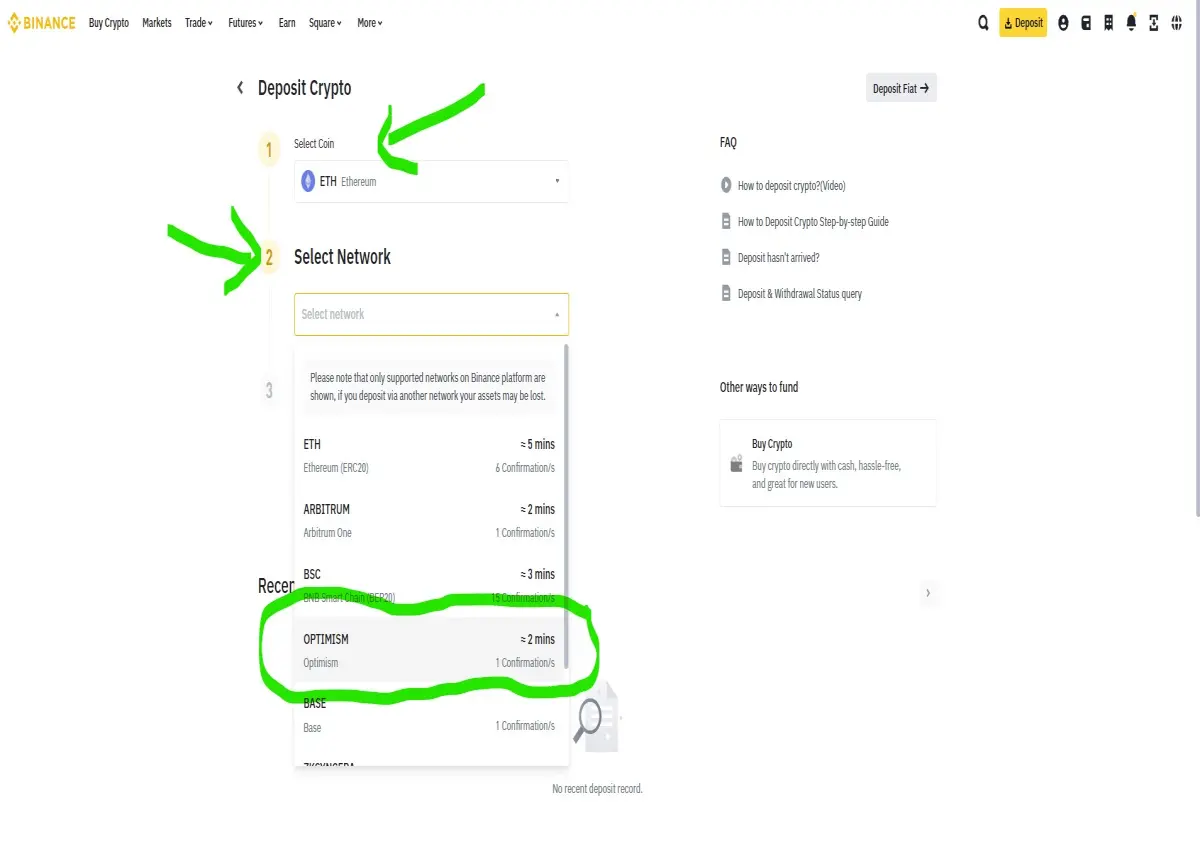
A deposit address will then be created, which needs to be copied and pasted into the previously opened page on Publish0x. These steps need to be repeated for all cryptocurrencies a user is looking to withdraw, so for USDC and OP along with ETH. Some exchanges will give the same deposit address for all three tokens, but it is important to check each one individually when copying them over. It is also important to ensure you paste the correct address in and check, and double check, in case any malware may be present on your device which could change the deposit address when pasted.
The address is 42 characters long, and once pasted into the correct destination users should click the 'SAVE' button. From here a message will appear below the pasted address noting:
"An email has been sent to (YOUR EMAIL ADDRESS). Please confirm receipt of this email to complete the change process."
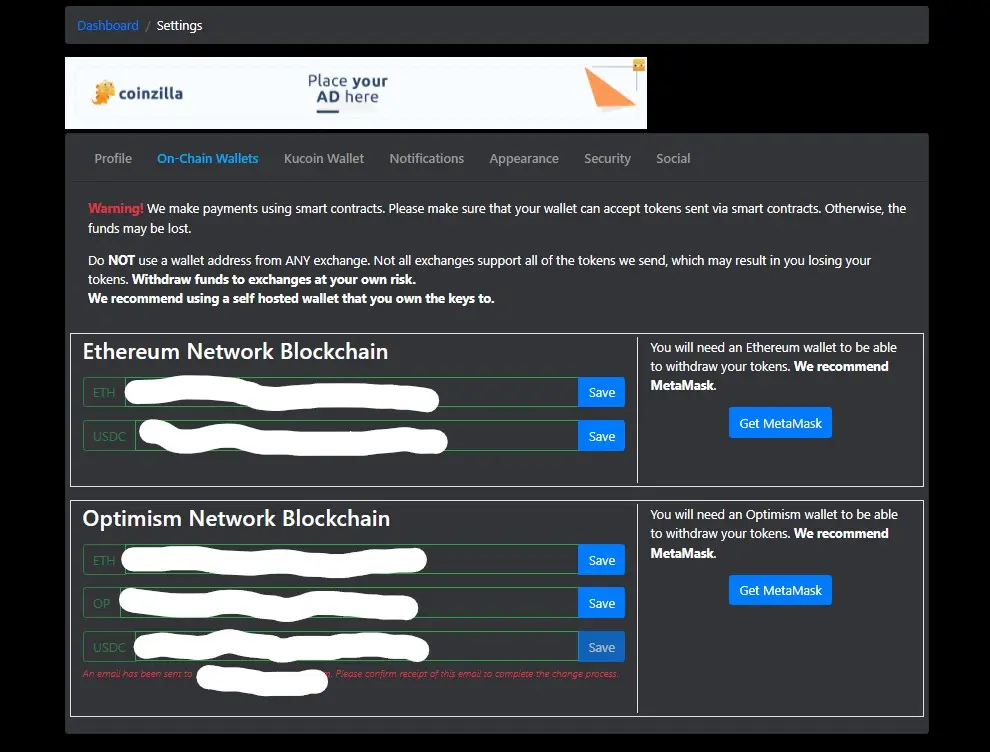
Users should then click into their email account and check for the email from Publish0x. Generally this will be sent almost instantly, and when a user opens the email they are presented with the chance to once again check the new deposit address is correct. Once a user is satisfied, they can click to confirm the new wallet address. This will need to be done separately for all three token, even if the destination address is the same for each,
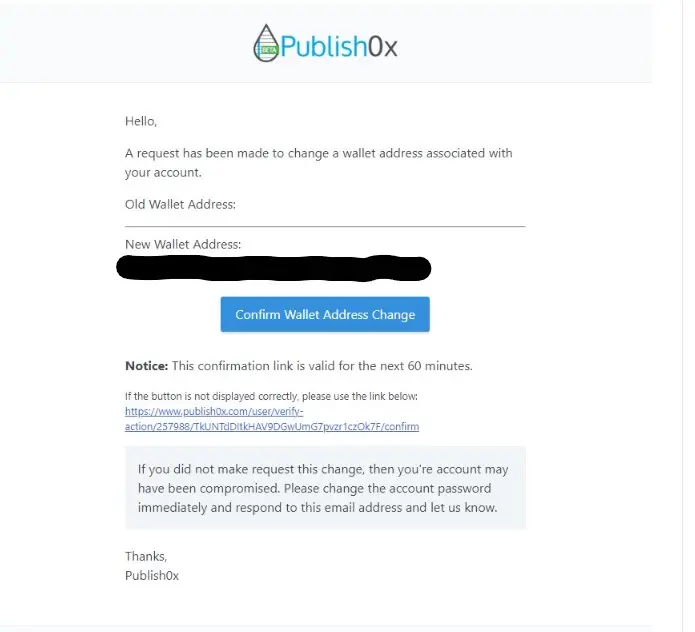
Once the email has been confirmed and clicked within 60 minutes users will notice the deposit addresses are automatically saved if they ever click into the setting and 'on-chain wallets' button. Now the most complicated and risky part of the process is complete, users can then focus on actually withdrawing their funds.
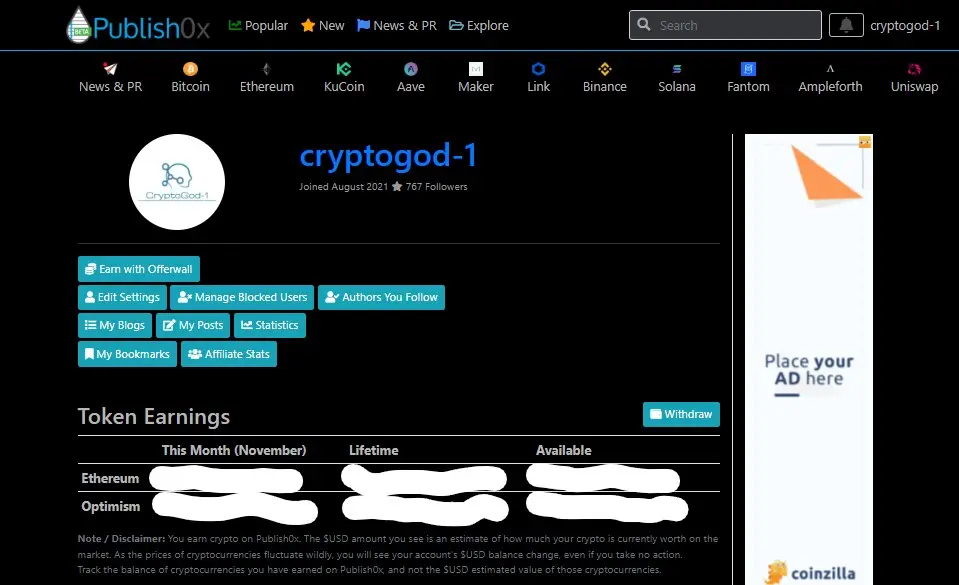
To withdraw any stored cryptocurrency on Publish0x users should navigate to their dashboard and then click on the 'Withdraw' button.
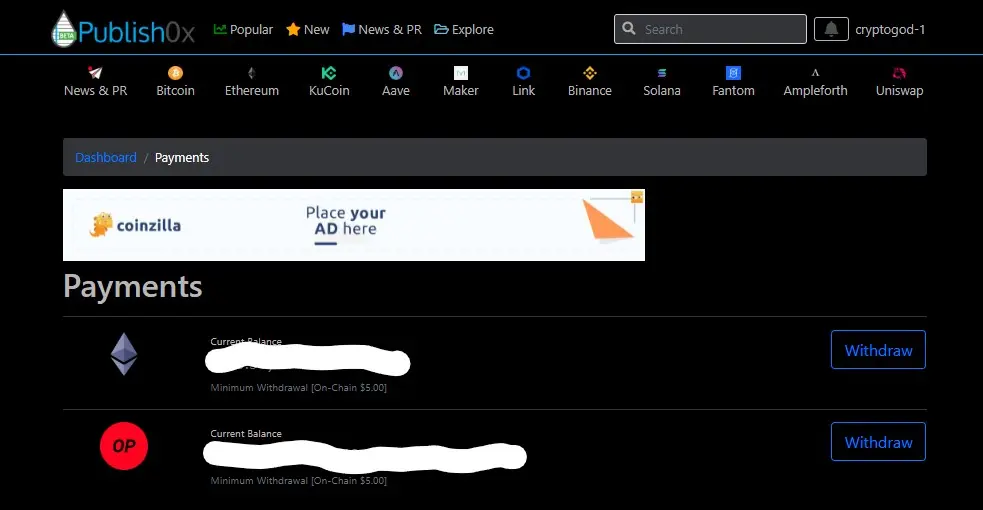
This should lead to a page where Publish0x had a long list of advice and tips for anybody looking to withdraw, along with a history of any previous withdrawals, or token conversions, at the bottom of the page. At the very top however is the important buttons users will be looking for. The 'Withdraw' buttons for their individual tokens. Currently a requirement of $5.00 is shown on the page for any minimum withdrawal, however after the 15th of November 2023 when all swaps from AMP and SPOT have taken place the minimum will revert to $0.50 for a minimum withdrawal.
When a user clicks the 'Withdraw' button they will be brought to a confirmation page. Here users will have once last chance to check the balance they are withdrawing and most importantly the wallet they are withdrawing the funds into. A user can edit the wallet address one final time before sending their tokens, and once you are completely satisfied with everything then the checkbox of "I have read and understand the text above" should be clicked and the 'Confirm Withdrawal' button should be pushed.
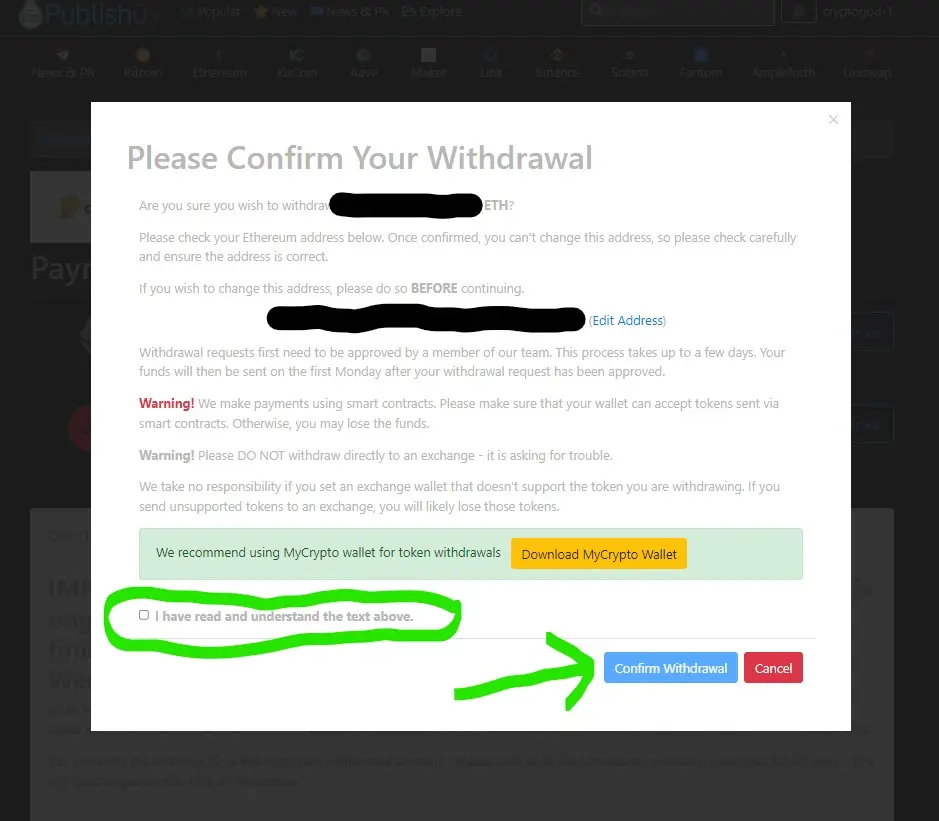
There is also a final warning regarding avoiding exchanges for withdrawal. This is namely due to the fact users can struggle with ensuring their withdrawal address is set to the correct network, and Publish0x makes it clear any funds lost withdrawing to an exchange are not their problem. However, as shown in the process above, once a user understand what they are doing it should be simple enough to make the correct withdrawal to an exchange. Ensure you are comfortable with the process before risking any of your precious cryptocurrency tokens!!!
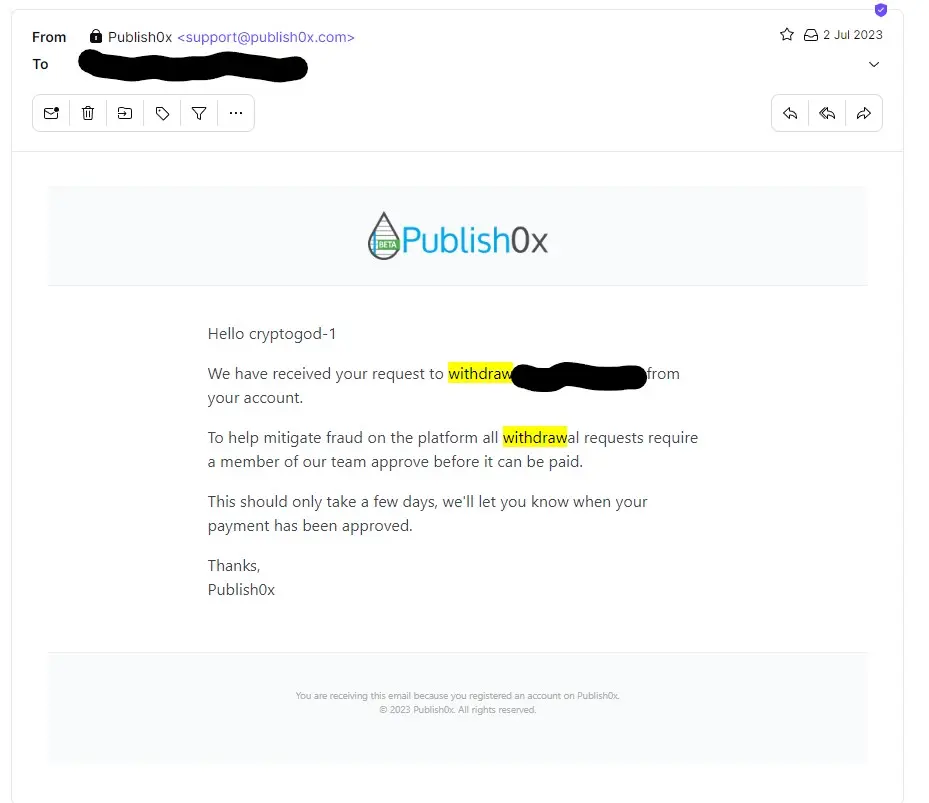
When you have made your withdrawal request it will be processed and an email confirming the request will be sent out. Within this email Publish0x explain how they process all requests before approval to ensure they mitigate any fraud on the platform.
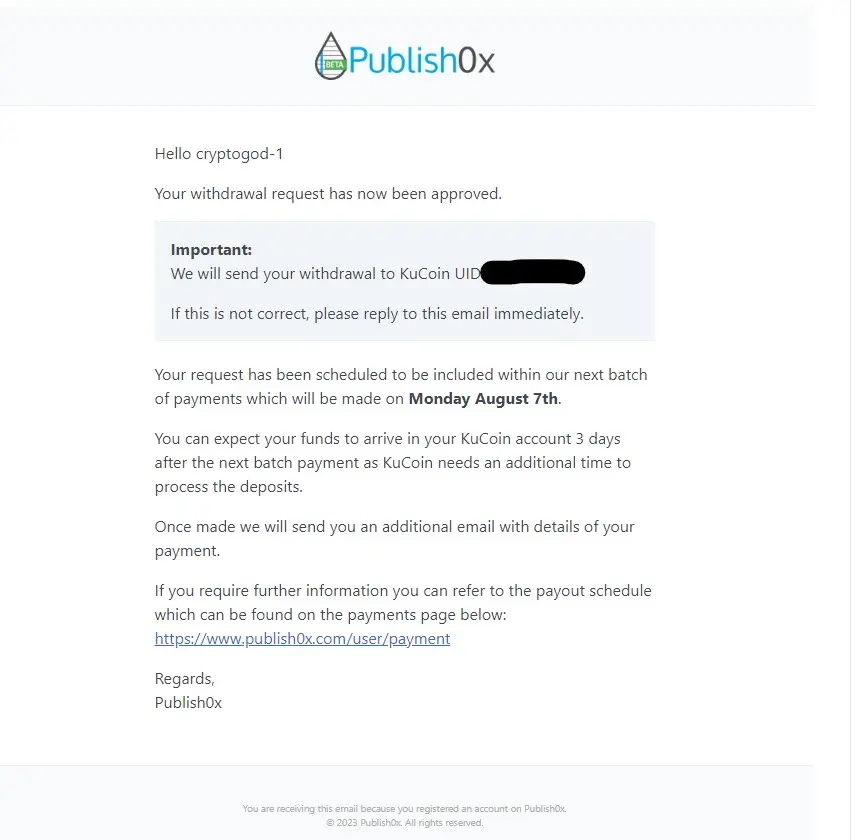
Once the request has been approved a final email noting when the payment will be made is sent out to the user. Its states the payment will be made as part of their next batch and you should expect to see it within your account in the coming days after that.
So there you have it. Withdrawing from Publish0x is quite simple once you understand the context, and withdrawing to an exchange such as Binance should be no different for users now, especially with the Optimism Network in play. Just ensure the correct network address is selected and after that everything should work out fine.
Publish0x makes payments on a Monday so it is always important that any withdrawal request is made before 6pm UTC on the Sunday before. To ensure everything is approved and accepted it can be beneficial to make the withdrawal even a week before you hope to receive it. Publish0x update their withdrawal information such as times and dates on a regular basis, so it always helps to check out the 'Withdrawal' page.
Have a great day,
Peace. CryptoGod-1.
Referral Links and Follow Me:





