Install SageMath for cryptanalysis on Fedora 64bit(10GB) Cloud Virtual Server

Install SageMath for cryptanalysis on Fedora 64bit(10GB) Cloud Virtual Server

By CryptoDeep | CRYPTODEEP | 9 Apr 2023


CRYPTO DEEP TECH

In this article, we will show in detail on slides how to install “SageMath” on a Fedora 30 64bit (10GB) cloud virtual server. For example, we will use the “DIGITAL RUBLE TECH” server . Previously, we used the Google Colab cloud service to install “SageMath” , but unfortunately, due to the latest updates, not all components for cryptanalysis of the Bitcoin blockchain work properly.

Registration:

First we need to create a personal account, we will register on the site: https://digitalruble.tech/cloud


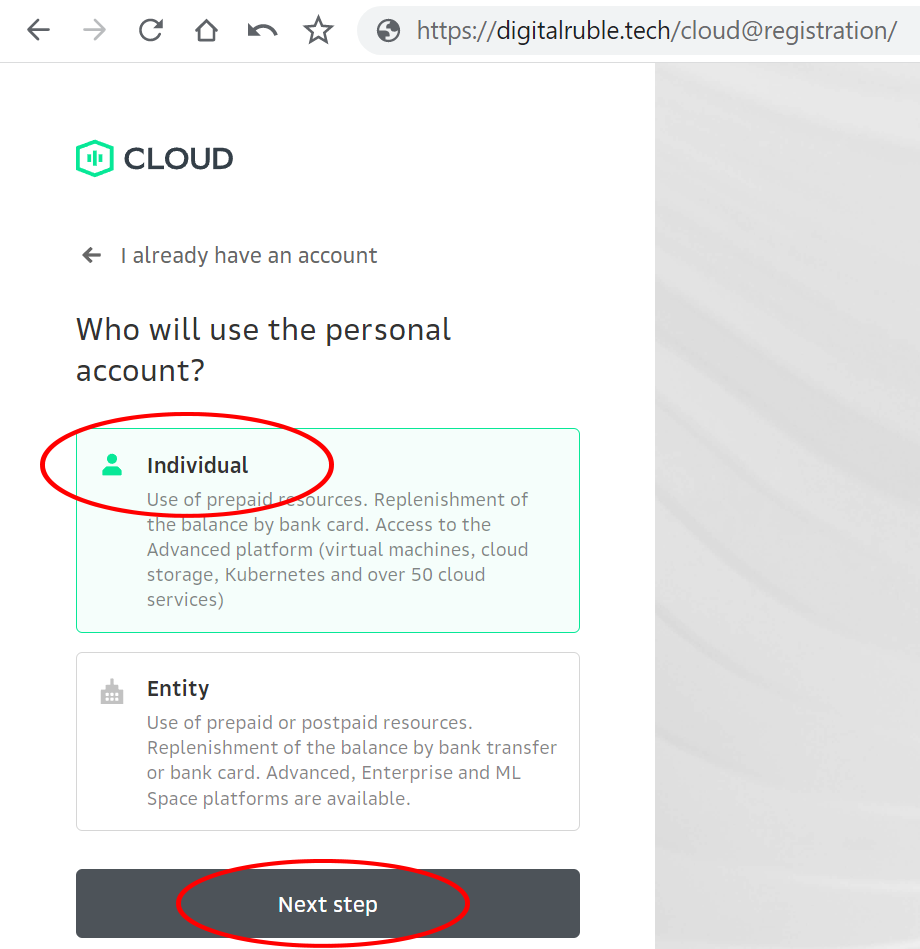
Install SageMath for cryptanalysis on Fedora 64bit(10GB) cloud virtual server

Choose the option: Individual

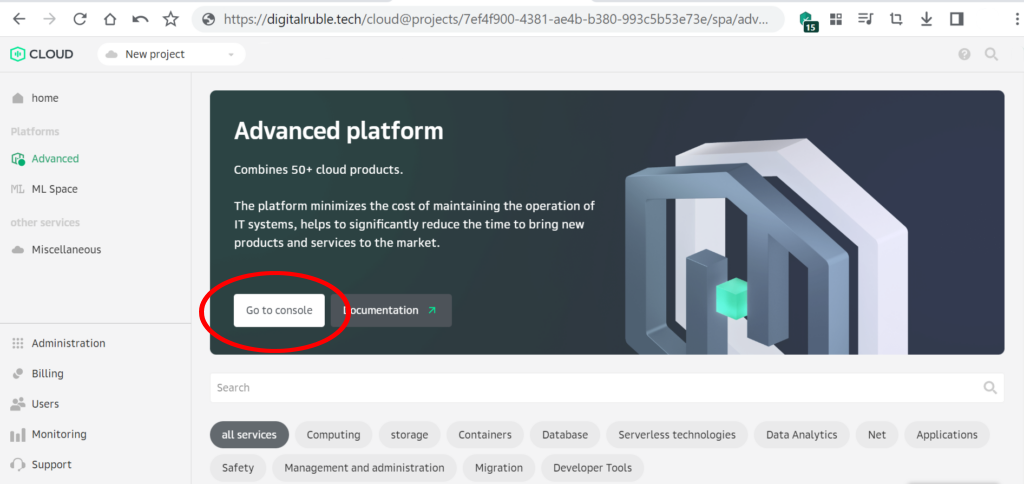
Install SageMath for cryptanalysis on Fedora 64bit(10GB) cloud virtual server

Let’s start the console

Install SageMath for cryptanalysis on Fedora 64bit(10GB) cloud virtual server

Go to the option: Elastic Cloud Server
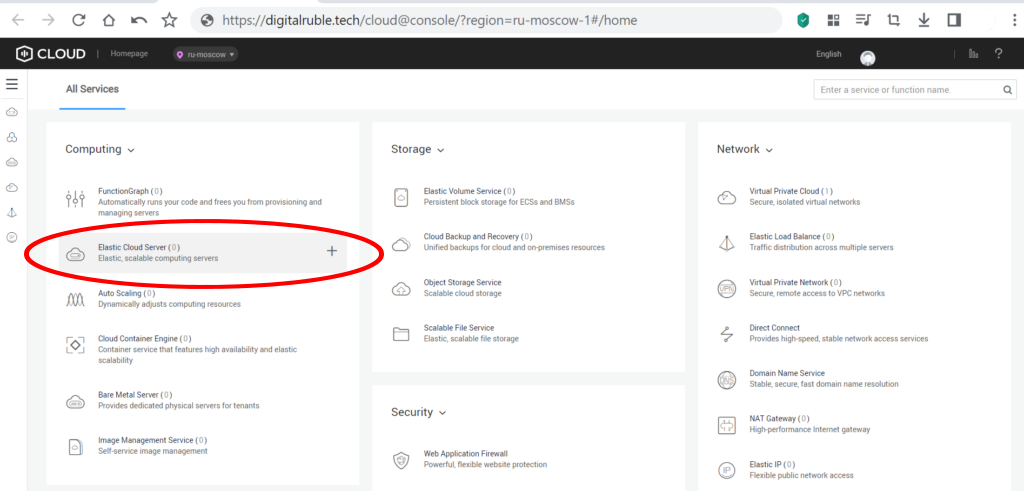
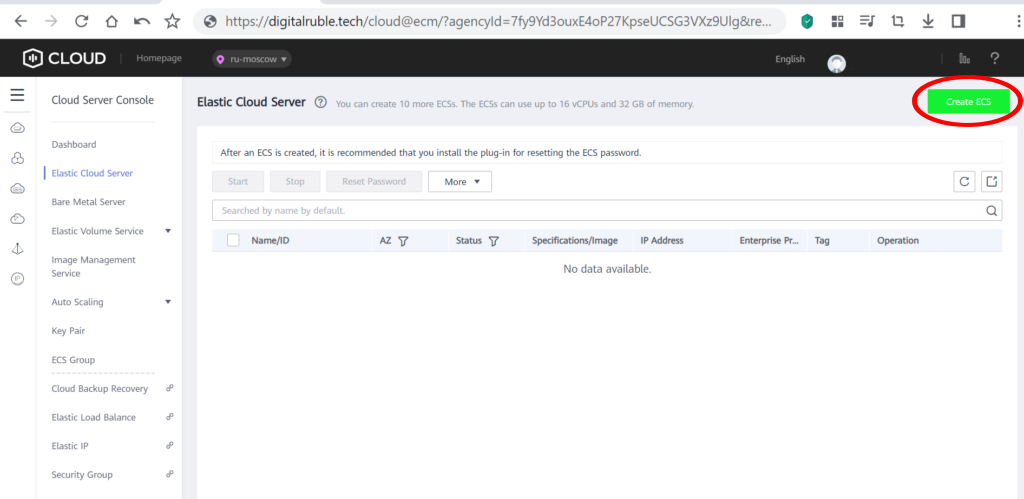
Install SageMath for cryptanalysis on Fedora 64bit(10GB) cloud virtual server

Create an Elastic Cloud Server

Install SageMath for cryptanalysis on Fedora 64bit(10GB) cloud virtual server

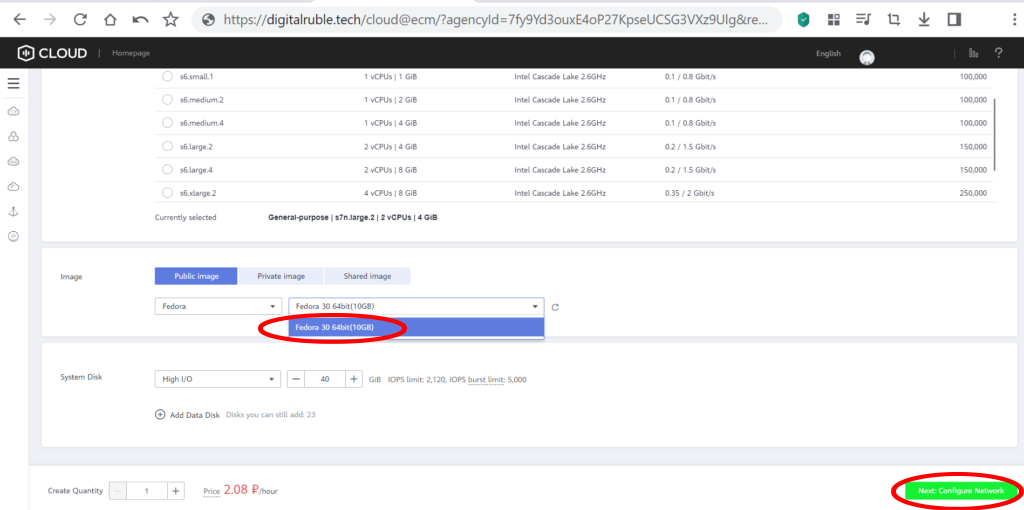
We select the parameters we need:
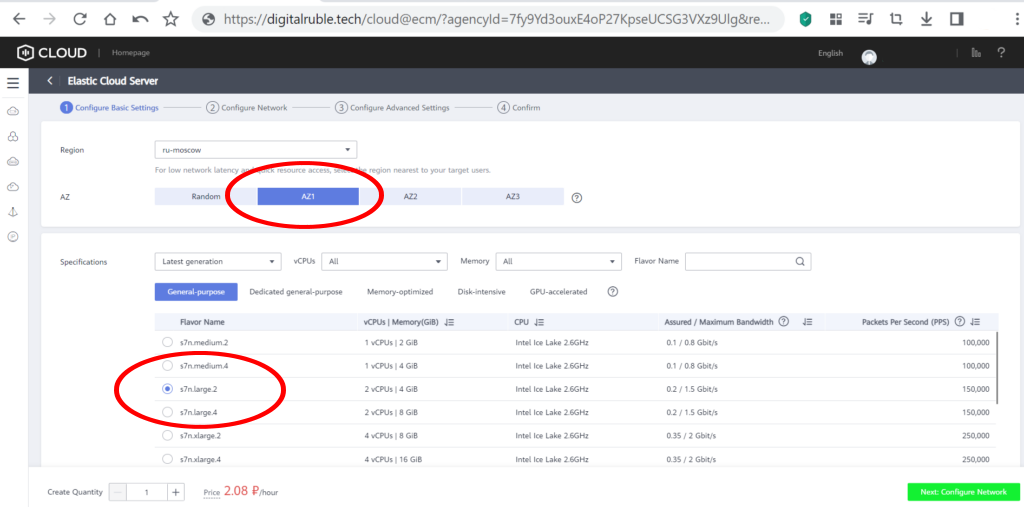
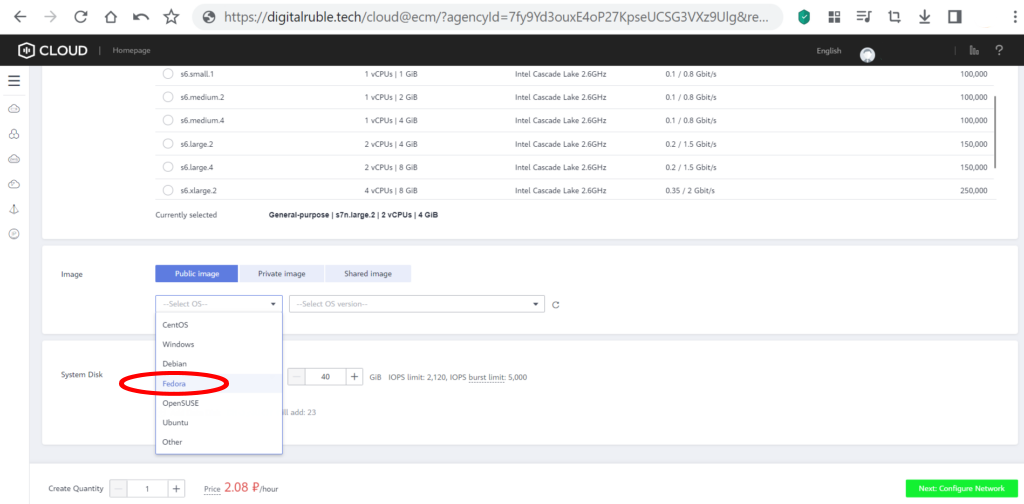
Install SageMath for cryptanalysis on Fedora 64bit(10GB) cloud virtual server

Specify   Fedora 30 64bit(10GB)

Install SageMath for cryptanalysis on Fedora 64bit(10GB) cloud virtual server Install SageMath for cryptanalysis on Fedora 64bit(10GB) cloud virtual server

Choose the VPC you need for your network
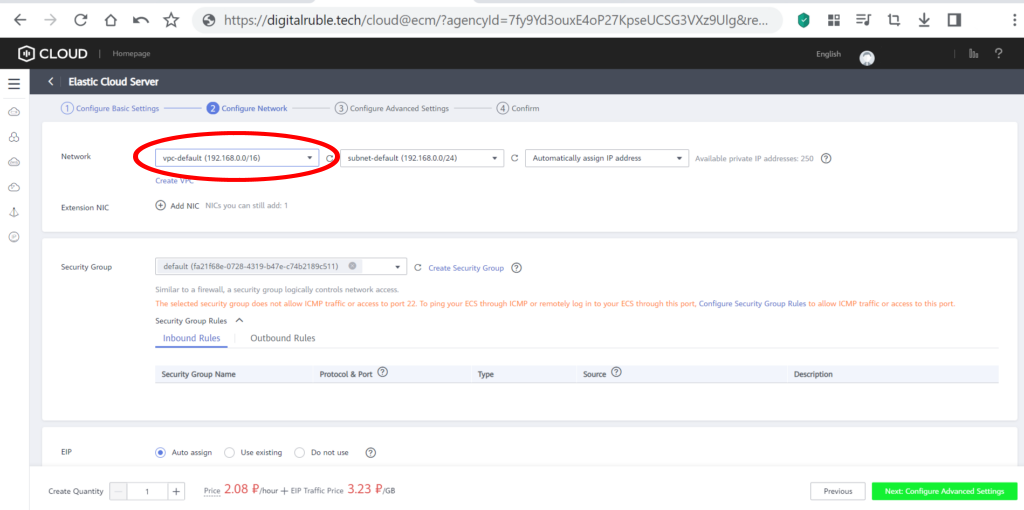
Install SageMath for cryptanalysis on Fedora 64bit(10GB) cloud virtual server

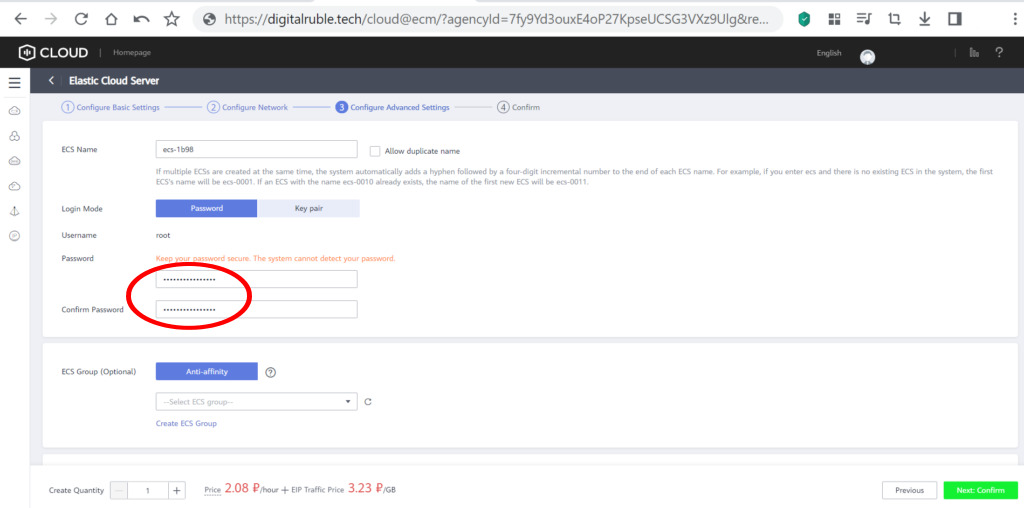
Set and remember your own password

Install SageMath for cryptanalysis on Fedora 64bit(10GB) cloud virtual server

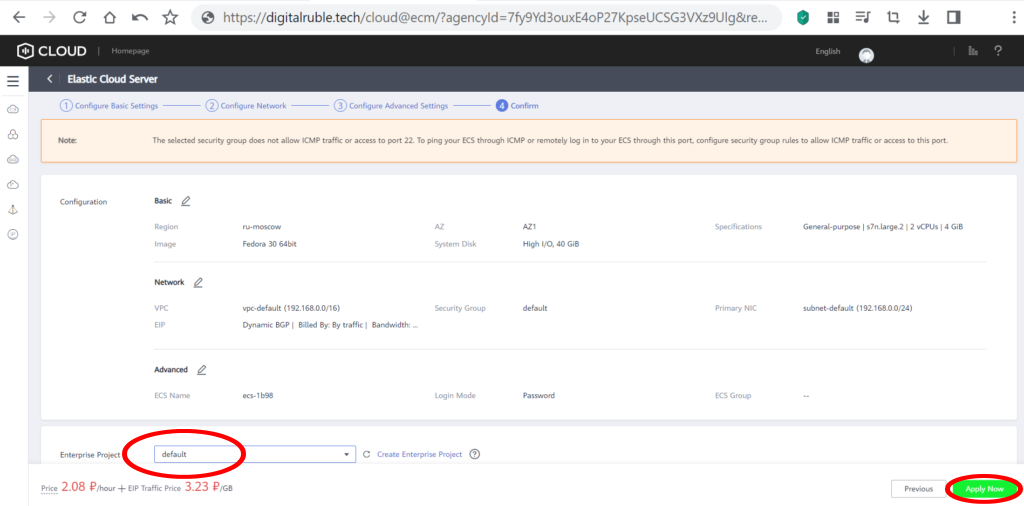
Save the configuration

Install SageMath for cryptanalysis on Fedora 64bit(10GB) cloud virtual server

Cloud virtual server  Fedora 30 64bit(10GB)  successfully created!To enter the terminal, click: Remote Login
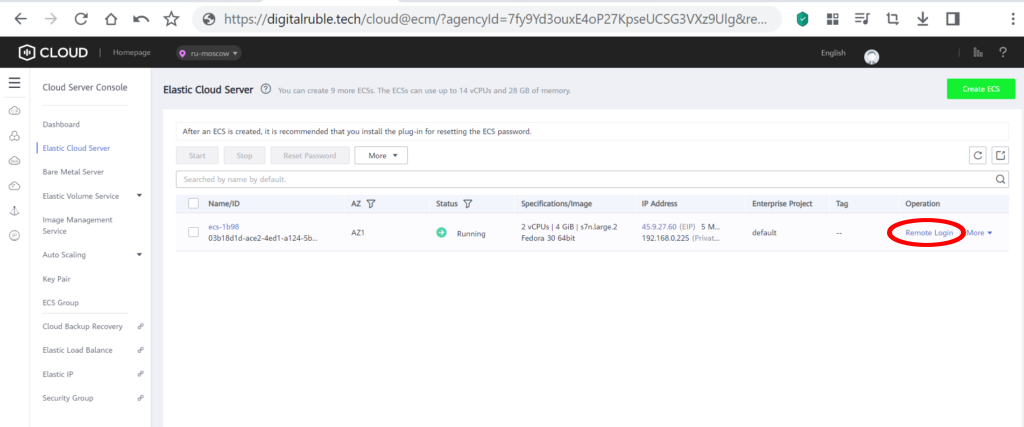
Install SageMath for cryptanalysis on Fedora 64bit(10GB) cloud virtual server

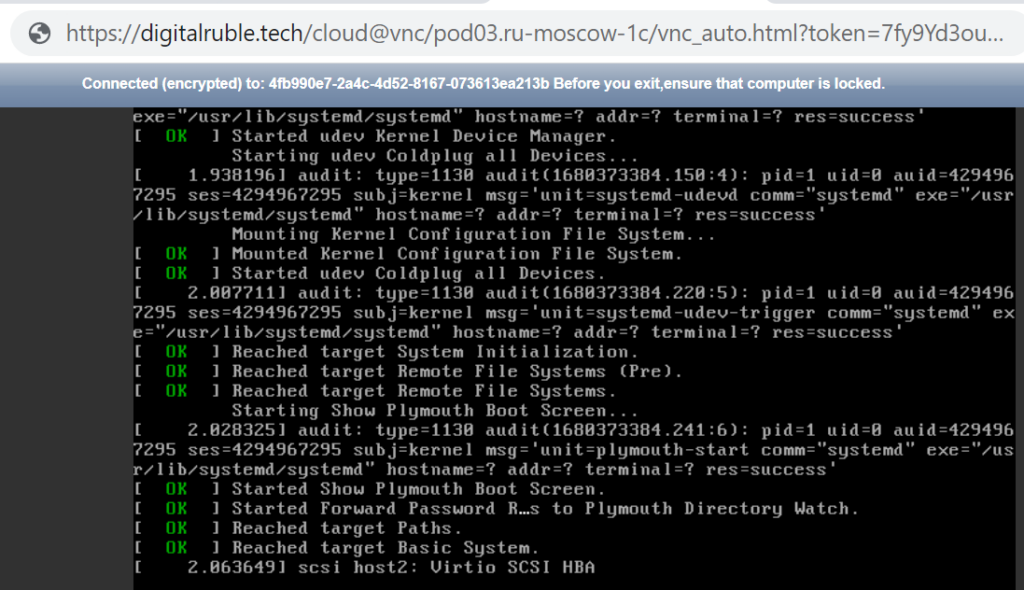
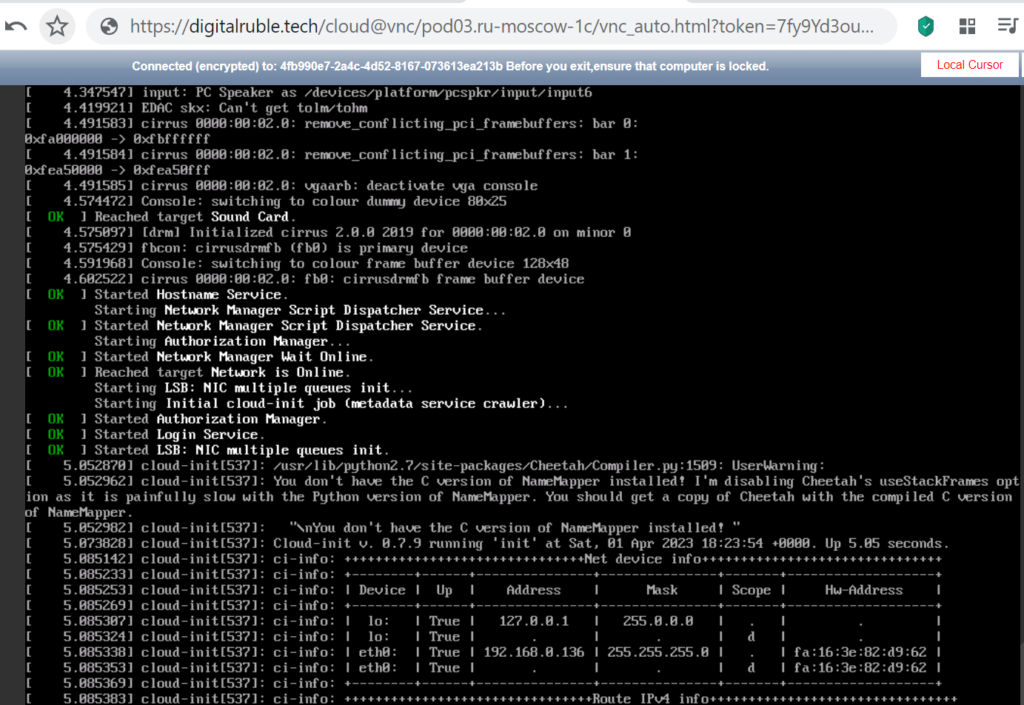
A terminal opened for us with the installation of a cloud virtual server and Fedora 30 64bit (10GB) 
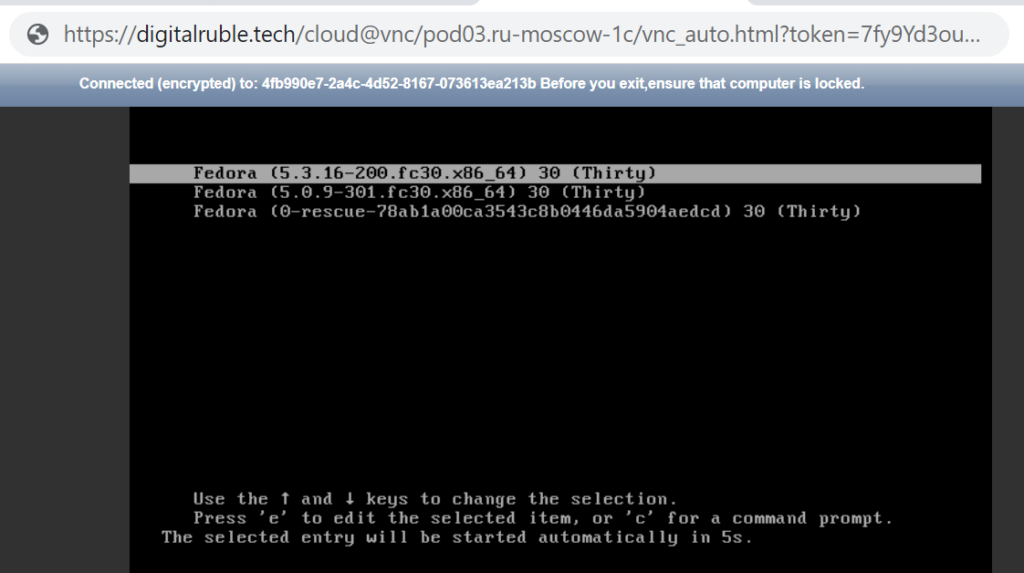
Install SageMath for cryptanalysis on Fedora 64bit(10GB) cloud virtual server Install SageMath for cryptanalysis on Fedora 64bit(10GB) cloud virtual server Install SageMath for cryptanalysis on Fedora 64bit(10GB) cloud virtual server

Check the installation, run the command:

cat /etc/redhat-release
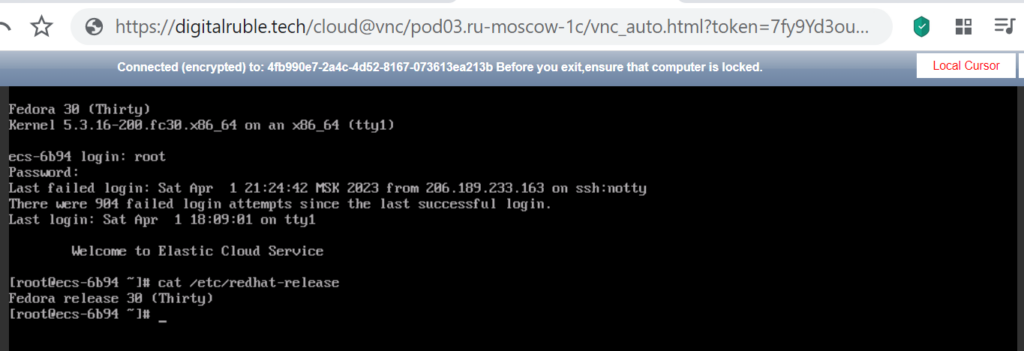
Install SageMath for cryptanalysis on Fedora 64bit(10GB) cloud virtual server

Let’s update our server, run the command:

dnf check-update
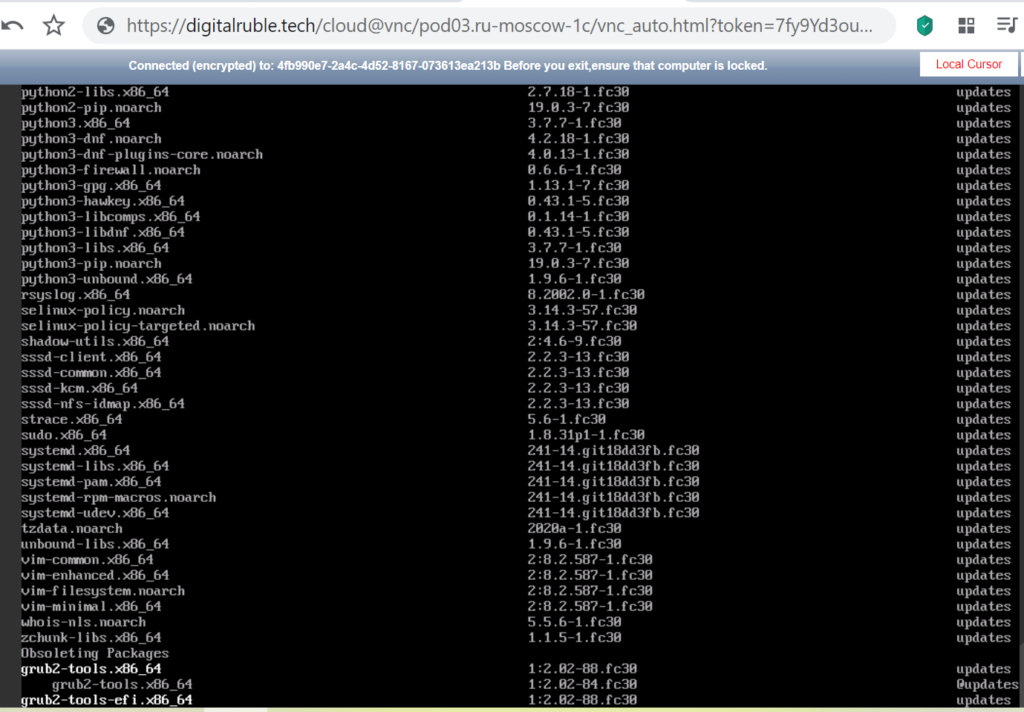
Install SageMath for cryptanalysis on Fedora 64bit(10GB) cloud virtual server

Install Python 3 , run the command:

dnf install python3
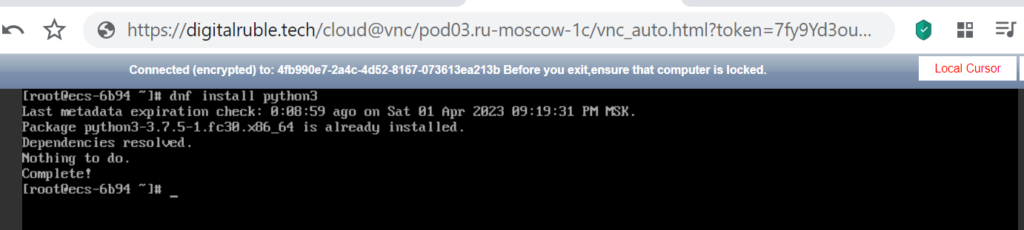
Install SageMath for cryptanalysis on Fedora 64bit(10GB) cloud virtual server

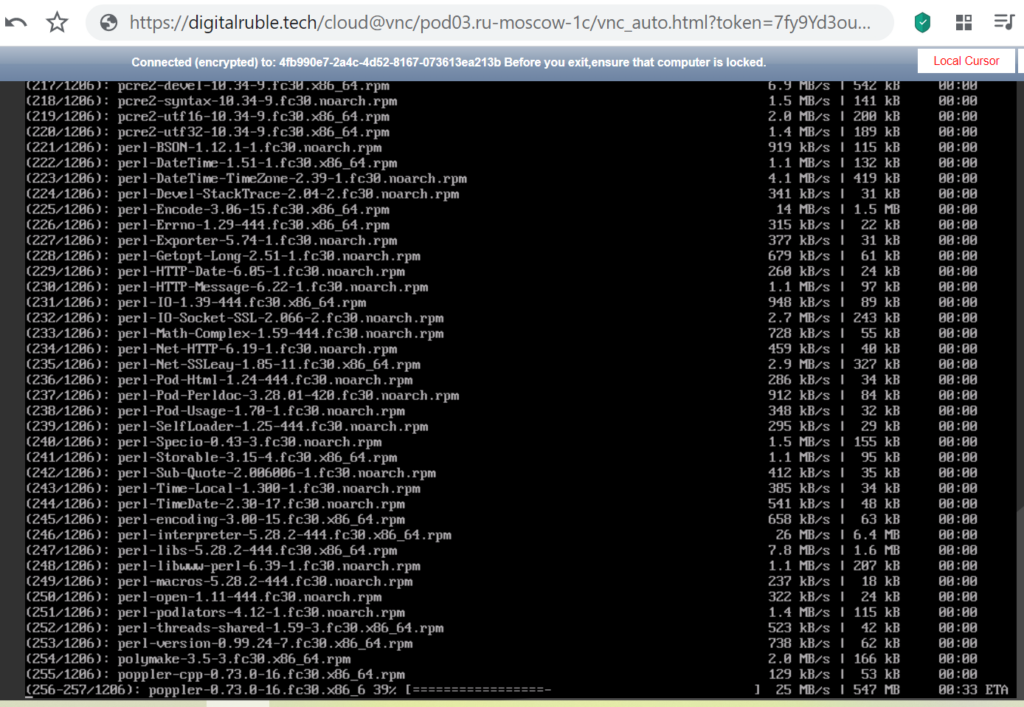
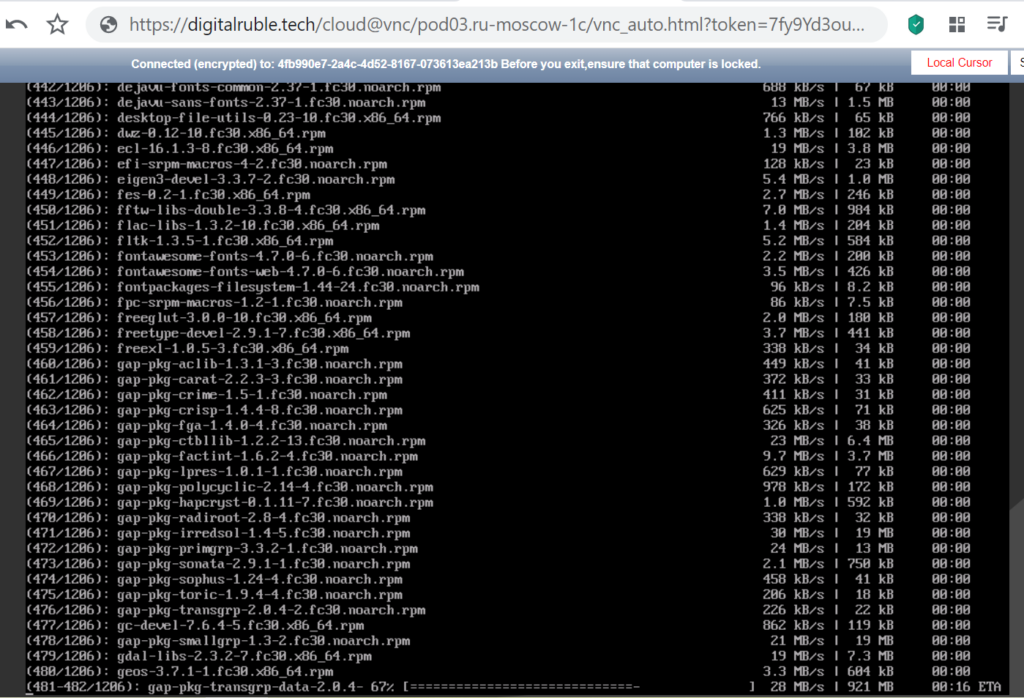
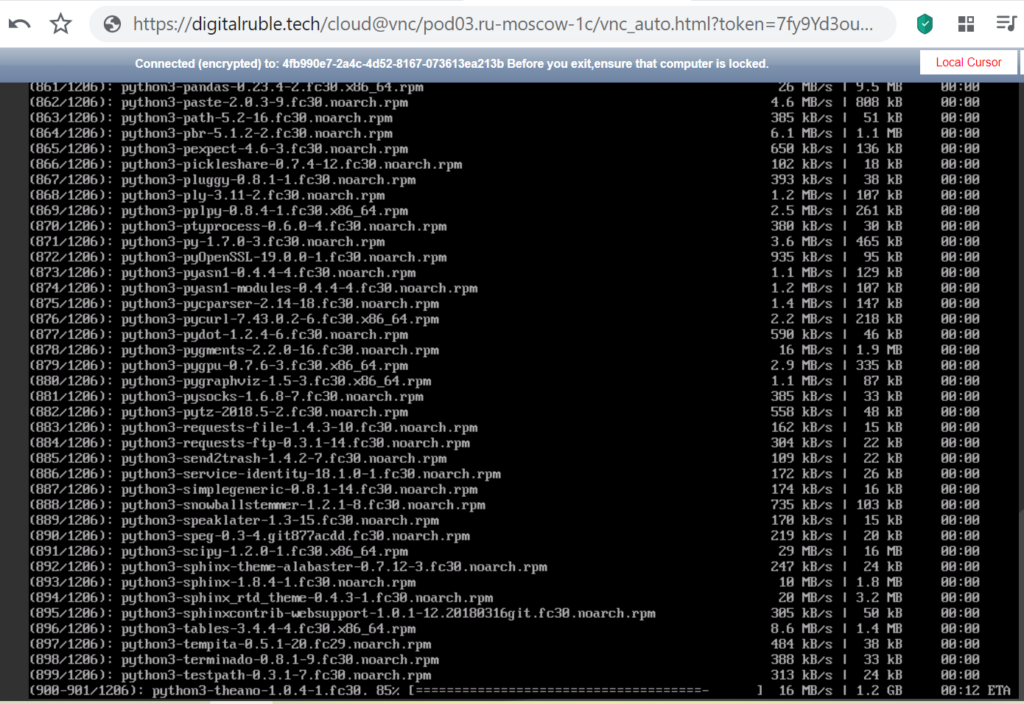
Install SageMath , run the command:

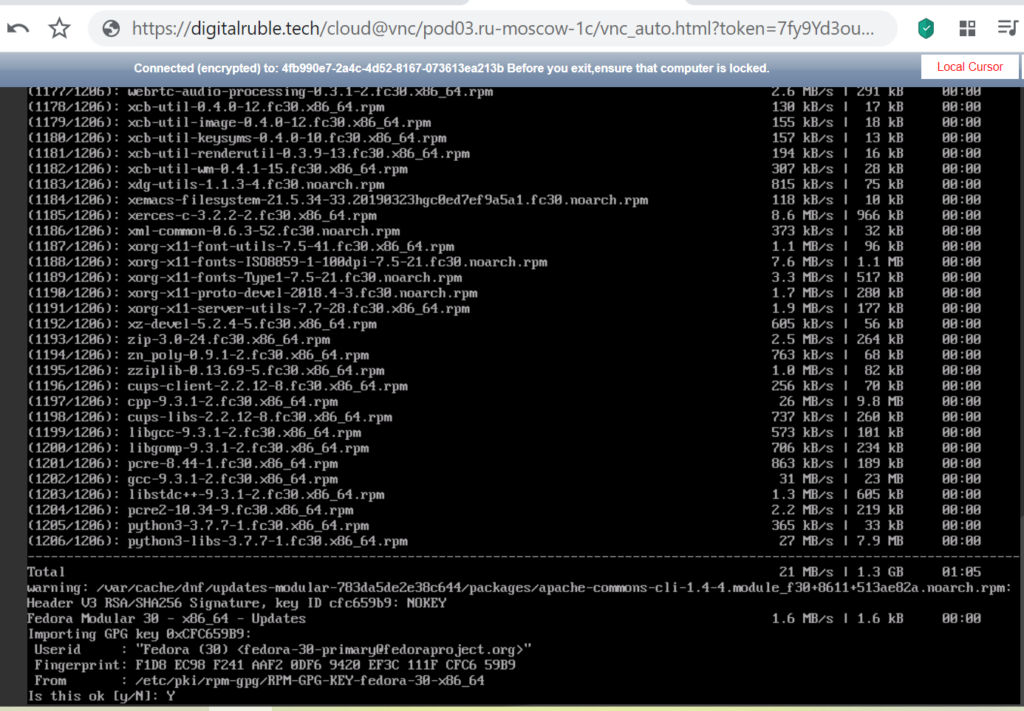
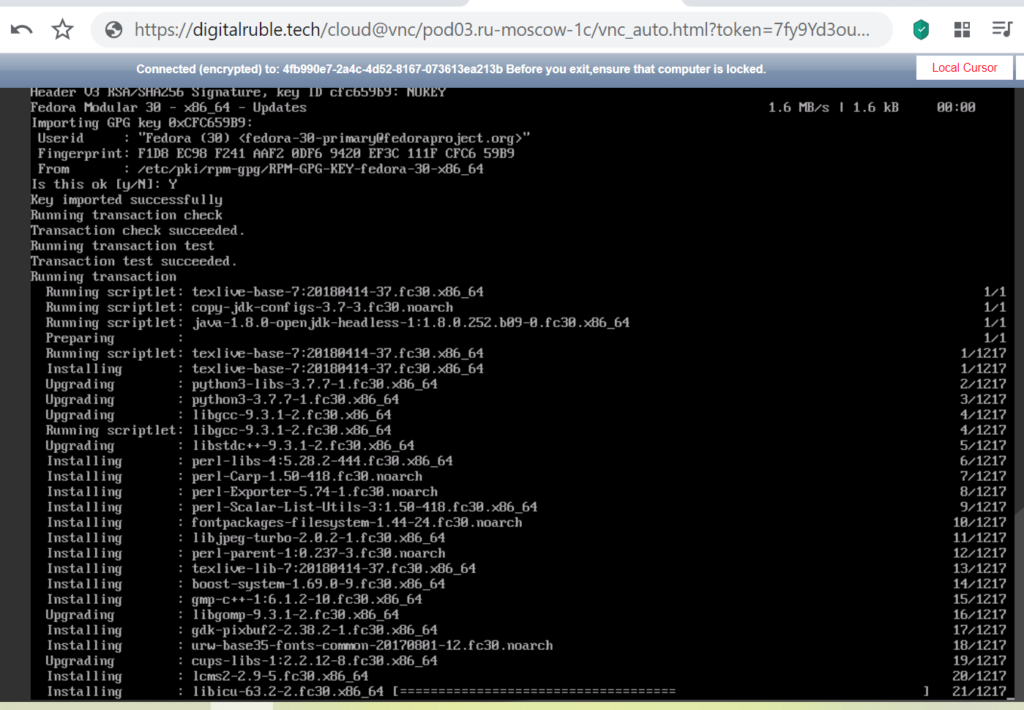
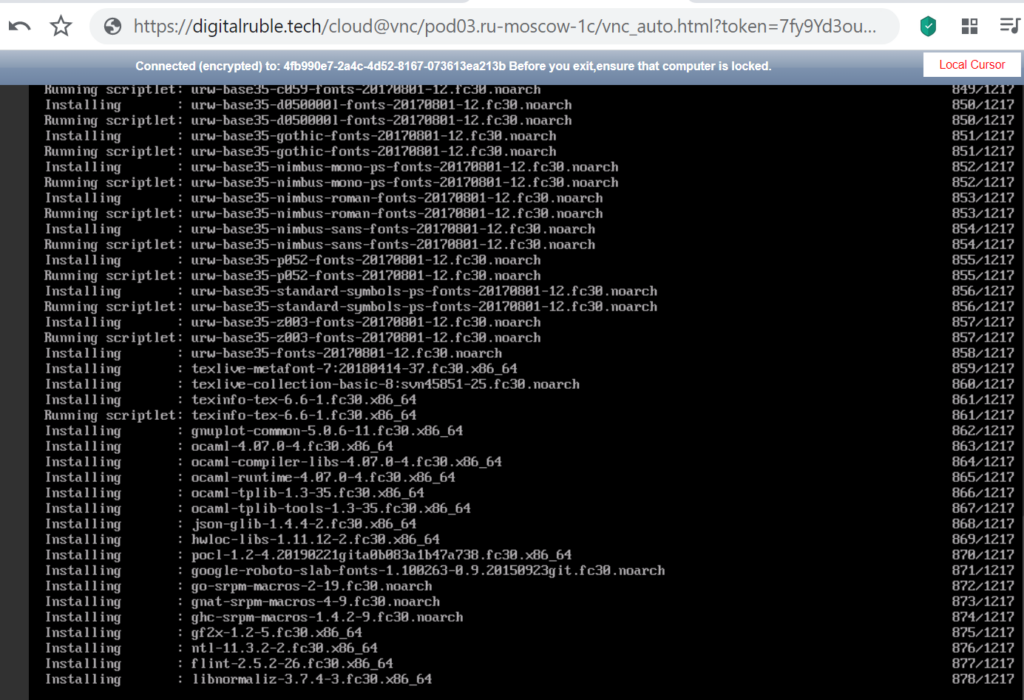
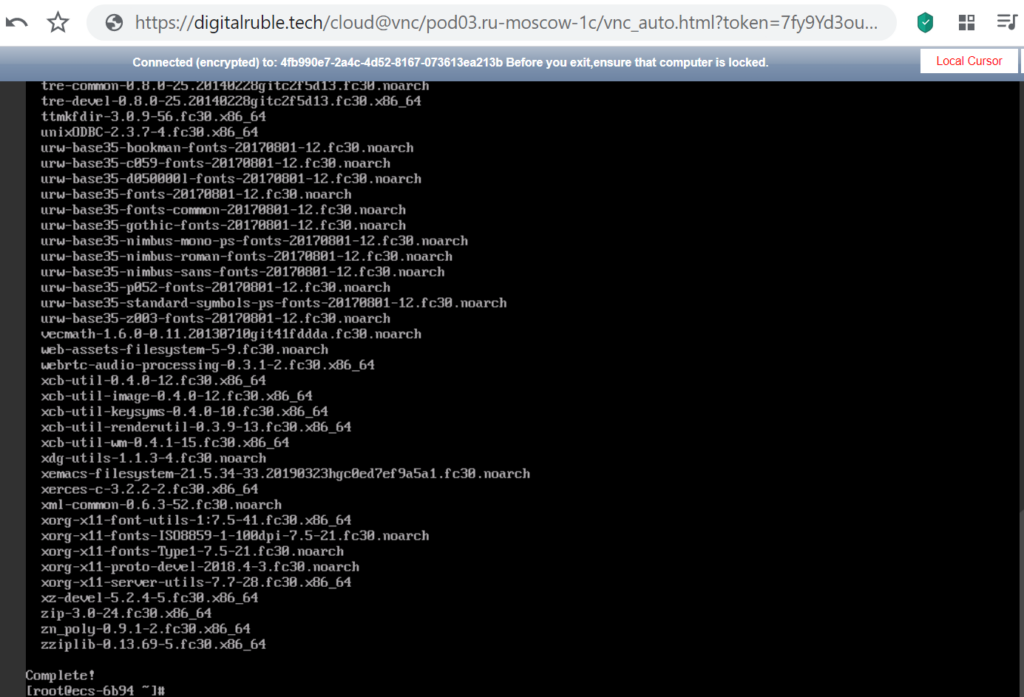
dnf install sagemath
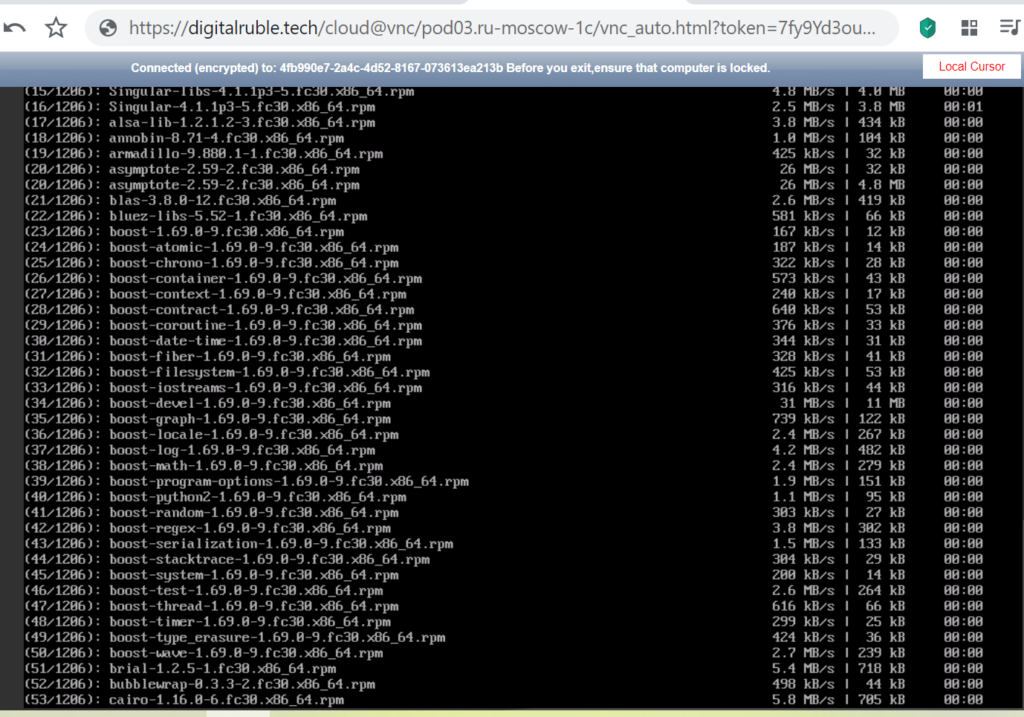
Install SageMath for cryptanalysis on Fedora 64bit(10GB) cloud virtual server Install SageMath for cryptanalysis on Fedora 64bit(10GB) cloud virtual server Install SageMath for cryptanalysis on Fedora 64bit(10GB) cloud virtual server Install SageMath for cryptanalysis on Fedora 64bit(10GB) cloud virtual server Install SageMath for cryptanalysis on Fedora 64bit(10GB) cloud virtual server Install SageMath for cryptanalysis on Fedora 64bit(10GB) cloud virtual server Install SageMath for cryptanalysis on Fedora 64bit(10GB) cloud virtual server Install SageMath for cryptanalysis on Fedora 64bit(10GB) cloud virtual server

Verify the SageMath installation

sage -v

Install SageMath for cryptanalysis on Fedora 64bit(10GB) cloud virtual server

Implementing the  Twist Attack algorithm  using our  18TwistAttack repository

git clone https://github.com/demining/CryptoDeepTools.git

cd CryptoDeepTools/18TwistAttack/

ls
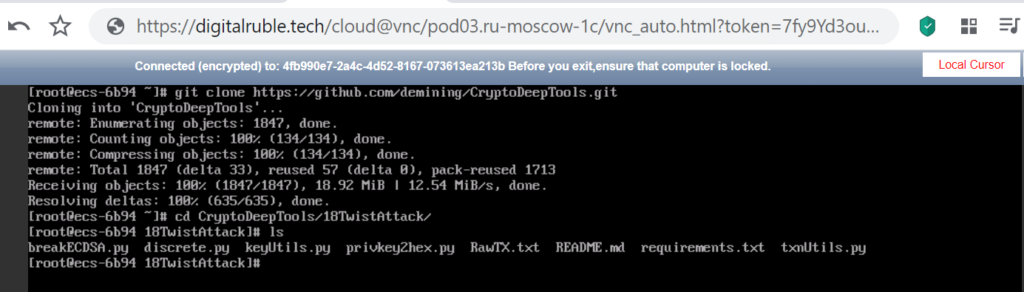
Install SageMath for cryptanalysis on Fedora 64bit(10GB) cloud virtual server

To solve the discrete logarithm  (Pollard's rho algorithm for logarithms) run  Python-script: discrete.py

Run command:

sage -python3 discrete.py
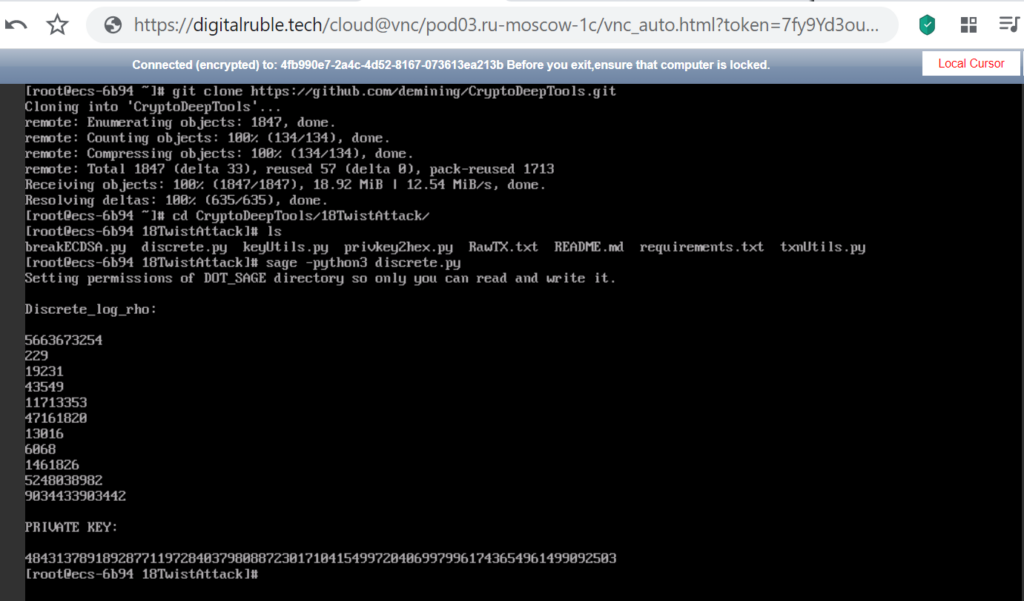
Install SageMath for cryptanalysis on Fedora 64bit(10GB) cloud virtual server

Sage Math Completed the Discrete Logarithm Problem (Pollard's rho algorithm for logarithms)

Now everything is working properly!

We received the private key to the Bitcoin Wallet in decimal format, then for cryptanalysis we need to follow the instructions of the article dedicated to Twist Attack


Source

DIGITAL RUBLE TECH

Telegram: https://t.me/cryptodeeptech

Video: https://youtu.be/xHnTDRgZwvE

Source: https://cryptodeeptech.ru/install-sagemath-on-fedora


Install SageMath for cryptanalysis on Fedora 64bit(10GB) cloud virtual server  Cryptanalysis

How do you rate this article?

1


CryptoDeep
CryptoDeep

Financial security of data and secp256k1 elliptic curve cryptography against weak ECDSA signatures in BITCOIN cryptocurrency


CRYPTODEEP
CRYPTODEEP

Financial security of data and secp256k1 elliptic curve cryptography against weak ECDSA signatures in BITCOIN cryptocurrency [email protected] - Email for all questions. The creators of the software are not responsible for the use of materials Donation Address: ♥ BTC: 1Lw2gTnMpxRUNBU85Hg4ruTwnpUPKdf3nV ♥ETH: 0xaBd66CF90898517573f19184b3297d651f7b90bf ♥ YooMoney.ru/to/410011415370470

Publish0x

Send a $0.01 microtip in crypto to the author, and earn yourself as you read!

20% to author / 80% to me.
We pay the tips from our rewards pool.