
My Meme for the contest
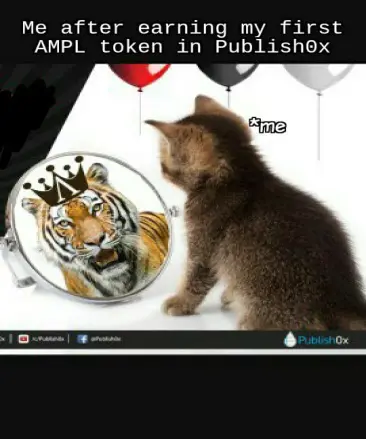
- Yesterday, while i was searching for some meme material for the AMPL meme contest by Publish0x, I saw this tweet by Publish0x on twitter.
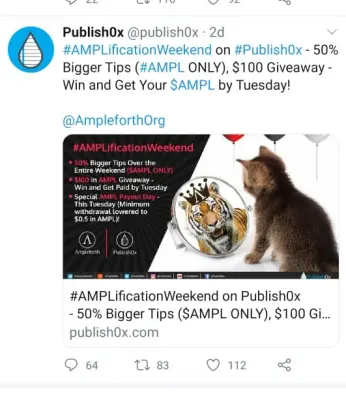
- Here, After watching the image in the tweet I was like, how about turning it to a meme. So, I had finally got my meme material thanks to Publish0x.
Here's a quick tip on how to create a meme
Before creating a meme you always have to find a perfect meme material for the meme.
Here are some steps on creating a meme.
On PC :
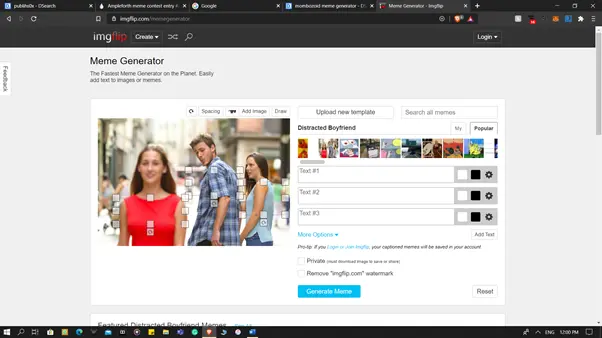
- You can go to any meme generating websites, but I always prefer imgflip for this here's the link : https://imgflip.com/memegenerator

- After you visit the website you can see something like this , click on Create present at the top of the site and click on Make a Meme.
- Next, you can just choose any of the templates available in the site, you can also upload your own template.
- Add some text by clicking on add text, And add some text in the text boxes.
- At last click on generate, You can download your meme there.
Android :
- Download Meme generator apk from the Play store from here : https://play.google.com/store/apps/details?id=com.zombodroid.MemeGenerator
- Open the apk, after you open you can see something like this,

- From here, you can select any of the template, you can also add your own image as a template by selecting Custom Meme option at bottom right.
- After this, you can add text boxes by selecting ADD TEXT option and add some text to the meme.
- you can also change the font color, style and size.
- Finalize your Meme and click on save, present at the bottom.
THANK YOU...
You can Participate in the AMPL Meme contest, the procedures to participate are here : Click Here
Hurry up! and make your entry, today is the last date.






