
Tabel of Contents
-
KuCoin Spot Market Orders
-
Market Order
-
Limit Order
-
Stop-Market Order
-
Stop-Limit Order
What is an "order" in crypto trading? It is essentially an instruction you give to your crypto exchange platform to buy or sell a crypto asset on your behalf. Millions of traders place orders on an exchange, and they could be both buy or sell orders. The exchange's matching engine matches your buy order with a relevant sell order to execute the trade. With the advent of technology, automated trading systems of your exchange complete this complex procedure with the click of a button.
Orders allow us to have control over our trading activities. Different types of orders solve different purposes. With the help of various orders, you can dictate at what price you want the system to execute your order, how long the order can be active, etc. In this article, let's discuss various order types offered by KuCoin and the purpose of using each of these orders.
KuCoin Spot Market Orders
The below screenshot represents the KuCoin trading terminal. We can find the Order Section under the Order Books as highlighted.
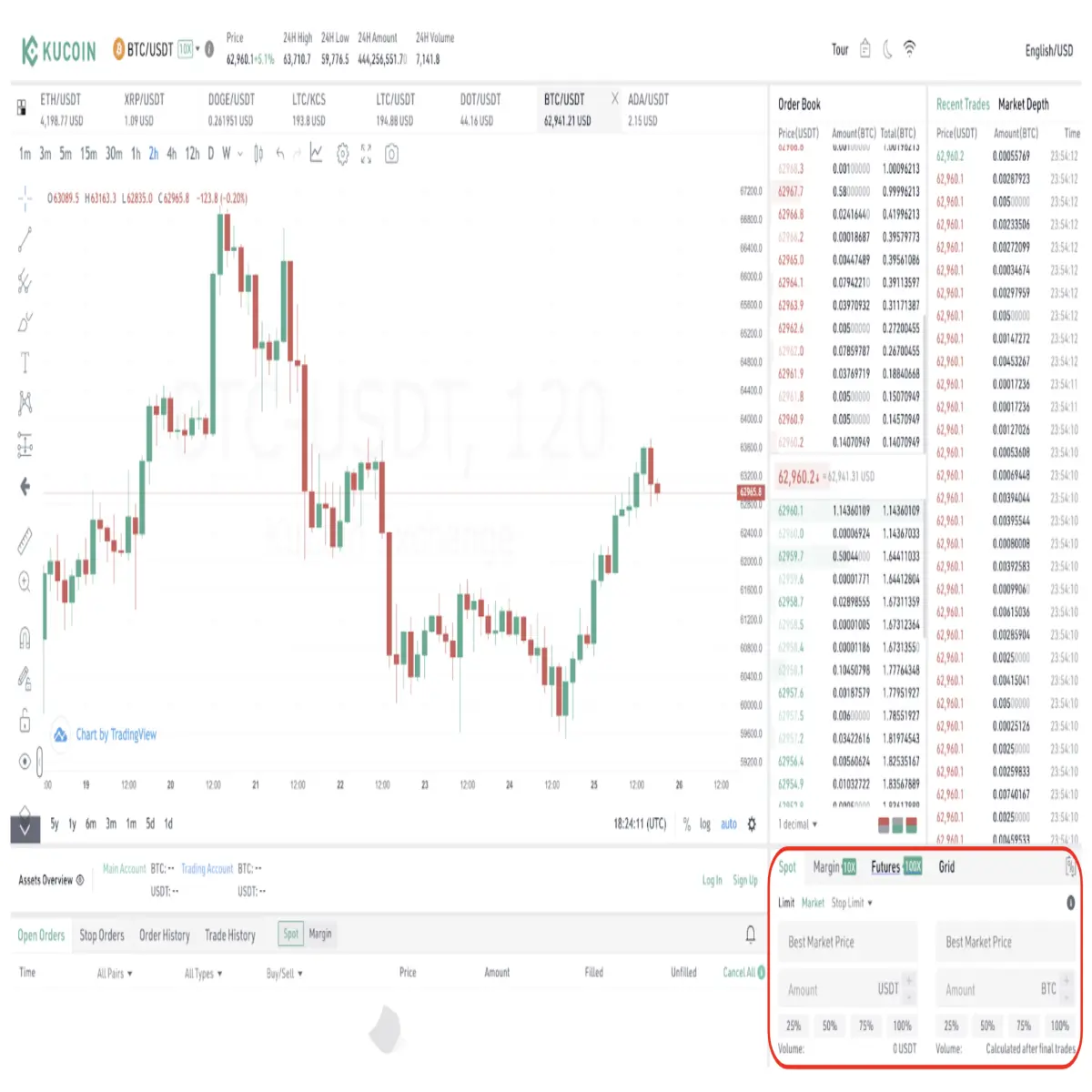
On the KuCoin exchange, you can use four different order types to trade the crypto spot market. They are Market Order, Limit Order, Stop Market Order, Stop Limit Order. Let's understand what these orders are and when to use them.
Market Order
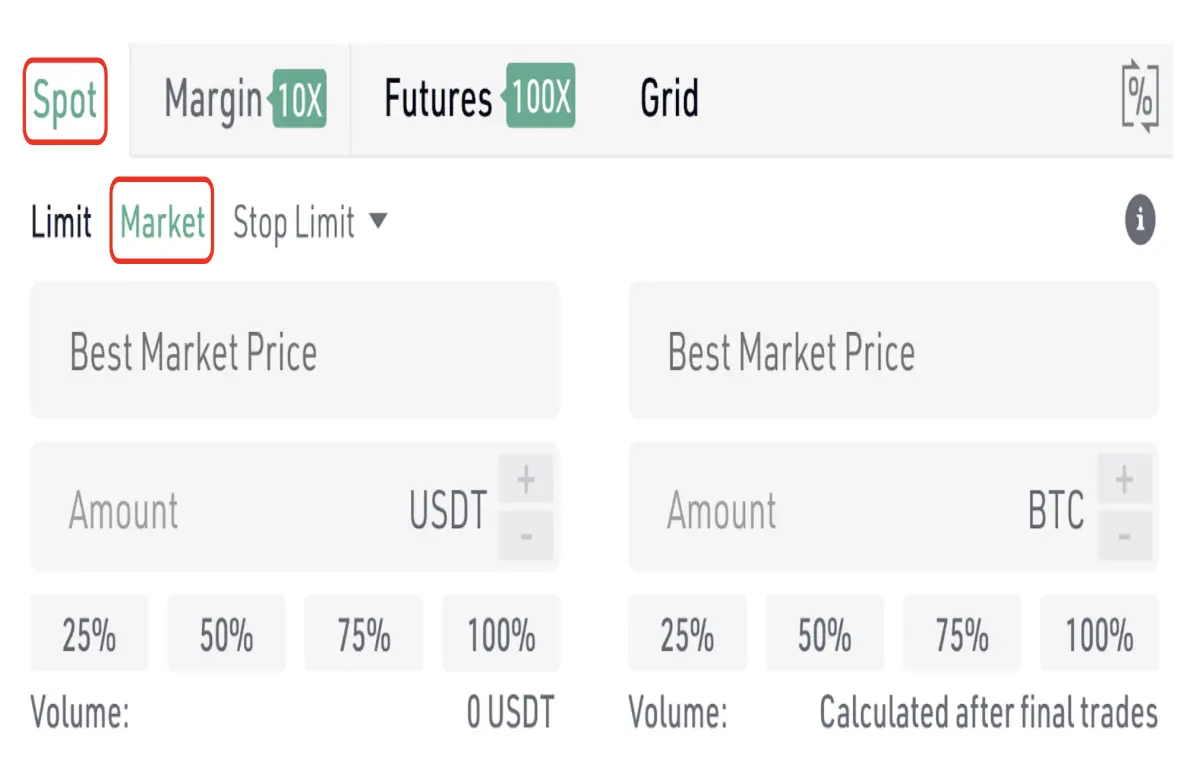
We place a Market Order when we want our trade to get executed immediately. When we use this order type, we are essentially instructing the system to buy or sell the underlying crypto asset at the best available price in the market at that moment.
For instance, if you want to buy Ethereum at the current market price, you can execute a Market Order by entering the amount of ETH you want to buy in terms of USDT and clicking BUY. Your order gets filled immediately at the currency price of Ethereum, and the corresponding ETH will get transferred to your KuCoin ETH wallet.
However, please know that placing a Market Order in the crypto market is not ideal, especially when you don't need the order to get filled immediately. Because of the crypto market's volatile nature, the market price of the asset when you are about to buy the asset might differ from the asset's market price when you have actually bought it. This difference is called slippage.
However, you can avoid this slippage by using another order type called Pending order. Pending orders are classified into Limit Orders and Stop Orders. Let’s understand each of them.
Limit Order
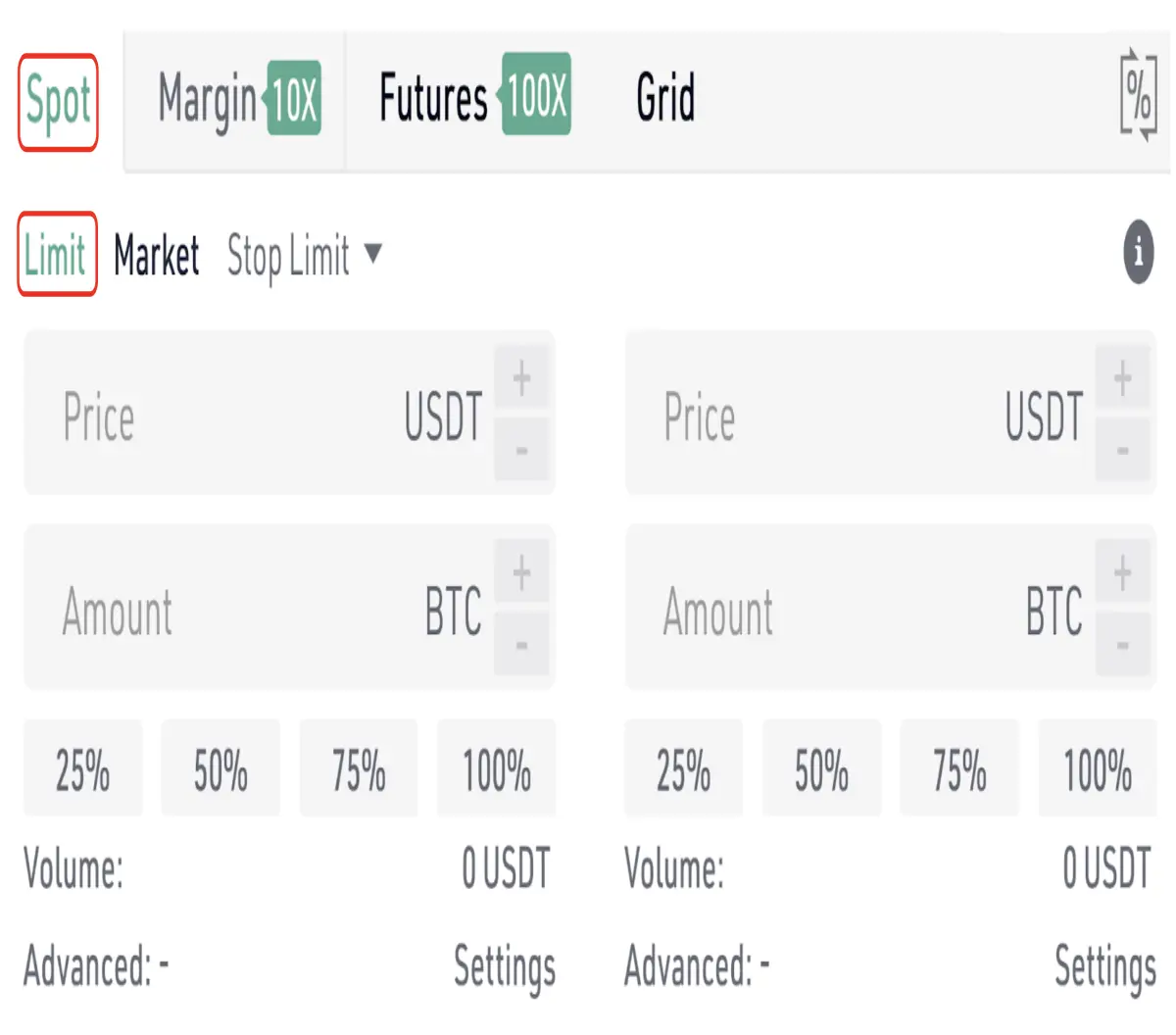
A Limit order is an instruction you give to the exchange to execute the trade at your desired price level instead of filling the trade order at the asset's current market price. This type of order is ideal for traders who do not have the time or patience to continuously monitor the market to identify ideal entries and exits. It is obvious that your order won't get executed instantly. Therefore, you can place a limit order and wait for the price to reach your desired level before being executed. When you place a Limit Order to the buy-side, the system will take the cheapest seller and fill your order. The same applies to setting up a limit order to the sell-side as well.
Let's say you want to buy Bitcoin, but not at the current market price. You see the market is in a downward trend, and the price of BTC is approaching a strong support level. So you anticipate that the prices won't go further down than that support level, so you place a limit order exactly at that level. Your order will get automatically executed once BTC's price reaches that level.
If in case the market starts to move in a different direction even before reaching your desired price level, your order won't get filled, and you can place a different limit order.
As mentioned, another type of Pending order is Stop orders, and they are further classified into Stop-Market Order and Stop-Limit Order.
Stop-Market Order
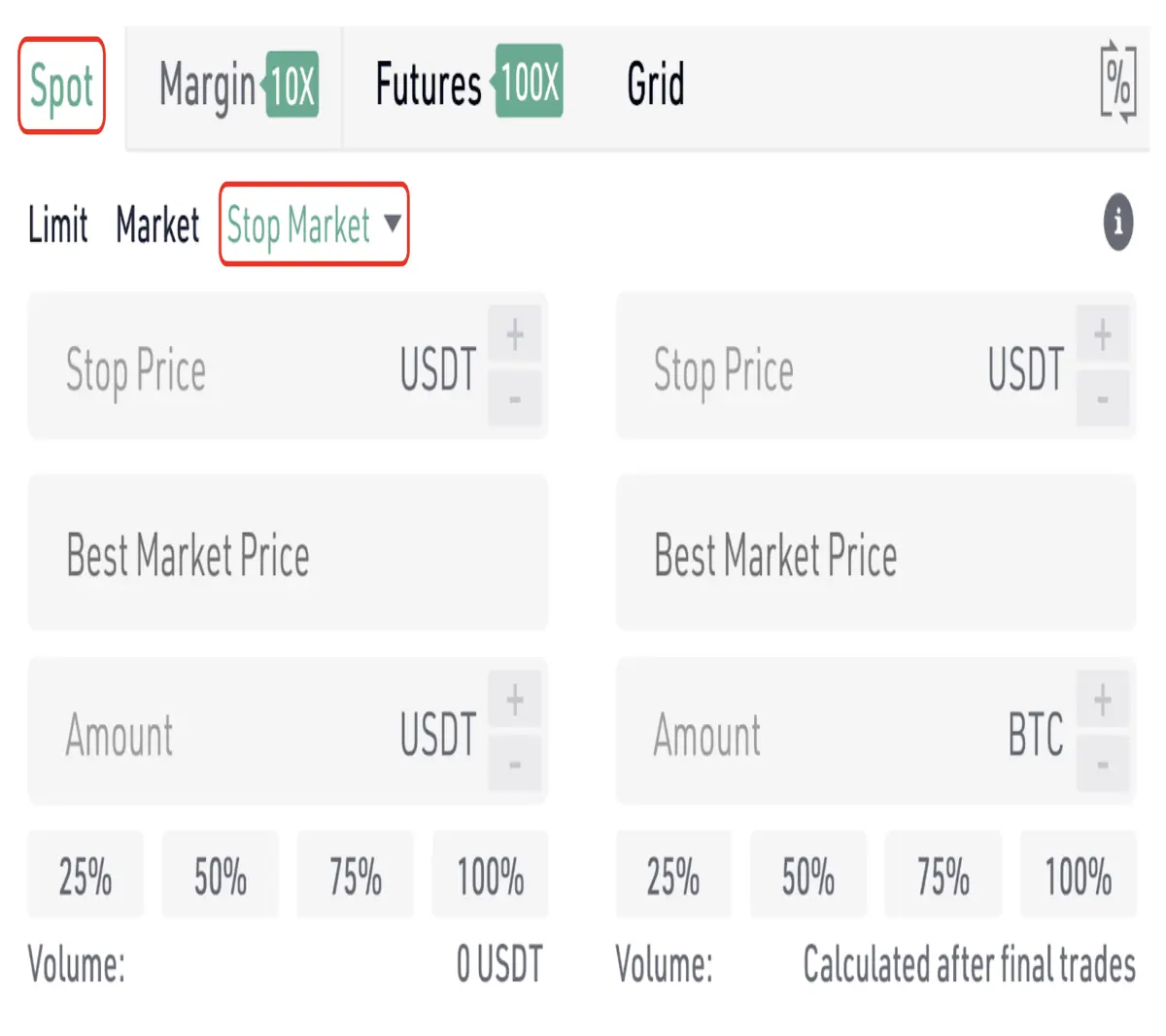
Stop-Market order is an order you place to stop the losses from extending further while trading the crypto market. For instance, you went short on the Ripple (XRP) token, and the price of XRP started to rise. Instead of watching the charts and closing the position yourself, you can set a Stop-Market Order and preset the price at which you want to close your position. This will allow you to control your losses and avoid blowing up your account.
Stop-Limit Order
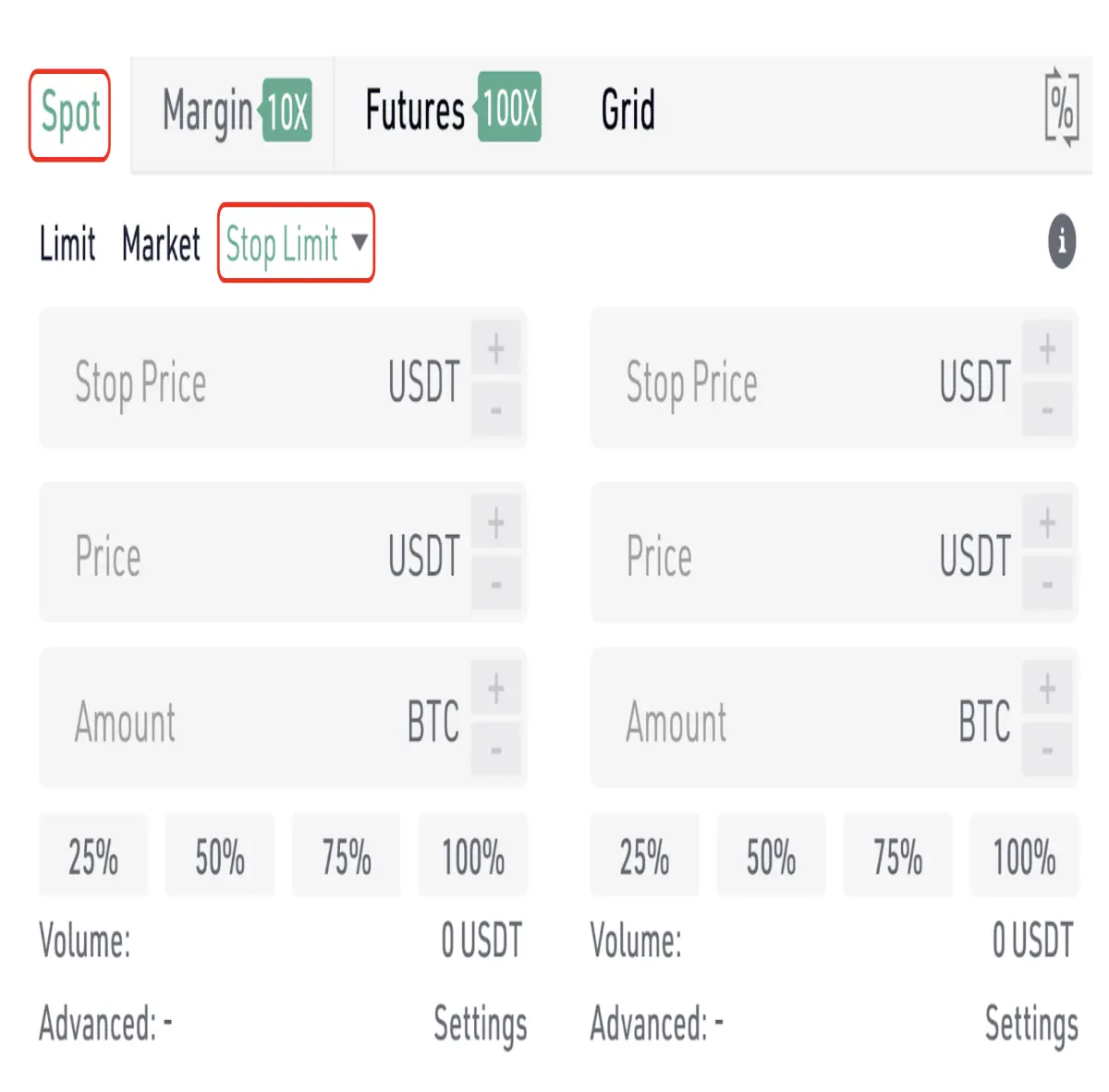
Now that we understand Stop-Market order let's look at the Stop-Limit order, which is nothing but a complex, more advanced limit order. It has two components - the Trigger Price and the Limit Price. First, you set a limit price at which you want your order to be executed. Then you set a Stop/Trigger price at which you want your limit order to be triggered. Basically, you are exercising a level of control over the trade by also setting a "Stop Price" here.
We hope you found this information valuable. Our upcoming articles will discuss the different order types while margin trading and futures trading. Stay tuned to the KuCoin blog for more valuable educational content.
Did you know that KuCoin offers premium TradingView charts to all its clients? With this, you can step up your Bitcoin technical analysis and easily identify various crypto chart patterns.






