

The Alligator indicator
The Alligator indicator is basically a technical indicator that is used for the confirmation of the current price trends in the market and also their primary direction in the market. It is known as a trend-following technical indicator that helps traders trade with the trend. The indicator does this by plotting on the chart three moving average line known as the Jaw (blue line), Teeth (red line), and Lips (green line). By default, the three moving averages have a period length of 5, 8, 13 period length. The Jaw is set at a period length of 13 with an offset of 8, the Teeth is set at a period length of 8 with an offset of 5 and the Lips is set at a period length of 5 with an offset of 3. Bill Williams is the creator and developer of the Alligator indicator. On the Alligator indicator, Jaw, Teeth, and Lips indicate the interaction of the different periods.
When it comes to the alligator indicator, there are terms that are associated with the alligator by Bill Williams. The terms are Alligator sleeping, Alligator waking up, Alligator eating. Alligator sleeping basically means that there is indecision in the market or the market is moving sideways, as the Jaw, the Teeth, and the Lips of the Alligator indicator are closed or joins together. Alligator waking up basically means that there is a trend after the indecision in the market. Alligator eating basically means that there is a trend forming in the market, either bull or bear. Alligator sleeps again basically means that the ongoing trend is ends and the alligator moving average lines closes or joins together.
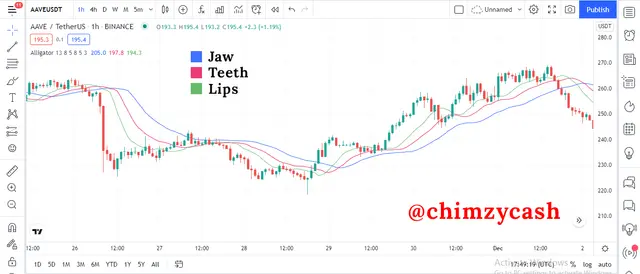
Alligator Indicator Calculation
When it comes to the calculation of the alligator indicator, there are different parts that needs to be calculated such as the Median price, Alligator Jaw, Alligator Teeth and Alligator Lips.
MP = (High + Low) / 2
J = MMA (MP, 13, 8)
T = MMA (MP, 8, 5)
L = MMA (MP, 5, 3)
Where;
Median Price = MP
Alligator Jaw = J
Alligator Teeth = T
Alligator Lips = L
The first part is the calculation of the MP (Median Price) of each of each candlestick. To get this, the high and low is added and the result is divided by 2 to get the median price.
The next part is the calculation of the Alligator Jaw. To get this, the MP of 13 periods with an offset of 8 is calculated.
The next part is the calculation of the Alligator Teeth. To get this, the MP of 8 periods with an offset of 5 is calculated.
The next part is the calculation of the Alligator Lips. To get this, the MP of 5 periods with an offset of 3 is calculated.
Adding the Alligator indicator on A Charting Platform
The Alligator indicator is one of the popular indicators that comes inbuilt with a lot of the top and popular charting platforms. As always, tradingview remains one of the top and most used charting platforms and the Alligator indicator can be found in the tradingview built-in indicator list. Like every other indicator on tradingview, Adding the Alligator indicator on a tradingview chart is simple when it comes to technical analysis. To do this, I will making use of the tradingview platform tradingview.com.
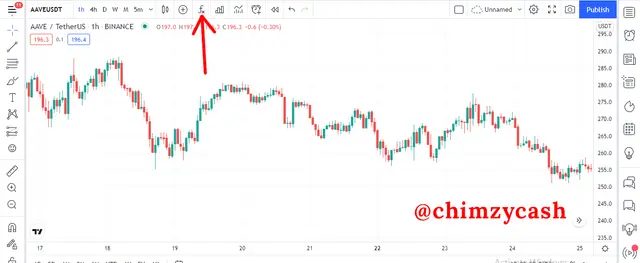
On the charting interface, Click on the icon of the indicator. This will open up the indicators and strategies section.
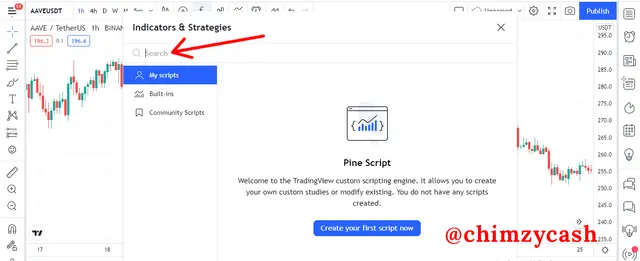
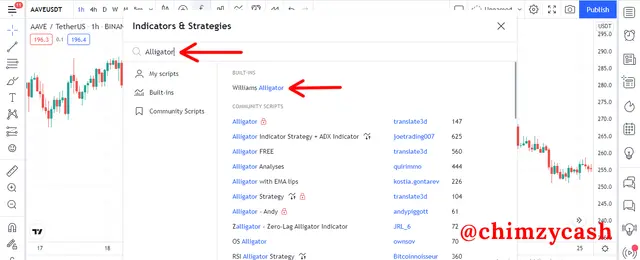
On the indicators and strategies search box library, search for Alligator. This will list all the indicators that has Alligator in its name. For me, I typed in Alligator and selected the first indicator with William Alligator.
The Alligator indicator has been added to the chart
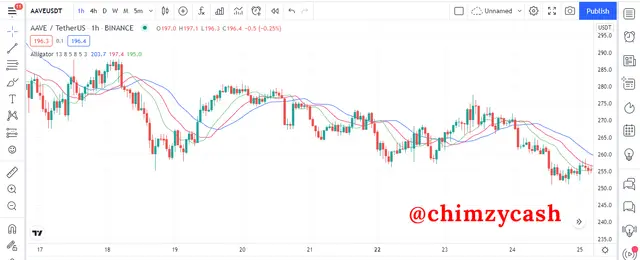
On the Alligator indicator panel, click on the settings.
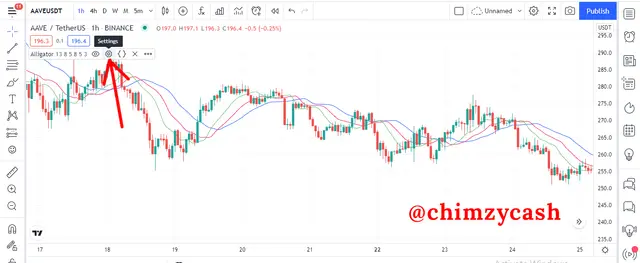
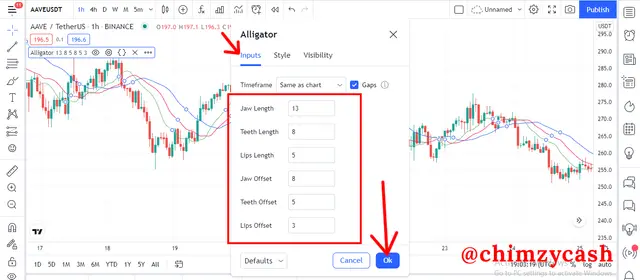
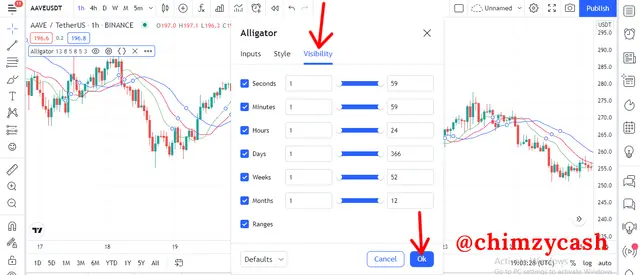
For the Alligator indicator, the settings has three main sections; input, styles and visibility.
**Input** - In the input section, there are 6 main parameters; the Jaw length, the Teeth length, the Lips length, the Jaw offset, the Teeth offset and the Lips offset. These parameters can be changed. The defaults input settings are; Jaw is set at a period length of 13 with an offset of 8, the Teeth is set at a period length of 8 with an offset of 5 and the Lips is set at a period length of 5 with an offset of 3. Selecting the reset settings options on the defaults drop-down rests the inputs to the default settings.
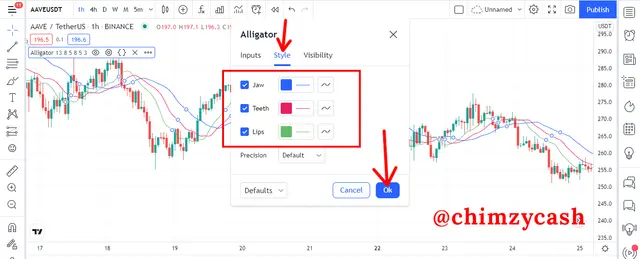
**Styles** - In the styles settings, the look and colours of the various elements of the Alligator indicator can be changed based on individual preferences. The colour, shape and thickness of the different Alligator lines can be changed. Selecting the reset settings options on the defaults drop-down rests the styles to the default settings.
**Visibility** - What the visibility settings does is that it allows you to basically switch different elements on or off for the chart. By default, all elements are switched on.
For the alligator indicator, **changing the default settings is not advisable**. The creator of the indicator has chosen the best period length and offset values that suits the Alligator indicator and produce the best results after numerous tests. Also, the values of 3, 5, 8 belong to the Fibonacci numbers and as such, the are key when it comes to the support and resistance. However, the period length can be changed depending on the technical analysis strategy but the default settings has proven to be the sweet spot and produce the best results when using the Alligator indicator.






