
The problem with crypto tokens is that, aside from the big names, everything else is hit or miss when it comes to putting them into a decentralized wallet. You might get lucky that your alt-coins are included, but in many cases they are not. So that means most of use end up with anywhere from 5 to 15 different wallets for off-the-grid alt-coins that actually are worth something but not big enough for prime-time attention. The other alternative is to use an exchange but, as the all to familiar saying goes, not-your-keys-not-your-funds. So, most of us who have been burned sooner or later opt for multiple wallets and the headache of managing them.
Getting Started With Vidulum
So along comes Vidulum. First off, it is a hot wallet, ergo connected to the Internet. That said, we're talking about alt-coins here, not your Bitcoin collection, so relax a bit. Granted Vidulum does take BTC, but you decide your comfort level on that one.
For alt-coins, however, the wallet has a very healthy list of coins and tokens it can handle. In this regard, I find it to be a big advantage. Much like the tipcc bot wallet in Discord, having everything in one place makes it a lot easier to manage and, more importantly, remember it exists. With so many different wallets, I sometimes forget about what I left where and then find an extra $10 or $30 buried when I remember I had a given token somewhere obscure.
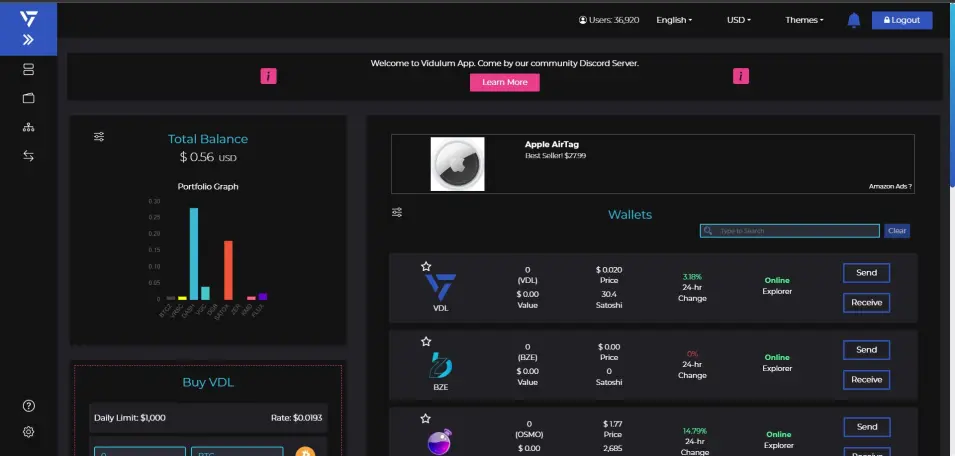
The user interface on Vidulum takes a bit of getting used though. The wallet can be accessed online via a browser or by mobile. I've tested it on both Chrome and Apple iOS, and it works fine. The mobile version is a bit more streamlined and user-friendly though, and here's why.
Wallet Review Details
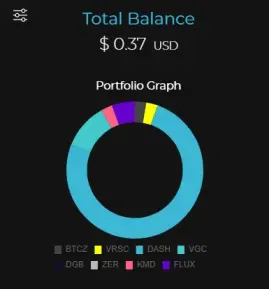
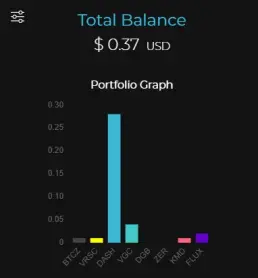
First off, the summary of the holder's coins, which is a key feature we all look for, is a bit wonky in Vidulum. Where a user typically expects the holdings to be provided in an asset list, usually a table format, Vidulum gives you a graphical representation instead.
You get to choose from a pie chart, a histogram, or a donut share. The last one seems to make the most sense, but in practice I ended preferring the histogram or bar chart instead since it gave me more active detail. Ideally, I like tables since I want to see both value and holding amounts, but that's not available.
Secondly, as for the individual tokens themselves, you access them through a scrolling making up about 6 different pages of selection. This is a bit out-of-the norm as well. When in menu mode, the display will list the coins, both in terms of your balance and the current price (that's assuming the wallet can connect to the given network, if not it shows nothing). If you click on the send or receive button, then the menu selection expands and you get the addresses you need for transit functions:
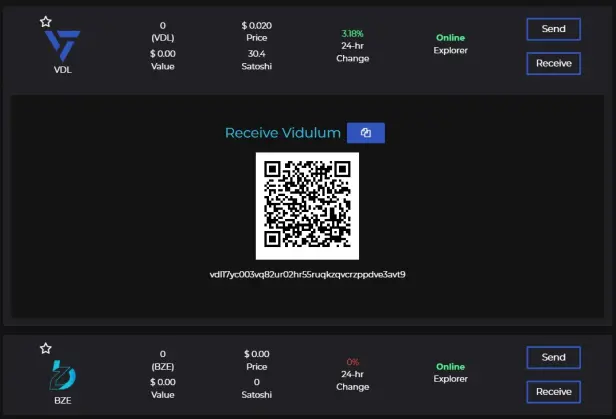
Yes, I'm showing an address here. Knock yourself out if you want to send me some VDL token. Speaking of which, the wallet does hype Vidulum Token quite a bit, another feature you just have to get used to enjoy the features for other alt-coins. But it does provide both a swap tool for VDL in and out as well as for transit like the other coins included.
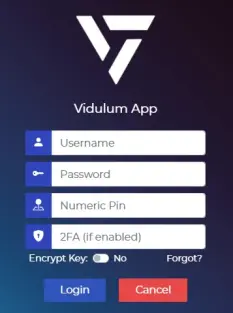
The security on Vidulum requires a three-part login for a standard name, password, and then a PIN code. You can ramp it up to a 4th level with a multi-factor authentication tool if you want.
Pay Attention to This: Getting Started
If starting a new account, follow this procedure:
When you start up for the first time and create the wallet, make sure to copy and paste your new account details to a text editor on the side.
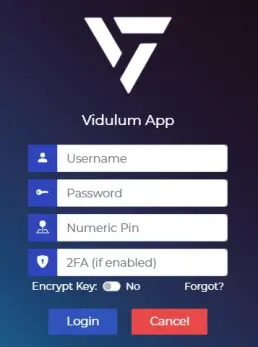
A lot of folks have run into trouble here, created the wallet account, got in, transferred coins, logged out, and then tried to come back and what they thought was the password details don't work. The support team cannot help you recover the wallet created. They don't have access to the input (they literally say this on the top of the wallet creation screen).
So, to make sure you get the login/logout/login cycle completely set right, cut and paste your new details to a text editor, get in and transfer a few sample coins, log out, and log in again.
When you have everything working consistently, then save your details from the text editor to where you keep them safely. Now you can transfer big amounts to your wallet knowing you can get to them safely. This approach works, but you don't find out until you've screwed up a wallet creation and gone through the frustration, seeking help on Vidulum's Discord server.
Speaking of which, the Vidulum team is very active on their Discord and responsive too. Being one of those who made the mistake above, and then found out the right way to create the wallet correctly, they were quite helpful getting things up and running. As I noted earlier, I've been using the wallet consistently for my Satox coins and a few others, and it works very well. The convenience of multiple alt-coins in one place solves a multi-wallet problem I've had for years too.
Tell Me What You Think of It
So, check out the wallet and give me some feedback on what you think about it. I'm not going to score Vidulum on some arbitrary 10 point scale. It meets the big benefit I was looking for, and it is consistent. On the other hand, I think the UI side of things could be designed better, but that's just my personal opinion and preference speaking too. Decide for yourself and then post in feedback what you think.





