
Opening Your Crypto Accounts Is Faster Then Opening Your Bank Account!
I have heard people saying getting your self custodial wallet is a hustle because you need to write down your seed phrase and store it somewhere safe, and that apparently triggered the whole movement of “no seed phrase projects and applications to easily onramp new users in crypto”
I don’t know how no seed phrase works if you want to recover your funds or wallet in any case, and I think it is one of the worst choices person can do when joining crypto community! Basically - no seed phrase = recipe for a disaster! We have had enough happen in crypto hence the saying “Not Your Keys Not Your Crypto”!)
Being aware of all this, has me lead to write this article and show to new people how easy the process is - it is faster then opening any bank account!
I will use Trust wallet as an example because it’s multi-chain and it has already proven to work well!
The only downside here - I admit, is that sometimes we do need to install multiple wallets because there is no universal support for all wallets and some projects tend to prefer to support one wallet over the other. But, we can just use the same seed phrase we have generated while setting up the other wallet. All wallet interfaces look pretty much the same! Once there is (hopefully) connect them all solution or regulation prohibiting wallet discrimination, we will be able to just use any wallet!
But now…the steps!
Steps For Mobile Devices
On your mobile device go to app store and search: “Trust Wallet”
Install it and follow on-screen steps!
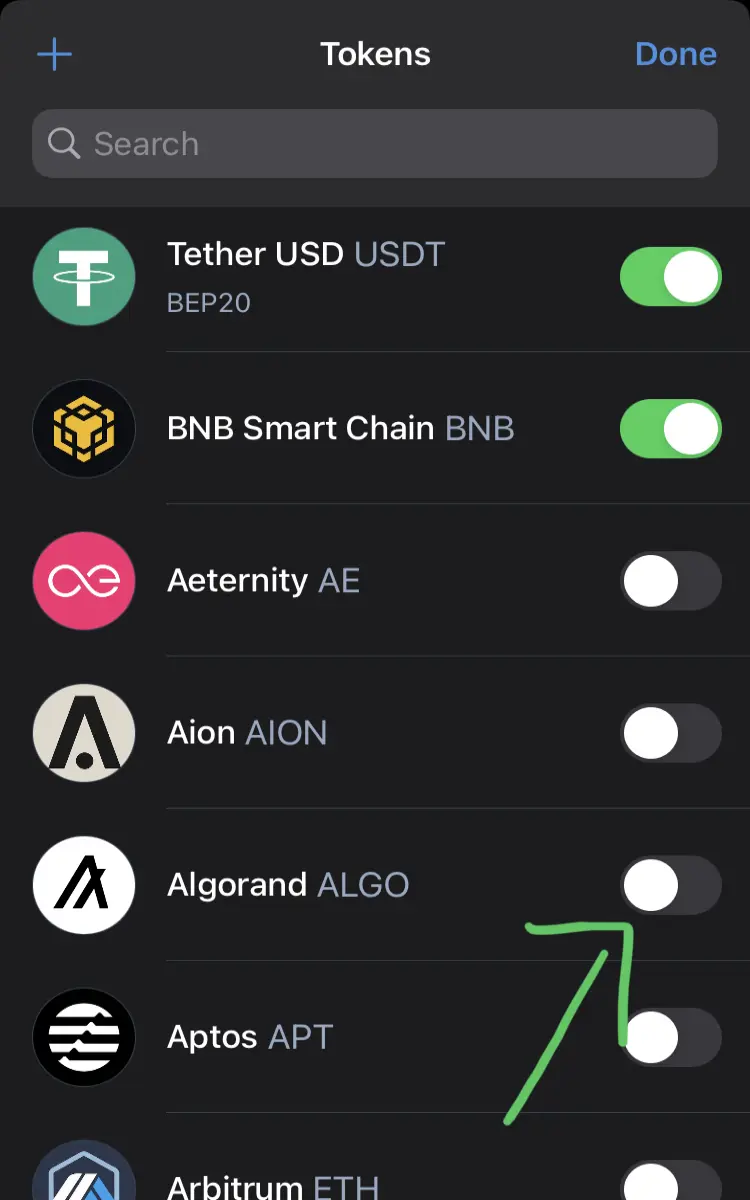
In literally a few minutes you will have your wallet with accounts ready! The only thing you might have to do, is to enable certain coins you want to use in settings!

Then toggle a switch to appear green for crypto you want to enable.
You might also want to add custom tokens form any given smart contract - to do it follow the steps:
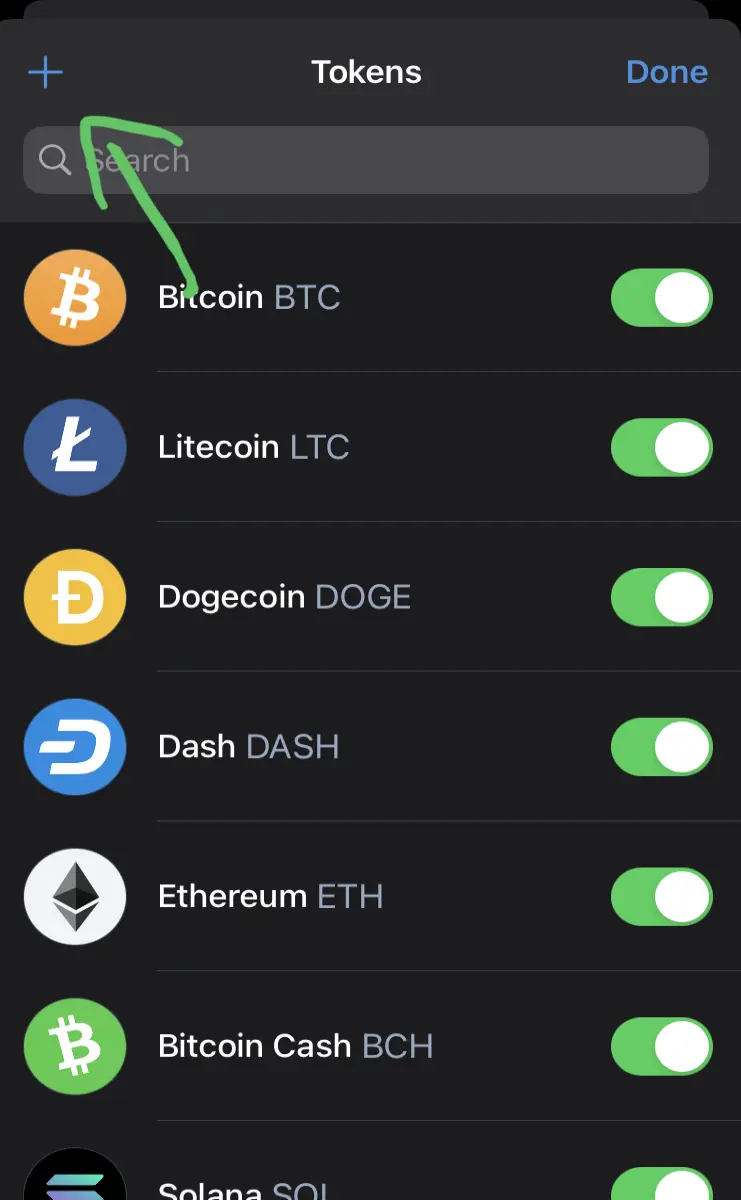
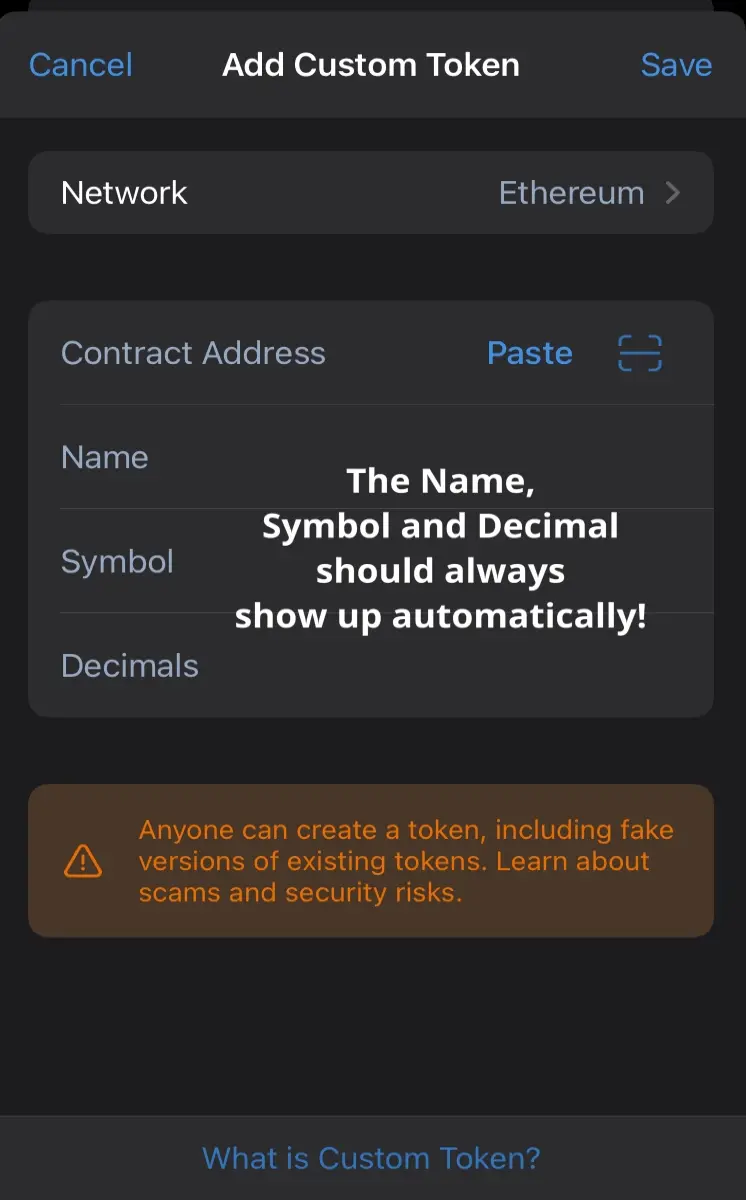
1. Select your desired network
2. Copy and paste contract address which you can find on Coingecko or CoinMarketcap
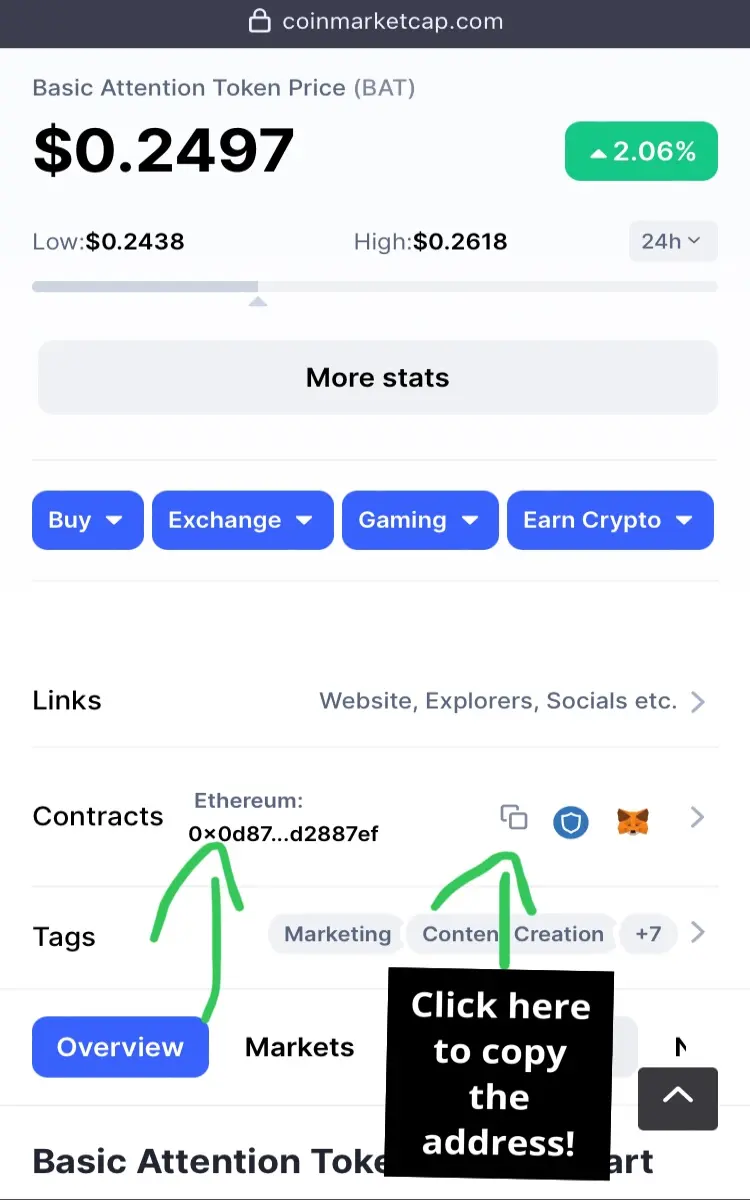
3. Once you paste it, it should look something like this:

Remember: If all the details don’t appear automatically that means you have entered wrong contract address!
4. Click “SAVE”
Steps For Laptop/PC/Mac/Linux
In your computer browser go to extensions and search for Trust Wallet!
Add the extension and follow the simple on-screen instructions!
You might also want to enable certain currencies in settings!
I currently have no access to desktop computer to show you this, but it is not difficult to figure out!
Follow my “$0.50 to $100 Bankroll BOSTER” Blog where I trade Publish0x payouts on Kucoin to increase earnings!
https://www.publish0x.com/050-to-100-bankroll-booster
TWO EXCHANGES I RECOMMEND YOU JOIN + BINANCE SIGNUP BONUS!
1. Kucoin (for Publish0x payouts and gem tokens)
I found Kucoin to be the best way to withdraw your Publish0x payouts and with upcoming Kucard it will be the best way to spend your earnings on coffee, groceries, etc. You can get $500 trading bonus and 10% off trading fees if you register via my referral link ($100 deposit required though)
https://www.kucoin.com/r/rf/rMPFXAS
2. Binance (withdraws to your card or bank accounts good bonuses and promotions)
Right now it is the best time to join Binance, they literally pay you to join and get their free Binance Visa Debit Card!
By Signing up via my referral linkyou get the following reward options:
To Get $5 USDT Reward:
Register an Account + Complete KYC: You Get 5 USDT
To Get $10 USDT Reward:
- Register an Account + Complete KYC + First Purchase: You Get $10 USDT
To Get $20 USDT Reward:
- Register an Account + Complete KYC + First Purchase + Order the Binance Card: You Get $20 USDT (there are no fees to order your Binance Card, You Get Free delivery)
You literally get $20 for free and a free Binance card (where other normally charge deliver fee!)
I have been Binance user for a few years now and it really is the best exchange!
Remember to sign up via the link below!
https://accounts.binance.com/en/register?ref=41110736





