
What is Curecoin?
Curecoin describes itself as a cryptographic utility token dedicated to replacing ASIC mining with protein folding computations - helping scientists find new medicines in lieu of mining hashes. Curecoin's goal is to accelerate research in the medical sciences relating to Cancer, Alzheimer's, Antibiotics, Diabetes, Huntington's, Ebola, Zika, HIV, Parkinson's, repurposing drug compounds, and Astrobiology.
With the Dec 2018 release of version 2.0, Curecoin claims to have become 90% more efficient compared to ASIC mining. Registered protein folding participants continue to receive distributions from the 'automated oracle' at Cryptobullionpools.com, with the premine balance cached in cold storage (visible on block explorers). The network has transitioned to pure Proof-of-Stake (averaging ~10% rewards annually), which works to secure Curecoin's network.
How to earn $CURE?
The Curecoin system leverages Stanford's* Folding@home distributed research software. As of 1 May 2019, Curecoin's folding team is ranked #1 on the global Folding@home network. Development is focused on faster transactions, increased security, collaboration with science blockchain consortium partners (like FoldingCoin), as well as supporting philanthropic projects through the Curecoin Project's 501c3 sponsor (Vision's Made Viable).
Running Folding@Home client on RaspberryPi4
Requirements
- Raspberry Pi4
- Ubuntu 20.4
- CURE Wallet - https://curecoin.net/knowledge-base/resources/where-can-i-get-a-curecoin-wallet/
Download & Install F@H
You can find the latest versions for Ubuntu https://download.foldingathome.org/releases/public/release/fahclient/debian-stable-arm64/
We'll use the latest.deb
Create a folder in your home: ~/Folding/mkdir ~/Folding/
cd ~/Folding/
Download latest.deb
Install F@H
sudo dpkg -i --force-depends latest.deb
Configure
UserID: CHOOSE_A_USERNAME (this username will be used when you register in https://cryptobullionpools.com/news.php)
TeamID: 224497
Passkey: (you can request it here - use the UserId in the name field)
The configurations will be saved here: /etc/fahclient/config.xml
<config> <!-- Folding Slot Configuration --> <cause v='CANCER'/> <gpu v='false'/>
<!-- Slot Control --> <power v='FULL'/>
<!-- User Information --> <team v='224497'/> <user v='CHOOSE_A_USERNAME'/>
<!-- Folding Slots --> <slot id='0' type='CPU'/>
</config>
Commands to Start/Stop/Status
sudo /etc/init.d/FAHClient stop
sudo /etc/init.d/FAHClient status
sudo /etc/init.d/FAHClient start
Access WebView from other computers
Add to the configuration the IP addresses you want to reach the server from:
<!-- HTTP Server -->
     <allow v='192.168.0.1/24'/>
    <web-allow v='192.168.0.1/24'/>
After that you should be allowed to reach the WebView
That's it!
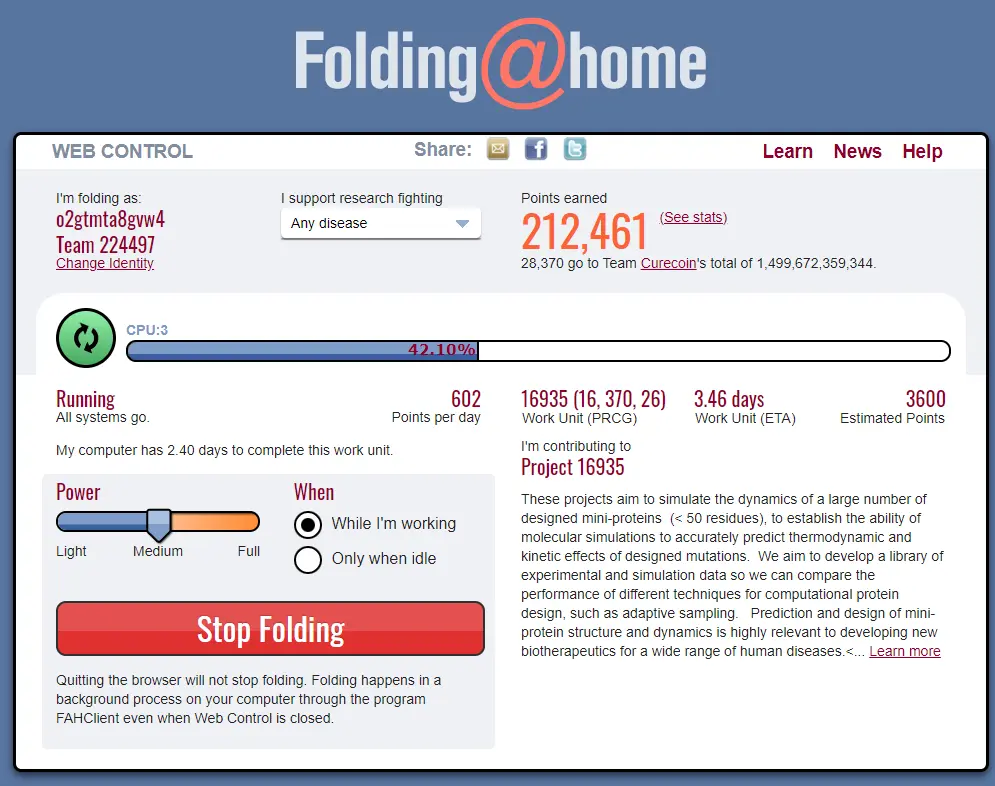
Your webview should look something like this:
You can see how your results via API calls:
https://stats.foldingathome.org/api/donor/ <USERNAME>
https://stats.foldingathome.org/donor/<USERNAME>
Register in the Folding Pool to earn $CURE
Go to https://cryptobullionpools.com/ and register your folding username and associate your wallet address. That's it. The payments are made daily






