
In this post I will show you how to create your first window using win32 API. It is assumed, that you are already familiar with programming and C programming language.
Overview
Our application will basically work like this: Firstly we will initialize any variables and resources. Then we will register our window class and create the window. After this comes the message loop which will ensure that we receive the messages that are sent to our window and that these messages are sent to the window procedure that we define. The window procedure is a callback that gets called whenever a window receives a message. we can then process the messages that we wish and let the system process the rest.
Window procedure
To handle various messages (events) in win32 API we use a window procedure. This is a function that gets called every time the window receives a certain message. The function in our application looks like this:
LRESULT CALLBACK MainWindowProc(HWND hwnd, UINT message, WPARAM wparam, LPARAM lparam) {

	switch (message)
	{

		case WM_DESTROY: {
			PostQuitMessage(0);
			break;
		}

		default:
			return DefWindowProcA(hwnd, message, wparam, lparam);

	}
	return 0;

}
This function takes 4 parameters. The first is the window that the message was sent to (HWND is handle to a window). The second is the message ID. the third and fourth are additional parameters, which are actually just numbers. Sometimes these numbers are actually pointers to another structure that will contain more information. The return value depends on the message, but typically we return 0 for most messages that we specifically check.
Our window procedure will check if the message received is WM_DESTROY, which gets received after window gets destroyed. If the message is anything else the function DefWindowProcA will be called. This is just a default window procedure.
Registering a window
Before we can create a window we need to register it. The function that is typically used for this is RegisterClassEx. In this case I am going to use the ASCII version of the function (RegisterClassExA). The function takes one parameter and that is a pointer to a structure WNDCLASSEXA, that will describe our window class. The structure looks like this:
typedef struct tagWNDCLASSEXA {
    UINT cbSize;
    UINT style;
    WNDPROC lpfnWndProc;
    int cbClsExtra;
    int cbWndExtra;
    HINSTANCE hInstance;
    HICON hIcon;
    HCURSOR hCursor;
    HBRUSH hbrBackground;
    LPCSTR lpszMenuName;
    LPCSTR lpszClassName;
    HICON hIconSm;
} WNDCLASSEXA
This structure will store the basic information about our window class, such as what icon to use, which cursor to use, what will the window background be like, etc. In this tutorial we are only going to use some of these members and leave the rest to be zero.
WNDCLASSEXA windowClass;
HINSTANCE hInstance = GetModuleHandleA(NULL);

ZeroMemory(&windowClass, sizeof(WNDCLASSEXA));
windowClass.cbSize = sizeof(WNDCLASSEXA);
windowClass.hbrBackground = (HBRUSH)(COLOR_WINDOW + 1);
windowClass.hInstance = hInstance;
windowClass.lpszClassName = WINDOW_CLASS_NAME;
windowClass.lpfnWndProc = MainWindowProc;
Firstly, we declare the mentioned struct and initialize a variable of type HINSTANCE. HINSTANCE is basically a handle to an application instance and GetModuleHandleA(NULL) will return the current instance. Then we use ZeroMemory to set the entire structure to zero. it is equal to memset(&windowClass, 0, sizeof(WNDCLASSEXA)). After that we set some members of the structure. They mean the following:
- cbSize: this member should contain the size of the structure. if it is zero, RegisterClassExA will fail.
- hbrBackground: this member contains information about the window background. we set it to white.
- hInstance: explained above
- lpszClassName: the name of the window class. we later use this to actually create the window
- lpfnWndProc: pointer to a window procedure. we set it to function that we created earlier.
if (!RegisterClassExA(&windowClass)) {
	printf("Failed to register window class! (error code %lu)\n", GetLastError());
	return 1;
}
After the structure is set up, we call the RegisterClassExA function. The function will return 0 if it fails, so we need to check for that.
Creating the window and message loop
HWND hwnd = CreateWindowExA(0, WINDOW_CLASS_NAME, "Title", WS_VISIBLE | WS_OVERLAPPEDWINDOW, CW_USEDEFAULT, CW_USEDEFAULT, 800, 600, NULL, NULL, hInstance, NULL);
if (hwnd == NULL) {
	printf("Failed to create main window! (error code %lu)\n", GetLastError());
	return 1;
}

MSG msg;
while (GetMessageA(&msg, NULL, 0, 0) > 0) {
	TranslateMessage(&msg);
	DispatchMessageA(&msg);
}
To create a window we use the CreateWindowExA function. this function takes 12 parameters:
- extended style
- class name
- window name (title in our case)
- style
- X coordinate
- Y coordinate
- width
- height
- parent
- HMENU: this can be used as either a handle to the menu that application uses, or as a child window identifier
- hInstance
- additional parameter (will be explained in future post)
The style and extended style will be explained further in a future post. Here we don't use any of the extended styles, but we use two styles for our window. WS_VISIBLE will make window visible when created and WS_OVERLAPPEDWINDOW will make our window have a caption, minimize and maximize box, and our window will be resizable. We can check if the function fails if the returned window handle is equal to NULL.
next we have the message loop. This loop will make sure that our window receives any messages that are sent to it (you can think of messages as events). The GetMessageA function will retrieve the most recent message in system queue. The third and fourth parameter of this function are outside the scope of this tutorial series. You can read more about them on Microsoft documentation. The second parameter is a handle to the window, for which the messages are going to be retrieved. We use NULL, so that it will retrieve messages for any window in current thread. TranslateMessage and DispatchMessageA are used to then send this message to our window procedure.
Full code and compilation
Here is the full code for the application that we created.
#include <stdio.h>
#include <windows.h>

#define WINDOW_CLASS_NAME "ExampleClassName01"

LRESULT CALLBACK MainWindowProc(HWND hwnd, UINT message, WPARAM wparam, LPARAM lparam) {

	switch (message)
	{

		case WM_DESTROY: {
			PostQuitMessage(0);
			break;
		}

		default:
			return DefWindowProcA(hwnd, message, wparam, lparam);

	}
	return 0;

}

int main () {

	WNDCLASSEXA windowClass;
	HINSTANCE hInstance = GetModuleHandleA(NULL);

	ZeroMemory(&windowClass, sizeof(WNDCLASSEXA));
	windowClass.cbSize = sizeof(WNDCLASSEXA);
	windowClass.hbrBackground = (HBRUSH)(COLOR_WINDOW + 1);
	windowClass.hInstance = hInstance;
	windowClass.lpszClassName = WINDOW_CLASS_NAME;
	windowClass.lpfnWndProc = MainWindowProc;

	if (!RegisterClassExA(&windowClass)) {
		printf("Failed to register window class! (error code %lu)\n", GetLastError());
		return 1;
	}

	HWND hwnd = CreateWindowExA(0, WINDOW_CLASS_NAME, "Title", WS_VISIBLE | WS_OVERLAPPEDWINDOW, CW_USEDEFAULT, CW_USEDEFAULT, 800, 600, NULL, NULL, hInstance, NULL);
	if (hwnd == NULL) {
		printf("Failed to create main window! (error code %lu)\n", GetLastError());
		return 1;
	}

	MSG msg;
	while (GetMessageA(&msg, NULL, 0, 0) > 0) {
		TranslateMessage(&msg);
		DispatchMessageA(&msg);
	}

	return 0;

}
You can then save this file as main.c and compile it with gcc main.c -o main.exe
Additionally you can use a couple more flags:
- -s will remove symbol table and relocation information from the executable. What this means in practice is that your executable will be much smaller, but might also run a little slower (which shouldn't matter for such simple program as this)
- -mwindows will hide the console when you run the application
- -m32 and -m64 will compile the application as 32bit and 64bit respectively.
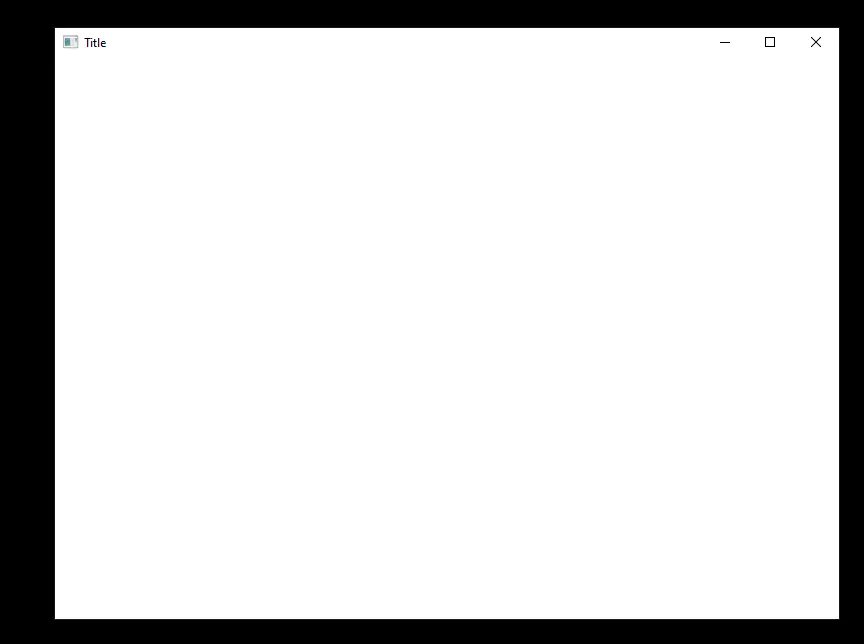
If the compilation succeeded, you should see a 800x600 window when running the app. the window should be resizable, have visible title, like the screenshot below.
If you spotted an error in this post or would like to suggest an improvement, please comment so below.









