
Most people talk about using crypto in the future. The future...really??
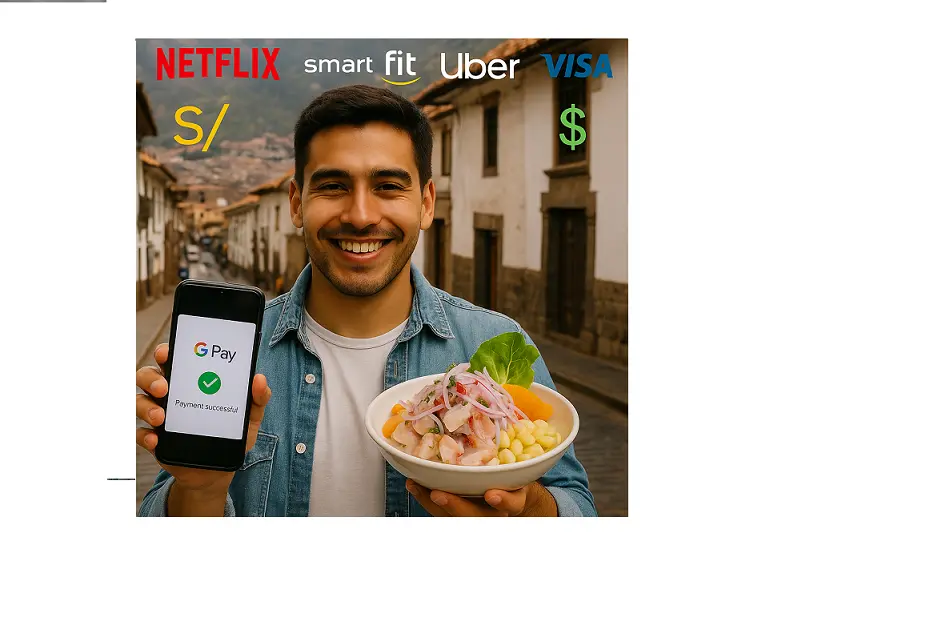
I prefer to use it today — to pay for my lunch in Cusco, my ceviche on the streets which is waaay more delicious...
In this article, I’ll show you how I connected my crypto card to Google Pay and started paying for daily stuff like Netflix, SmartFit, and ceviche — all with USDT.
If you already have your web3 card connected to your Google Pay (or Apple Pay) you don´t have to do nothing here. Or maybe you should send this article with your best friend.
This step is tremendously crucial if you truly want to live as the new era.
Just imagine yourself paying with your smartphone all your expenses, wouldn´t be great?
Why I Stopped Using Banks
For years, I depended on Scotiabank Peru, but the constant data breaches and phishing scams were a nightmare. Not for me, but for millions of peruvians. Criminality is getting worse and everyday citizens report frauds, extortions (just to mention two).
In Peru, even bank data gets traded on the deep web for a few dollars — including emails, addresses, and account details.
So I decided to move on.
Traditional banks just don’t fit a world where blockchain gives us instant, borderless, and safer transactions.
My First Step into Crypto Payments
As a crypto content writer, I get paid in USDT, BTC, and ETH. My clients have a DeFi wallet and I just need to send them my USDT TRC-20 address and receive payments instantly.
I used to cash out through Binance’s P2P market, waiting for someone to send soles to my peruvian bank.
But it felt like I was moving backward every time I went through a traditional financial institution. That's not the idea, especially if I am DeFi ambassador.
Then came the game changer: TONCard., a crypto card that lets you connect your wallet directly to Google Pay.
No more conversions, no middlemen. Just pure Web3 in motion.
How to Add a Crypto Card to Google Pay
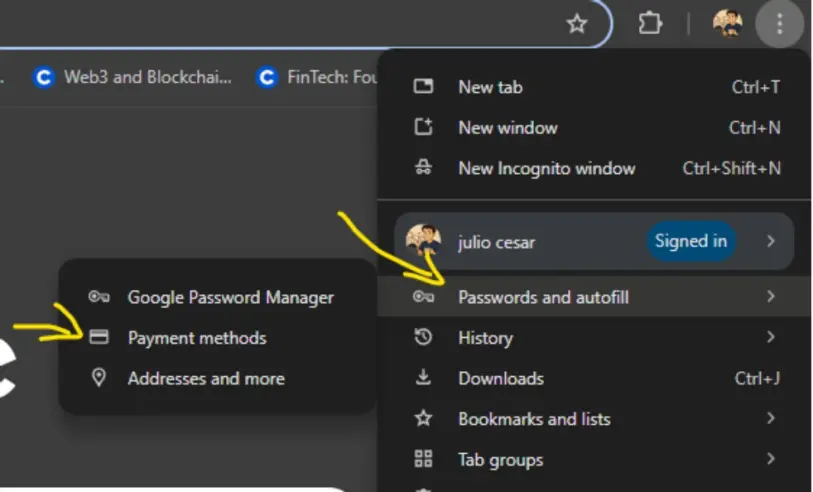
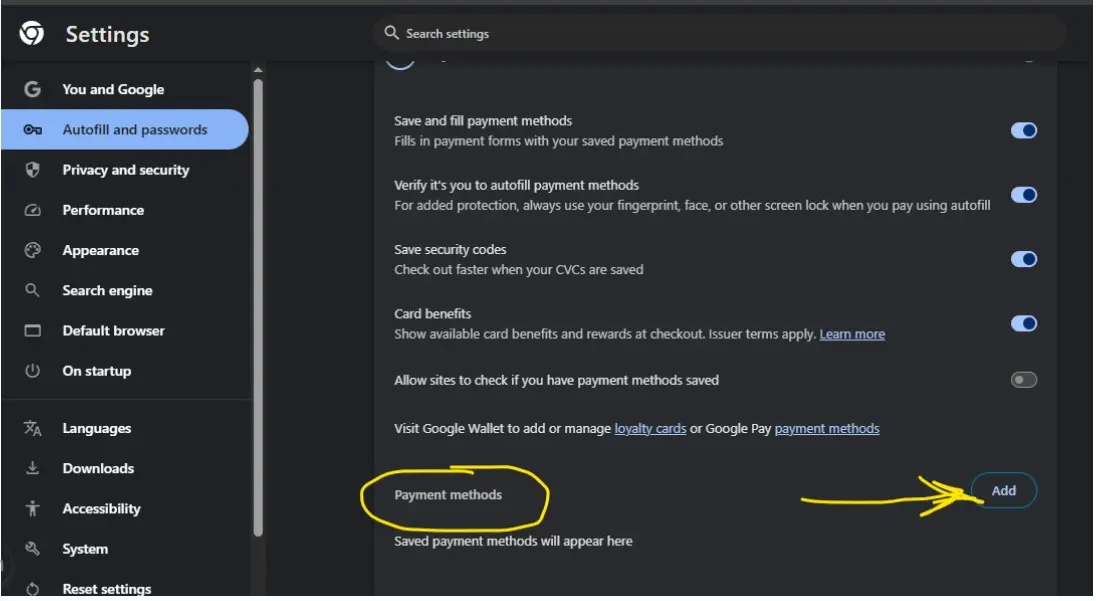
Here’s the short version (you’ll find a detailed guide on my Linkedin blog):
-
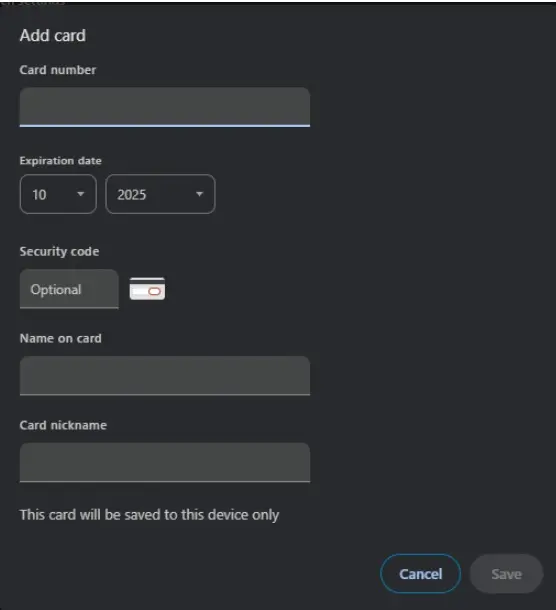
Go to Google Wallet → Payment Methods → Add Card
-
Enter your TONCard details (number, expiration, CVV if available).
-
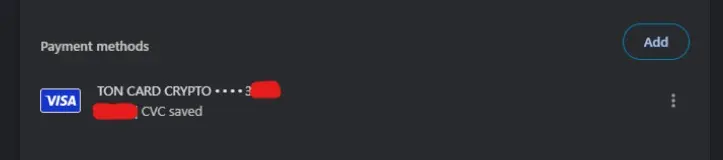
Save and confirm.
-
Done — your crypto card is ready to use anywhere Visa is accepted.
Whether you’re in Lima, Cusco, or anywhere else, you can now pay for anything — directly from your crypto balance.
Real-Life Use: Tap, Pay, and Enjoy
The first time I used my crypto card, I was at a small cevichería in Piura that accepted Visa.
One tap, payment approved.
No conversion, no waiting, no stress.
Today, I use crypto to pay for:
✅ Netflix
✅ Google Storage
✅ Telegram Stars
✅ Duolingo
✅ SmartFit
Each transaction feels like proof that crypto is already mainstream, not just a promise for the future.
What to do after connecting your crypto card to Google Pay
Crypto cards bridge two worlds — traditional payments and decentralized finance.
If you’ve ever wondered what real financial freedom looks like, it’s right here: paying for your daily life with the same coins you earn online.
💬 I’d love to hear your story.
How are you using crypto in your daily life?
✍️ Written by El Salvador CopyBiker — Crypto Content Specialist.
Helping your audience actually understand your Web3 product (no PhD required).






