
How to sign up for Property to USD/FIAT selling and buying in Upland.
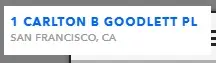
1. Go to San Francisco. Send your explorer to City Hall. It costs 50 UPX. Sign up for the property to USD Beta.
Adress:
2. Enter the Official Upland Discord group. In general chat or the chat for new members ask for the sign up google doc form for property to USD. Link to both also available down below. (But I understand you may have trust issues. It's okay. Go get the real deal from it's source.)
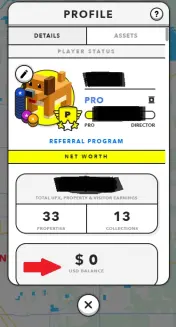
3. Wait a few days. Confirmation takes a few days. Some players have complained about it taking up to 2 weeks. Once you are signed up you will receive an email and in game you will see a new tab added to your profile: "USD Balance".
4. Go to one of your properties in-game and go to "sell". You will be prompted to make an account with Tilia Pay. You will be asked for a picture of an ID and a recent utility bill that has your address and name on it.
5. Wait a while. Tilia Pay verification usually only takes a few hours, up to a few days. Once you are verified you will receive an email and an in-game notification. You are now ready to use the platform for selling and buying with FIAT.
ALSO FYI: YOU CAN NOT!!! EXCHANGE THE IN-GAME CURRENCIES (SPARK OR UPX) TO USD/FIAT!!! You can only buy or sell properties in-game for fiat/USD.
A short but necessary tutorial.
Ciao!






