
What is 'progress'?
Have you ever needed to move or copy a large file with the command line and had to sit there, staring at a blinking cursor while you have no idea how much longer it will take? Well 'progress' is the program you have been looking for.
Progress is a coreutils command that can display the current progress of several other coreutils commands such as cp, mv, dd, tar, cat, grep, sort, gzip, split and more.
If you have ever wondered exactly how far in to copying a big file you are, you can use progress to find out.
Installation
Progress does not come bundled with most linux distributions, so you will have to install it using your distributions package manager.
On debian and ubuntu-based distributions you install it through APT with this command:
sudo apt install progress -yAfter the program is done installing, you can run it with
progress
Usage
You can see all the options for progress with
progress -h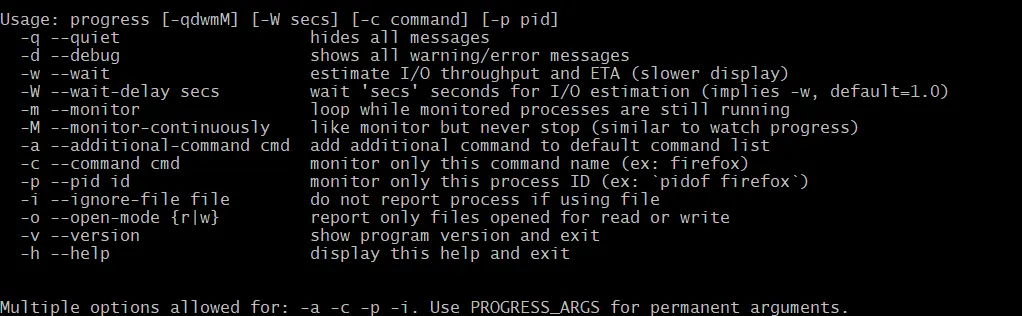
To simply check the progress of all running coreutils programs, you can run progress without any options.
However, to view the I/O throughput as well as the estimated time remaining, you would use
progress -wTo target a specific process, you can use progress -p, followed by the process ID
progress -p PIDIf you do not have the PID of a process and just want to filter by the program name itself, you can use progress -c, followed by the process name
progress -c PROGRAM NAME HERE
Summary
Progress is a very useful tool to have on your system, just for those times where you have doubt if a copy or move command is frozen, you can easily check with progress. I'm pretty sure almost everyone who has used mv or cp has wished they included some kind of visual indicator of the progress of the transfer, but now with progress your wish has been granted.






