
Never underestimate the importance of 2FA security. Without it, you're baiting a hook with your own crypto.
Rookie or pro, trader or HODLer, anyone and everyone using a cryptocurrency exchange must use 2FA.
And if you find yourself suffering through the unexpected loss of your main smartphone, crypto losses only increase the sting.
Failing to take a few precautionary steps could mean losing your funds. Forever. And nobody wants that.
This post will teach you how to properly care for your 2FA assets...
Your 2FA Backup Plan
Now, the Google Authenticator app isn't the only game in town. Authy is one example, and others exist, too, but today we'll discuss Google's 2FA solution.
I'm assuming you already hold this 2FA knowledge:
- Even if someone guesses your exchange account's login details, 2FA will lock them out of your funds -- without a physical device generating codes, remote scammers are mostly powerless
- Every 30 seconds, the app auto-generates random 6-digit codes for all linked accounts
- Internet connection has no bearing on code generation -- with or without WiFi, you'll still get codes
Now let's get to the nitty-gritty...
An Easy 2-Step Process
Let's walk through the entire procedure. We'll pretend we just created an exchange account and are setting up 2FA for the first time.
Equipment
-
PC
-
Smartphone
-
USB Storage Device (optional but recommended)
Here's how you do it securely the first time around...
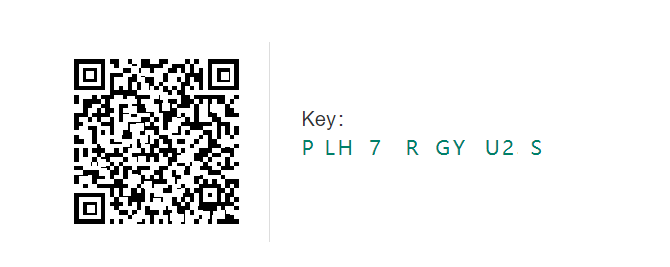
1) Use Your Phone to Scan the QR Code
This is your baby right here. Should something happen to your phone, you'll need to scan this QR code again.
The 1st time you set up any 2FA account, don't proceed until you complete step 2...
2) Take a Screenshot of the QR Code
Prior to hitting 'continue' or 'next' during 2FA initiation on the exchange, be sure to create a copy of the code and associated Key. Along with writing the Key down, take a screenshot of both then paste it into a photo editing program like MS Paint.
This is where the USB drive comes in handy.
Rather than saving your backup photos on the same machine you use to access exchanges, create a folder within an external storage device.
And don't be afraid to make backups of your backups using another device.
So, what if you're already using 2FA and forgot to make backups?
Well, there's a solution for that...
What to Do if You Have Active 2FA Accounts Without Backup
You may be so comfortable with 2FA that you just breezed right through the setup process without taking backups into consideration. I did exactly that when I first started using 2FA.
The good news is that there's nothing to worry about.
Surf on over to your dashboard within the exchange. Under account settings, you can enable and disable 2FA.

If you have accounts for which you don't own backups, simply disable and re-enable 2FA so you can make copies of the QR and Key.
Now, keep in mind that some exchanges may put a temporary hold on withdrawals if you do the 2FA on/off shuffle.
Pay attention to the site's instructions and ensure you won't need to trade while you make your account more secure.
====================
Final thoughts...
Losing your phone can be a scary situation.
But if you've taken a few easy steps to safeguard your crypto accounts, you'll be back into your favorite exchanges within minutes.
Don't take the risk of not having a Plan B for your 2FA.
Making 2FA backups is quick, easy, and well worth the effort.
Peace and love to all my international crypto-nauts out there!
~ BlockchainAuthor






