About Linux

Linux is a powerful operating system ,first released on September 17, 1991, by Linus Torvald. Linux is leading operating system on servers and other big systems.It is free open source software as its code is freely available. It gained popularity because of its fast performance and very efficient system.Ubuntu, Debian,Fedora are some of the popular linux distributions.
Terminal/Shell
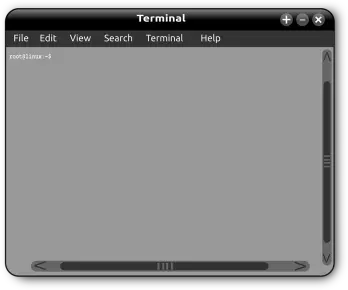
It provides an interface into which users can type commands and that can print text.
Opening a terminal :
Press ctrl+alt+t
or
Go to activities on the top left side of the screen and type
"terminal" / "command" / "shell" or "prompt".
Some of the basic linux commands
1. pwd (Print Work directory):
It shows the directory you are currently in.

2. ls:
It shows the contents of a particular directory i.e. both files and directories.

3. cd (Change Directory):
It is used to change the directory.

4. mkdir (Make Directory):
It is used to create folders anywhere you like in Linux system.

5. clear:
It wipes out the terminal screen after some earlier commands.

6. sudo:
It lets non-privileged users access and modify files that require low-level permissions.
7. touch:
It is used to create a file.

8. mv: It is used to move a file.
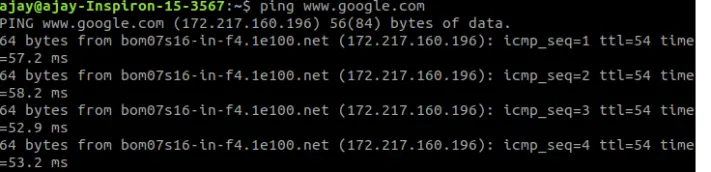
9. ping:
It is used to check your connection to a server.
10. apt-get:
It is used to update/upgrade/install or remove a package.
To update packages in our system using command:
sudo apt-get update
To upgrade the installed packages to their latest versions:
sudo apt-get upgrade
To install the package:
sudo apt-get install packagename
To remove a package:
sudo apt-get remove packagename
Ctrl+C to stop any command safely.
Ctrl+Z can be used to force stop it.
To exit from the terminal use the exit command.
To power off use the command sudo halt and to reboot the computer sudo reboot.






