
A Brief Overview
As the crypto community continues to grow at its unprecedented rate, several exchanges and wallets have sprung up to offer a safe and secure service to interact with cryptocurrencies. Exchanges like Coinbase and eToro have found their ways into the beginner space, offering a streamlined and easy way to trade with a reasonable selection of currencies while advanced options, like Binance and Kraken, offer leverage trading, shorting/longing, stop losses, and a few more useful features. Wallets like BRD and TronWallet provide a convenient place to store crypto for use or holding purposes. However, if you're looking for a service that offers a simple but useful interface to manage hundreds of different currencies, a strong contender would be Atomic Wallet.
The team behind Atomic Wallet has made an incredible multiplatform app that covers most of the bases for diversified crypto portfolios. Other than supporting the most popular cryptos (BTC, ETH, XRP, etc), the wallet also includes more than 500 other altcoins and tokens, staking options, and the ability to buy and exchange your coins directly in the app. The app is intuitive to use and offers a tasteful selection of customization options to fit the needs of each user. However, I have created a tutorial to help ensure that new users become aware of the various features on all available platforms.
Getting Started
This (hopefully) tastefully comprehensive tutorial will walk you through the installation process and how to use the wallet as an effective crypto management system on both the desktop and mobile versions. If anything is missing, please let me know and I will add the appropriate information. Along with that, I will be revising the article to reduce clutter.
Last Updated: June 9th, 2020
Installation and Set-Up:
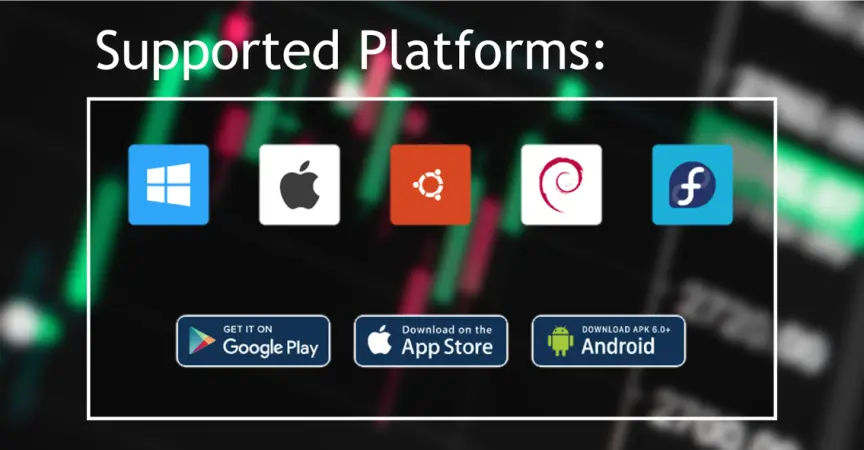
As shown above, Atomic Wallet is available on a plethora of operating systems. Installation is streamlined and easy on all platforms.
Click here to go to the download page.
My referral code will automatically be entered in which will give new users free Atomic Wallet Coin (AWC) just for signing up. I will receive a bonus for new users who use my link but using a referral link does not affect the set-up process.
Upon installing the application, Atomic Wallet will prompt you to either create a new wallet or restore one from backup. Obviously, as a new user, you will be creating a new wallet. However, should you ever need to log in from a different device (i.e using Atomic Wallet on both your desktop and phone), the Restore option will be useful. Make sure to write down your backup phrase and store it in a secure location.
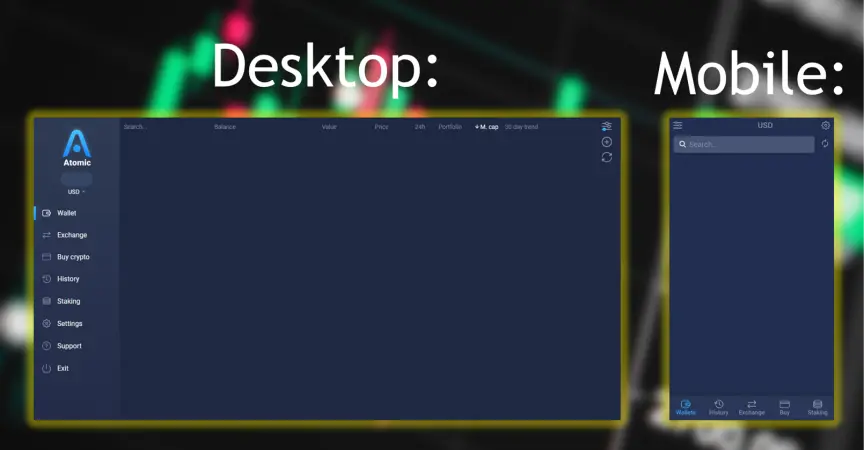
Upon finishing setting up a new wallet, you should be met with a screen similar to either of these:
Features and Usage
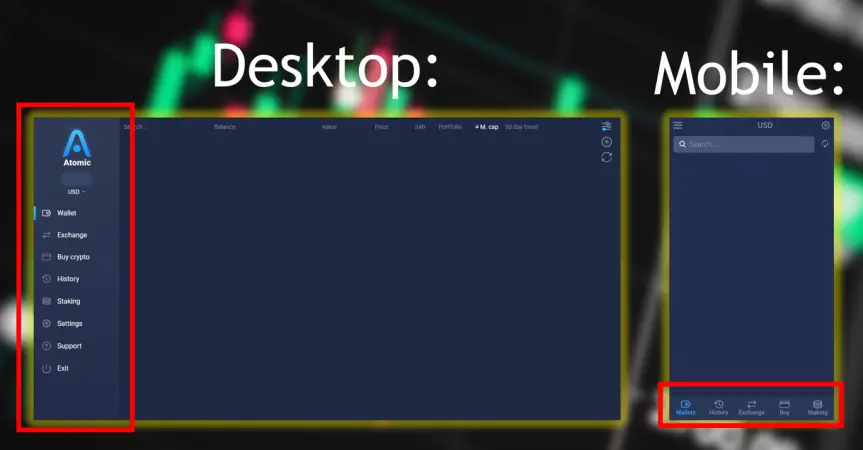
The features within Atomic Wallet stretch far enough for most users and provide an easy all-in-one system to use and manage your crypto. This includes the obvious ones (sending/receiving, exchanging, buying) and staking. All of these are found under the given tabs on both the desktop and mobile versions. These are marked by the obnoxious red boxes below:
We'll start with getting a portfolio set up.
Portfolio Set-Up and Customization
Setting up a portfolio is easy with the given customization options. To organize the list of cryptos you want to see, click the slider icon (top right for desktop and top left for mobile) and make adjustments from there. There is a convenient "Hide Zero Balances" feature that only lists cryptos and Stokes you own. However, for new users, I would recommend turning that feature off and manually curating the list to fit their needs. There is a reason for this, and you'll find out in the next section.
Sending and Receiving
Like most wallets and exchanges, Atomic Wallet makes it easy to both export and import crypto. Simply click on the currency you want to send or receive and both options will be available. For receiving, a QR code and wallet address is provided. In order to access the currencies, however, it needs to be listed in your portfolio (even if you don't own it yet).
Buying/Exchanging
Atomic Wallet allows you to buy a pretty good selection directly with Fiat through Simplex using a credit card. While there are many choices, there are still some that need to be exchanged with a buyable currency to be obtained.
Exchanging is identical to buying except for the fact that you'll be trading your portfolio rather than withdrawing from a card. Some pairs (such as ONG/BTC) are not available. However, you can maneuver around this by using a middleman currency or buying from a different exchange.
Note: The minimum buying transaction size is 10 USD and a 5% fee is charged. The minimum exchange transaction size will be provided upon entering the desired pair.
Staking/Airdrops
The staking interface is probably my favorite feature of Atomic Wallet.
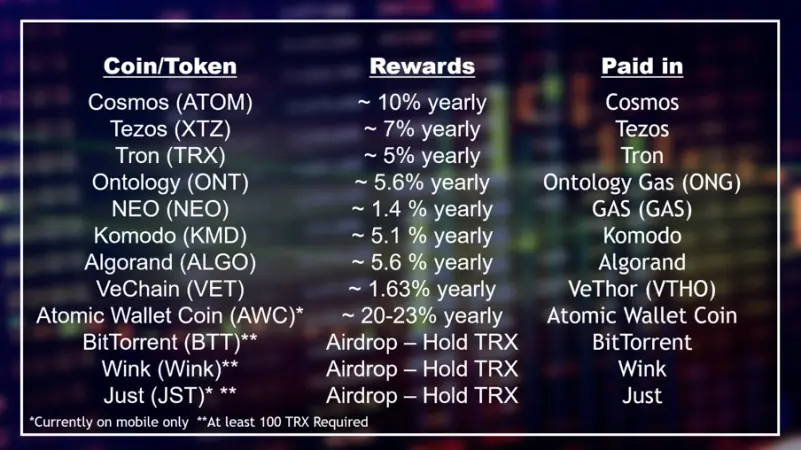
The following Proof-Of-Stake options are available:
Cosmos Staking
Staking Cosmos is pretty straightforward. Simply choose a validator (I recommend the one with the highest percentage returns) and click "Stake". You will be required to manually claim your Cosmos rewards (which can be done any amount of times at any point).
Note: A fixed network fee of 0.0025 ATOM will be charged when you stake. The Cosmos will disappear from your portfolio and will return after unstaking.
Tezos Staking
Staking Tezos on Atomic wallet requires you to choose a "Baker" (similar to a validator) to stake with. This is as simple as choosing one and clicking "Stake". Interestingly, this process does not freeze your Tezos, meaning you can still send it out while staked.
Tron Staking
Staking Tron yields regular Tron payouts through a voting system and has a minimum staking time of 3 days. Each staked Tron is valued at 1 vote each and votes cannot be partial (i.e 0.5 TRX will not give you any votes). These votes can be put towards different Tron networks (i.e Binance) and in turn, they regularly reward voters with additional TRX. Depending on the network, the payout will be different. These rewards will automatically appear in your wallet daily.
A downside is that Atomic Wallet only allows voting for the Binance and BitGuild networks. If you are focused on Tron staking, I'd recommend using TronWallet which is focused specifically on the Tron network and will have a more complete feature set regarding it.
Note: The Tron will disappear from your portfolio and will return after unstaking.
Ontology, NEO, and Komodo Staking
There is actually no staking process for these three. Simply hold them in your portfolio to receive rewards. Rewards need to be manually claimed.
Algorand and VeChain Staking
Similar to the previous bunch, staking Algorand and VeChain is as simple as holding it. The only difference is that rewards will automatically appear in your portfolio.
Atomic Wallet Coin Staking
Currently, staking AWC is only available on the mobile versions of Atomic Wallet but yields an insane 20%+ reward. The staking process is otherwise identical to staking Cosmos.
Note: A network fee paid in Binance Coin (BNB) will be charged when you stake. Make sure to have some on hand. The Atomic Wallet Coin will disappear from your portfolio and will return after unstaking.
BitTorrent, Wink, and Just Airdrops
These three cryptos can be obtained by holding at least 100 TRX within your portfolio. On Atomic Wallet, BitTorrent is distributed every month on the 11th, Wink is distributed every month on the 28th, and Just (mobile only) is distributed every month on the 20th. Both automatically appear in your portfolio on the given dates.
--------------
Conclusion
Atomic Wallet provides one of the most comprehensive experiences in the crypto field. While it may fall short in certain areas when compared to specialized services, it certainly makes up for it with its sheer versatility. After using both the desktop and mobile versions for a few weeks, I can confidently recommend this to anyone in the crypto community looking for a practical method of organizing several currencies.
Once again, if there is anything you would like me to add, feel free to post a comment below! Ratings and feedback are appreciated :)
All graphics were created by me utilizing images from the https://atomicwallet.io/ website and Google. If you believe there is an instance of copyright infringement, please let me know.
Auscillator





