
If you’re like me, your Solana wallet is probably cluttered with random tokens and forgotten NFTs. But did you know each of those dusty assets actually holds a small amount of SOL, locked up as “rent”? That means your SOL is quietly being eaten up by accounts you don’t even use!
Good news: thanks to tools like Sol Incinerator and Claim Your SOL, you can burn those useless tokens and reclaimthe SOL hidden inside. Intrigued? Let’s dive in!
Quick Overview
-
Claim Your SOL or Sol Incinerator are non-custodial dApps built for one thing: helping you clean out unwanted tokens and NFTs from your Solana wallet while recovering any SOL that’s stuck in them.
-
The tools are independent, transparent, and charge minimal fees to keep the service running.
Context & Definition – Why Reclaim Your SOL?
On Solana, every token or NFT you receive creates its own token account—a mini-wallet dedicated to that specific asset.
The catch? Every token account locks up a small deposit of SOL as “rent.” Think of it as a security deposit—not a tax, but a guarantee that keeps the account alive. While it’s just a tiny amount (about 0.002 SOL per account), it adds up fast if you have dozens or even hundreds of tokens.
Why is this a problem?
-
Tokens pile up fast: Airdrops, spam tokens, abandoned projects, random NFTs—you name it. Suddenly, your wallet is packed with “ghost” accounts.
-
SOL gets stuck: Each useless account locks away some of your SOL, making it unusable until you close it.
-
Wallet overload: Over time, your wallet turns into a digital junk drawer, full of assets you don’t want and clutter that hides the ones you do care about.
So, what’s the solution?
The trick is simple: burn (i.e., permanently delete) those old tokens and NFTs to close their accounts and unlock the SOL inside.
Result? A cleaner wallet, a little more SOL to play with, and the satisfaction of optimizing your funds.
Real-life example:
I had 50 useless tokens and was able to reclaim about 0.1 SOL—worth a few bucks—just by tidying up my wallet!
That’s why, if you’re even a little active on Solana, it’s worth making this “cleanup” a regular habit!
🪙 Which Tokens and NFTs Are Affected?
So, which assets can you actually burn to get your SOL back?
Hint: it’s not just scams, but all sorts of forgotten or obsolete tokens that lock up your funds for no reason.
The Usual Suspects
-
Abandoned or useless tokens : Think random airdrops, leftover testnet tokens, or coins from projects that no longer exist.
-
Spam tokens and questionable airdrops : Some tokens are just sent out in bulk to clog up your wallet. They do nothing except trap your SOL.
-
Worthless or compressed NFTs : These might be random, low-value NFTs, or “compressed” NFTs that don’t lock up SOL but still clutter your wallet.
-
Expired LP tokens : If you’ve ever provided liquidity and left behind old LP tokens, these can sometimes be burned to reclaim SOL (usually via “Pro” tools).
-
Unused .sol domains : If you registered .sol names you no longer want, burning them can free up their rent as well.
Assets You (Usually) Can’t Burn
-
Some compressed NFTs (the latest type) don’t unlock any SOL, but can still be deleted for a cleaner wallet.
-
Tokens that are “vested” or locked by smart contracts aren’t eligible.
Quick Recap Table
Asset Type Can Burn? SOL Recoverable? Standard Token Yes Yes Spam Token Yes Yes Regular NFT Yes Yes Compressed NFT Yes Usually No LP Token Yes (Pro) Yes .sol Domain Yes (Pro) Yes
Bottom line: All those small, random assets add up! A few clicks, and you could free up a surprising amount of SOL—plus, your wallet will look and feel a whole lot better. 😎
⚡️ Step-by-Step Process: How to Burn Tokens & Reclaim SOL
Ready to take action? Here’s exactly how I did it (and how you can too):
1️⃣ Connect Your Wallet
Head to Claim Your SOL or Sol Incinerator
Connect your favorite Solana wallet (Phantom, Solflare, Backpack, etc.) securely.
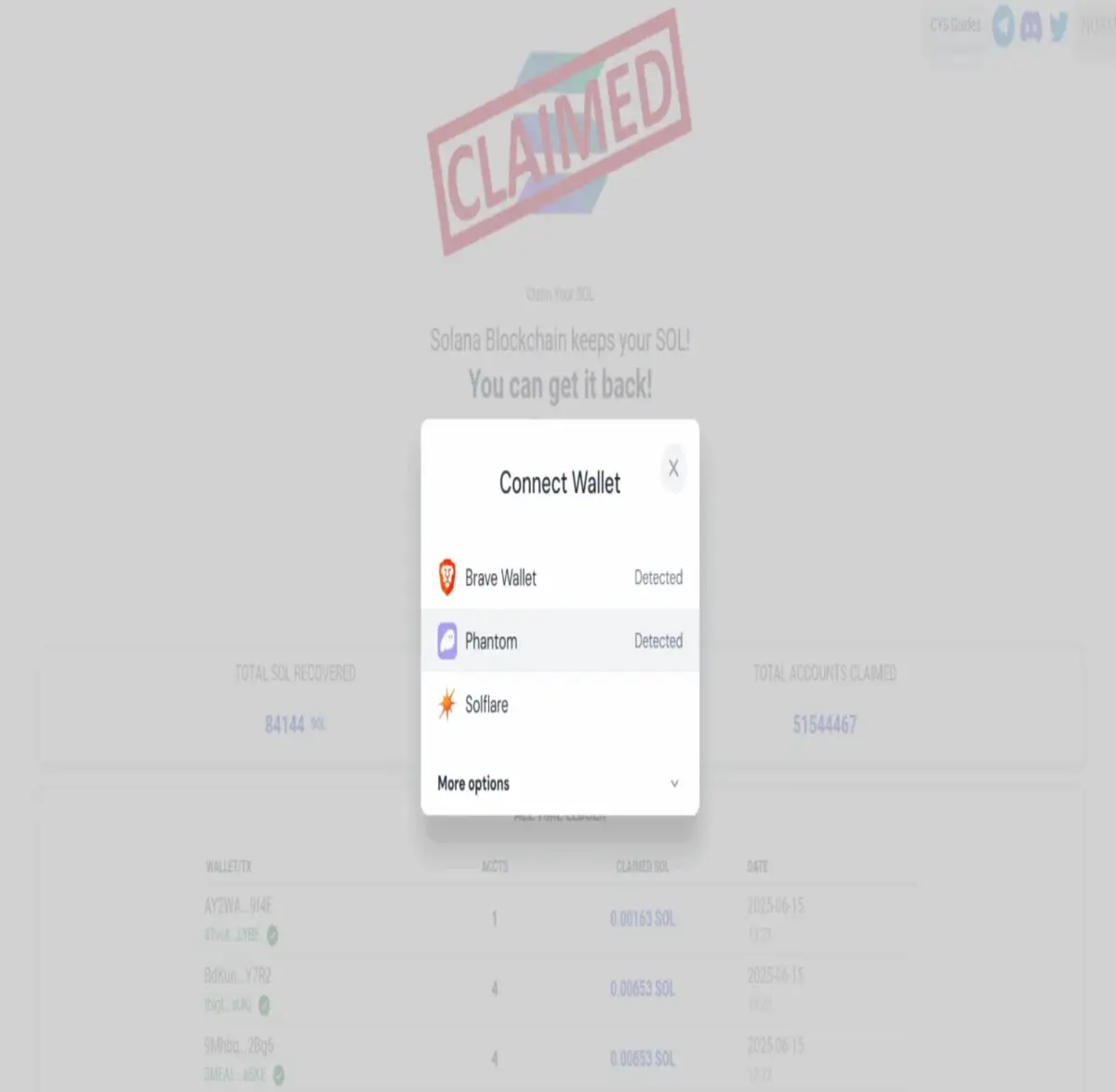
Tip: Never enter your seed phrase! Use only the built-in wallet connect feature.
2️⃣ Automatic Asset Scan
The dApp instantly scans all the tokens, NFTs, and dormant accounts in your wallet.
You’ll see a detailed list showing which assets are eligible for burning and exactly how much SOL you’ll get back for each one.
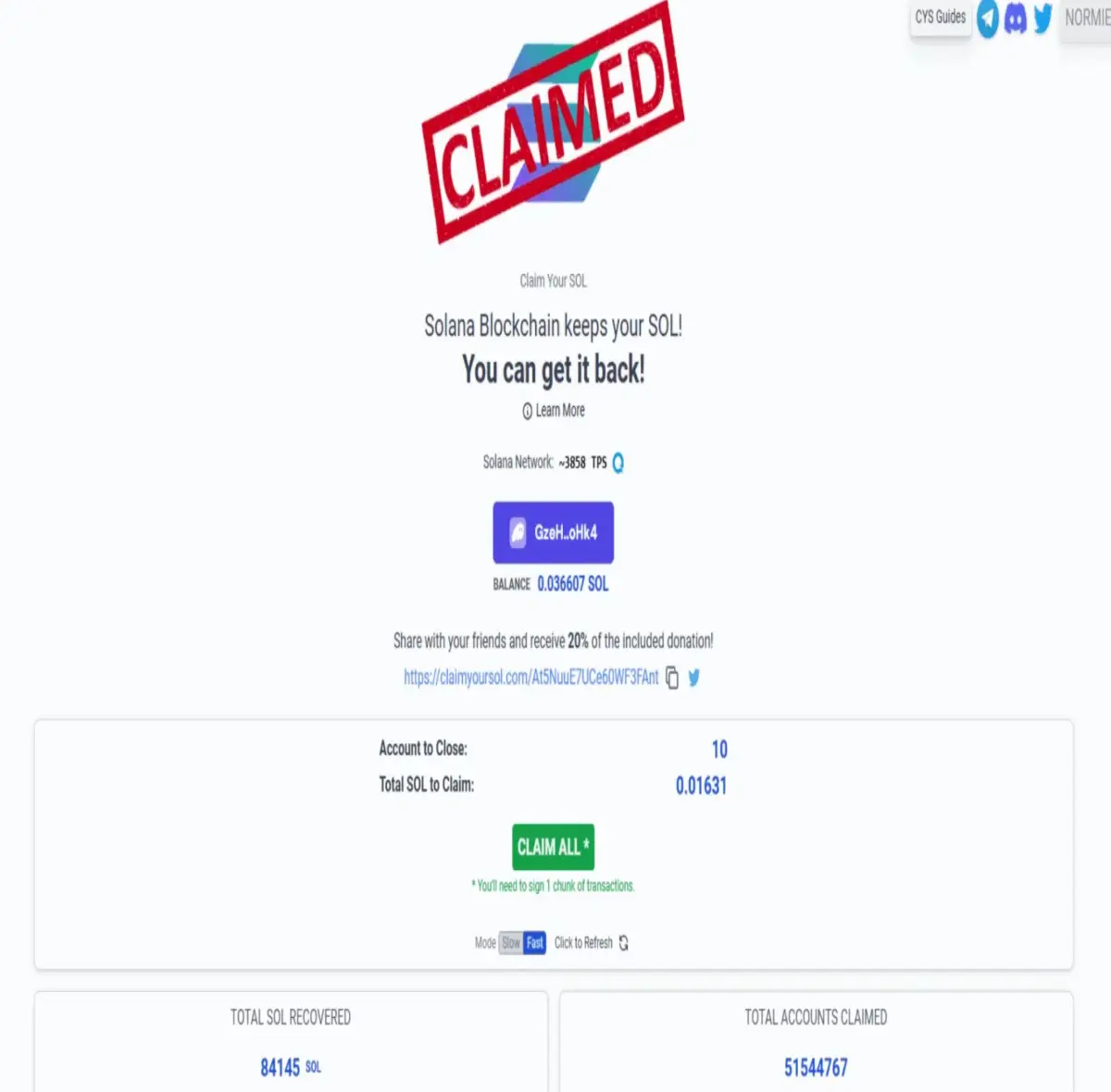
3️⃣ Select What to Burn
Check off the tokens, NFTs, or domains you want to delete.
The interface clearly shows the amount of SOL you’ll recover with each selection.
4️⃣ Confirm the Transaction
When ready, click “Burn” or “Claim.”
Your wallet pops up—review and approve the transaction.
Warning: This is irreversible! Double-check everything before hitting confirm.
5️⃣ Instantly Reclaim Your SOL
In a few seconds, the unwanted accounts are closed and the unlocked SOL is credited back to your wallet.
It’s super fast and transparent (and you can always check the transaction on Solscan for peace of mind).
6️⃣ Enjoy Your Clean Wallet
See, in real time, how much SOL you reclaimed and enjoy a much cleaner, tidier wallet interface.
My experience: First time I tried this, I got back 0.07 SOL I had no idea was locked away!
🧩 Bonus Tips & Best Practices
-
Repeat this “spring cleaning” regularly, especially after airdrops, NFT mints, or testing new dApps.
-
Always double-check which assets you’re burning—just in case something has gained value!
-
Consider using the “Pro” version if you have LP tokens or .sol domains to clear out.
⚠️ Warnings & Best Practices: What to Know Before You Burn
Burning old tokens to reclaim SOL is (almost) risk-free—as long as you follow some simple rules:
✅ Double-Check Before You Burn
-
Carefully review the list of tokens and NFTs before hitting “burn.” It’s easy to accidentally delete something with sentimental or future value.
-
Tip: If a token’s name seems unfamiliar, look it up on Solscan or a crypto search engine before burning. You never know!
🔒 Stick to Official Platforms
-
Never enter your seed phrase or private keys, ever. Legit tools like Sol Incinerator or DappRadar only ask for wallet connection, not secret codes.
-
Always check the site URL to avoid lookalike scams. Bookmark trusted links or use official directories.
-
Ignore pop-ups or DMs directing you to suspicious sites—stick to the real thing.
❗ Remember: Burning Is Permanent
-
Once confirmed, the assets and their accounts are gone forever.
No undo button! -
Pro tip: If you’re unsure, start with obviously worthless tokens, and take your time.
💸 Expect Minimal Fees
-
Each burn takes a tiny cut of the SOL you recover as a service fee (and to cover blockchain transaction costs).
Usually, it’s clearly stated and reasonable.
📅 Make It a Routine
-
Add wallet-cleaning to your regular habits—maybe monthly, or after any burst of crypto activity.
-
The upside: less SOL locked away, less spam, and a much more user-friendly wallet.
🛡️ Pro User Habits
-
Keep a main wallet for valuable assets, and a “test wallet” for airdrops or experimenting.
-
If you like, screenshot or export a list of burned assets to track your history (handy for records).
Burning tokens on Solana is simple, but attention pays off! By following these tips, you’ll maximize your gains and minimize risk—ending up with a cleaner, safer, and more efficient wallet.
So… ready to incinerate?






