Hello friend, meet me again. This time I will share step by step How to buy EDC on Bit-Z Easily and Quickly! before, I will tell you the history of what EDC Blockchain.EDC isn't simply a cryptocurrency, however a multifunctional platform with several advantages for users that provides the power to form cryptocurrencies for your startups and businesses inside the framework of the chosen package.a pool of latest risk capital investors World Health Organization have an interest within the growing influence of EDC Blockchain in the business is actively concerned in the development of the project. the corporate is actively specializing in the Southeast Asian (in specific, China), Latin American and European markets.(for more information,you can check in here https://blockchain.mn/faq/)
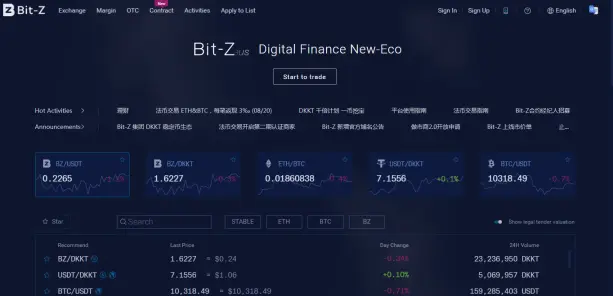
Okay back to the topic, how to buy EDC Blockchain and why on Bit-Z?
1.because the security trust score in Bit-z is better than in Yo-bit even though the trading volume is greater there
2.Very modern appearance and Friendly User
3.Chart is very flexible and has many indicators, this makes it easy for us for Technical Analysis
4.Fast support and assistance through the Telegram Group (But you have to be careful, always careful to avoid scammers)
5.Applications for Android and IOS are available such as Binance. We know that there are a lot of smart phone users, therefore Apps are very important considering that EDC has now released its Android wallet version.
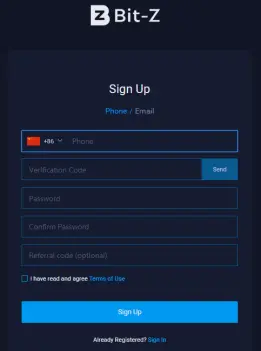
Before starting trading, you must create a Bit-Z account if you don't have one, you can register here https://u.bit-z.com/register/ if you already have an account, you can skip this step.after logging in you can go directly to ID Verification Level 1 to open all access examples of trading, withdrawals or deposits
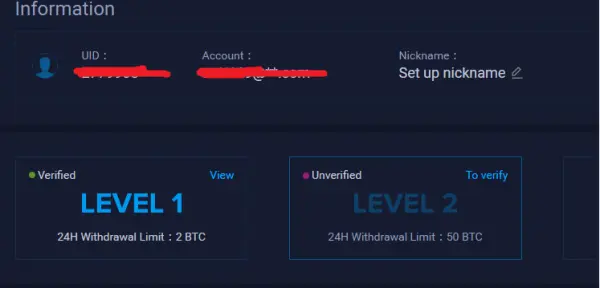
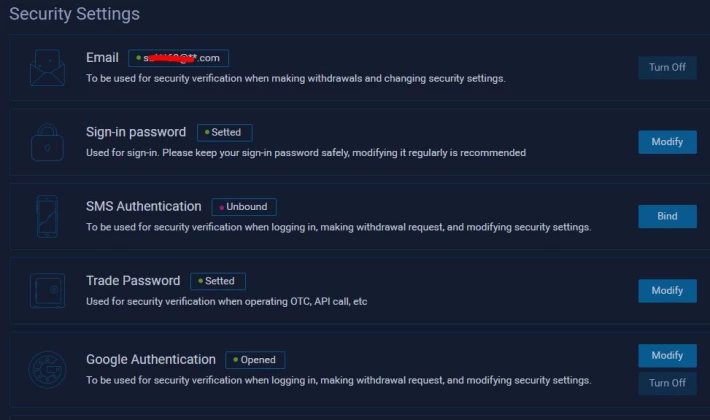
Then scroll down to set security settings, specifically Trade Password and Google Authentication
After everything has been set, now you can make a deposit by clicking on the words "Exchange A/C" and search for "BTC" to make a deposit. Or you are looking for a cheaper option you can use TRX and exchange to BTC, but here I use BTC
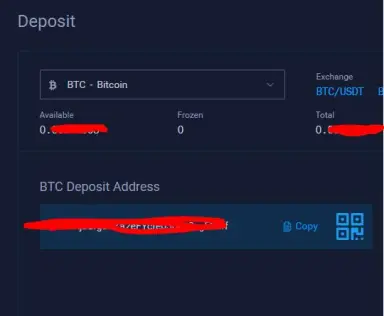
IMPORTANT
- Send only BTC to BTC address. Sending any other asset to BTC address will result in the loss of your asset;
- BTC will be deposited immediately after 2 block confirmations
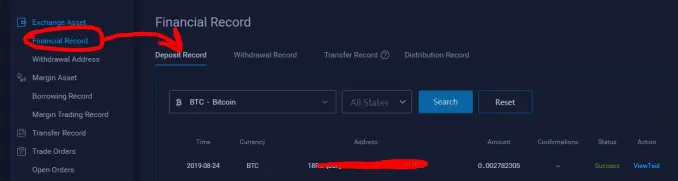
- After making a deposit, you can track its progress on the Deposit history page in Financial Record->Deposit Record
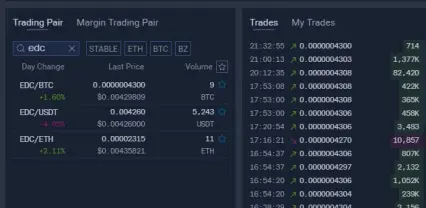
if the deposit has entered, you can directly trade to the EDC / BTC pair https://www.bit-z.com/exchange/edc_btc by entering the exchange then search for the search tab and type "EDC" to speed up your search
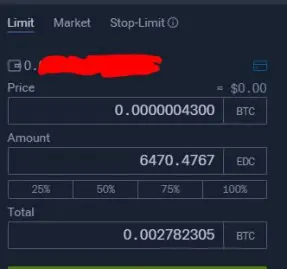
in buying or selling, there are 3 types of orders, the first is Limit, Market, and Stop-Limit what is it all? I will explain
Limit order is an order that you have agreed to agree on at that price by waiting for the market to reach the price that you agreed upon
Market order are prices where you don't have to wait for prices or you can say instant orders because prices follow the market all the time
Stop-Limit order is a simple strategy order. You can specify the stop price, the price (buy or sell price), and the amount (buy or sell amount) in advance. When the last price in the market reaches the stop price, the system will automatically entrust a limit price order according to the price and amount you specify, saving your time of watch market movements.
But here I am using a limit order because I am sure the price will be executed at that price, after the order is successful then an order will appear if the order has been made and is successful
How to move to EDC Personal Wallet
Go back to https://u.bit-z.com/assets/index then search for EDC, then click withdrawal and add Address then enter Remake Address, Withdrawal Address (Private address of your wallet) and trade password that was created earlier and click OK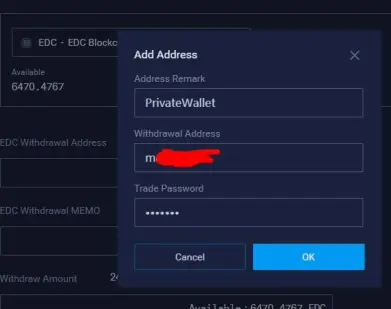
IMPORTANT
- One time minimum withdrawal of EDC is 2500 EDC, maximum withdrawal is 25000000 EDC, fee is 100 EDC
- There are two types of withdraw, normal withdraw and internal transfer, which share the withdraw limit together
- Within 24 hours, total upper limit of all currencies' withdraw amount is 2 BTC, every withdraw over 10 BTC requires video verification, you have withdrawn 0 BTC so far.
- If you have changed security settings (login password, trading password, phone verification, email verfification, google verification, etc.), you can't transfer in the 24 hours after you make the change, it will be back to normal after 24 hours.
If you have completed the withdrawal address you will receive a confirmation email for withdrawal,then you can wait until your privacy wallet
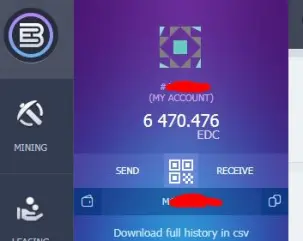
Done! Thank you for following this tutorial, hopefully it will be useful
Caution: Trading digital assets is a high-risk activity. The price of digital assets is very volatile, where prices can change significantly over time. Please use extra consideration in making a decision to buy or sell digital assets. Indodax does not force users to buy or sell digital assets, as investments, or profit seeking. All decisions on trading digital assets are independent decisions by users.
For More Information
Website: https://blockchain.mn/
Bitcointalk: https://bitcointalk.org/index.php?topic=5135187
Whitepaper: https://blockchain.mn/wp-content/themes/blockchain/EDC_Blockchain-presentation_(EN).pdf
Presentation: https://blockchain.mn/wp-content/themes/blockchain/EDC_Blockchain-presentation_(EN).pdf
Facebook: https://www.facebook.com/EDCBlockchain/
Twitter: https://twitter.com/EDCBlockchain
LinkedIn: https://www.linkedin.com/company/EDCBlockchain
Telegram Channel: https://t.me/EDCBlockchain
Telegram Group: https://t.me/EDCBlockchain1
Instagram: https://www.instagram.com/EDC.Blockchain/
Weibo: https://www.weibo.com/u/7086042952
Youtube: https://www.youtube.com/channel/UCdkt4HSObcdnSU4CrqZqgig
Author
Bitcointalk username: creatorbit
Bitcointalk profile link: https://bitcointalk.org/index.php?action=profile;u=942711
EDC Wallet Address: doaibu2000





