
 The 65 Roses Crypto Story
The “65 Roses” story dates back to 1965 when an observant 4-year-old, hearing the name of his disease for the first time, pronounced cystic fibrosis as "65 Roses." Today, “65 Roses” is a term often used by young children with cystic fibrosis to pronounce the name of their disease.
🌹 65 Roses® is a registered trademark of the Cystic Fibrosis Foundation.
Official Release Dates - https://www.cff.org/ TBA on 1INCh PANCAKESWAP APESWAP ANYSWAP
The "65 Roses" story has captured the hearts and emotions of all who have heard it. The rose, appropriately the ancient symbol of love, has become a symbol of the Cystic Fibrosis Foundation.
What is [$65Roses] Cystic Fibrosis #65ROSES
Rebecca Schroeder has a background in chemistry, and a child with a rare genetic disease called Cystic Fibrosis. In this video, she describes the last miraculous decade of medical research and advocacy, which has transformed the lives of many living with cystic fibrosis. Progress is FANTASTIC, but we won't stop until it's done...and 100% of cystic fibrosis patients have a cure.
Binance Smart Chain Migration
BSC TOKEN - $BNB $ETH CURE Cystic Fibrosis
$65Roses TOKEN SHARE BREAKDOWN

🌹 8% Development / Maitenance

🌹 4% Marketing / Exchanges

🌹 3% Gifting CF Patients / Essential Funding - Cystic Fibrosis Foundation - Audit: https://www.cff.org/

🌹 20% Cystic Fibrosis Foundation - Audit: https://www.cff.org/ 80% Locked 6 Months

🌹 65% Public Release - Audit: https://www.cff.org/

🌹 5% Fees will automatically yeild assets directly to Cystic Fibrosis Foundation - Audit: https://www.cff.org/

🌹 5% Automatic LP Liquidity [Locked]
- Total Token Supply $65Roses 65000000000 - 65 Billion [65ROSES]
- Proposed Burn Amount in Blocks of 6500000 Every 14 Days 12 Months TBA
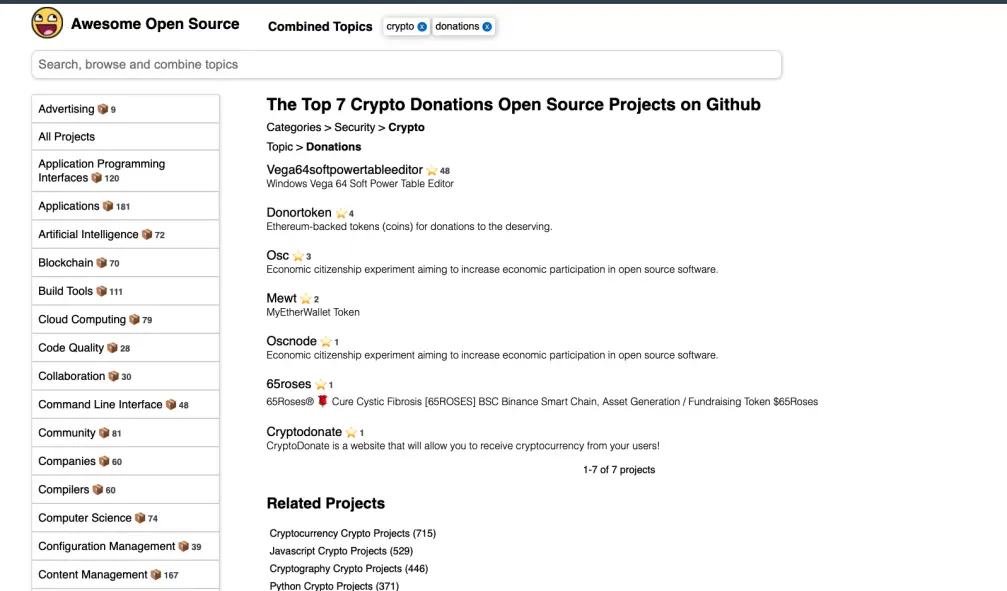
Top 7 Awesome Open Source Projects
🌹 65 Roses #DEX [Decentralized Tokens]
2018 [outdated] Linux and Windows Wallets No Longer Supported
-
Linux Wallet https://github.com/neuromaster/65Roses/blob/master/65roses-qt-linux.tar.gz
-
Windows Wallet https://github.com/neuromaster/65Roses/blob/master/65roses-qt-windows.zip
How do I mine a block? (Scrypt/SHA-256)
Open your wallet, and make sure you are connected to another wallet. You are connected if you see the icon Wallet Connections in the lower right corner of your wallet.
The message "No block source available" will disappear once you mine your first block.
Go to Help. Click Debug Window. This is the console where you will execute all commands.
Type this command to start mining your first block: setgenerate true -1
If you want to use a specific number of CPU cores, instead of -1, type the number of cores.
You can type the following command to see the status of generation. getmininginfo
It will take about +/- 10 minutes to mine your first block, depending on your computer hardware.
How do I mine a block? (Scrypt PoW/PoS)
Open your wallet, and make sure you are connected to another wallet. You are connected if you see the icon Wallet Connections in the lower right corner of your wallet.
The message "No block source available" will disappear once you mine your first block.
Important: replace "examplecoin" with the name of your blockchain.
Close your wallet and create the file examplecoin.conf in the folder "%APPDATA%\examplecoin".
Paste the following text into examplecoin.conf and save the file. rpcuser=rpc_user rpcpassword=8cde5e64e7297b1cb4c495d1a rpcallowip=127.0.0.1 rpcport=4210 listen=1 server=1 addnode=node.walletbuilders.com
Download the latest version of cpuminer from here and extract the zip file.
Create a .bat file named mine.bat and paste the following text into mine.bat. minerd --url=http://127.0.0.1:4210 --userpass=rpc_user:8cde5e64e7297b1cb4c495d1a
Save the file inside the extracted cpuminer folder.
Open your wallet and execute mine.bat to start mining your first coins.
Where can I find my blockchain data dir?
Important: replace "examplecoin" with the name of your blockchain.
Operating System Default datadir Typical path to configuration file Windows 7, 8.1, 10 %APPDATA%\examplecoin\ C:\Users\username\AppData\Roaming\examplecoin\examplecoin.conf Linux $HOME/.examplecoin/ /home/username/.examplecoin/examplecoin.conf macOS $HOME/Library/Application Support/examplecoin/ /Users/username/Library/Application Support/examplecoin/examplecoin.conf
You can calculate how much coins you mine per day using the following formula.
block_reward / (difficulty * 4294967296 / hashs_per_sec / 3600 / 24)
You need to replace "block_reward" with the current block reward. The "difficulty" must be replaced with the current difficulty of your blockchain.
Change "hashs_per_sec" with the hashes your computer generates.
Have a look at the following page's for an estimate of how many hases your computer generates.
Scrypt https://litecoin.info/index.php/Mining_hardware_comparison
SHA-256 https://en.bitcoin.it/wiki/Non-specialized_hardware_comparison
You can backup your wallet using the following instructions.
Important: replace "examplecoin" with the name of your blockchain.
- Close your wallet.
- Open the folder "%APPDATA%\examplecoin".
- Copy the file wallet.dat to a safe location.
How do I setup a node on Ubuntu server?
You can setup a node on Ubuntu server using the following instructions.
Rent a VPS running Ubuntu 14.04 server.
Update your VPS using the following commands. sudo apt-get update sudo apt-get upgrade
Install the necessary dependencies using the following commands. sudo apt-get install build-essential libssl-dev libdb-dev libdb++-dev libboost-all-dev git libssl1.0.0-dbg sudo apt-get install libdb-dev libdb++-dev libboost-all-dev libminiupnpc-dev libminiupnpc-dev libevent-dev libcrypto++-dev libgmp3-dev
Download the deamon file from MyCoin and upload it using SCP/Filezilla. (Only available to paid customers)
Important: replace "examplecoin" with the name of your blockchain.
Extract the tar file using the following command. tar -xzvf examplecoin-daemon-linux.tar.gz
Install the daemon. chmod +x examplecoind sudo mv examplecoind /usr/bin/
Create the config file. mkdir $HOME/.examplecoin nano $HOME/.examplecoin/examplecoin.conf
Paste the following lines in examplecoin.conf. rpcuser=rpc_examplecoin rpcpassword=69c863e3356d3dae95df454a1 rpcallowip=127.0.0.1 listen=1 server=1 txindex=1 daemon=1
Start your node with the following command.
examplecoind
How do I start staking?
The following only applies for a scrypt PoW/PoS blockchain.
Open your wallet, and make sure you are connected to another wallet. You are connected if you see the icon Wallet Connections in the lower right corner of your wallet.
Leave your wallet open and unlocked to stake. Keep in mind that stake can only be generated when you have a balance in your wallet.
The following only applies if you encrypted your wallet.
You can unlock your wallet using the following instructions.
Go to Help. Click Debug Window. This is the console where you will execute all commands.
Type this command to start staking: walletpassphrase REPLACE_WITH_YOUR_PASSWORD 9999999 true
Replace the text "REPLACE_WITH_YOUR_PASSWORD" with your password.
The number 9999999 is the amount of seconds you want to leave your wallet unlocked for staking.
How do I start my wallet on Microsoft Windows?
Windows SmartScreen is a new feature in Windows 8 to help protect users from running unverified software downloaded from the internet. It's a nice feature but it sometimes blocks our generated wallets.
Microsoft Windows SmartScreen
You can fix this using the following instructions.
- Right click the wallet (exe) and select "Properties".
- Select "Unblock".
- You can now start the wallet (exe).
Microsoft Windows File Unblock
Please Support the Development of 65Roses 🌹
A guide to hosting your own fundraiser for Cystic Fibrosis
https://www.cfwa.org.au/wp-content/uploads/2018/02/Community-Fundraising-Handbook-FINAL-2018.pdf






